

What Is Document Detection and How Does It Work?
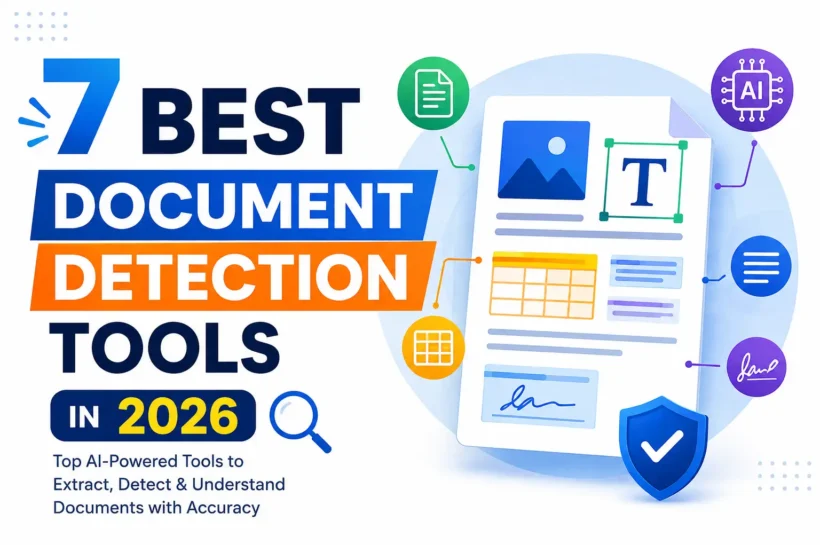
Document detection is the process of identifying, classifying, and locating content inside files, especially PDFs, scans, and forms. Tools combine OCR, computer vision, machine learning, and language models to detect text, tables, fields, headings, signatures, and document types. The workflow usually starts by improving image quality, recognizing characters, mapping page layout, and assigning semantic labels to extracted elements. These systems then turn information into structured JSON, searchable text, or database-ready fields. In practice, document detection sits between files and useful business data, reducing manual review and making documents easier for software to understand efficiently.
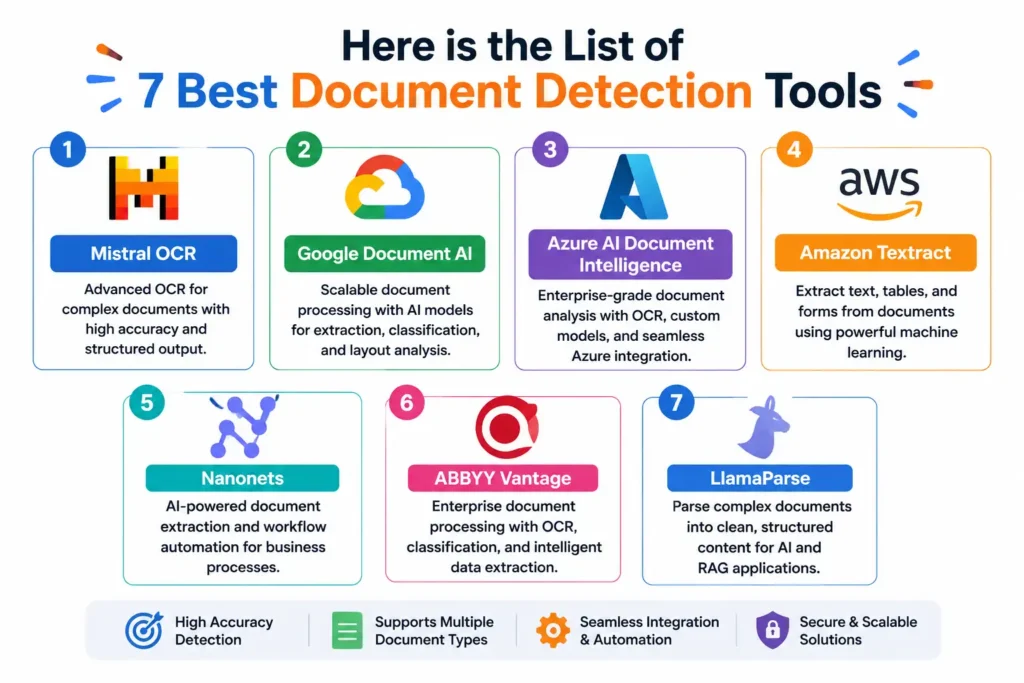
Here is the List of 7 Best Document Detection Tools
Mistral OCR: Best for Advanced Document Understanding
Mistral OCR is a good choice when document understanding goes beyond text recognition. Its OCR extracts text and embedded images while preserving document structure, including headings, paragraphs, lists, and tables. Mistral says OCR 3 achieved a 74% overall win rate over OCR 2 across forms, scanned documents, complex tables, and handwriting. The service also supports structured outputs and document question answering, making it useful for AI applications that need richer context. As of 2026, Mistral lists OCR 4 as its newest OCR service, while OCR 3 remains available for existing production integrations for AI workflows.
Key Features and Detection Capabilities
Mistral OCR focuses on structure-aware extraction rather than returning a flat text. It can preserve headings, paragraphs, lists, tables, headers, and footers, with table output available in Markdown or HTML. OCR 3 also supports image extraction, bounding-box extraction, structured annotations, and document Q&A. These capabilities help transform PDFs into AI-ready content while retaining relationships that basic OCR often loses. well.
Best Use Cases
Mistral OCR works well for RAG pipelines, document search, knowledge bases, contract review, research archives, scanned records, and AI assistants that need answers from PDFs. It is especially attractive when tables, handwriting, or complicated layouts matter. Mistral reported that OCR 3 improved performance across forms, low-quality scans, handwriting, and complex tables, making it a practical option for mixed document collections.
Pros and Cons
Pros include strong layout preservation, structured outputs, table reconstruction, image extraction, and pricing suited to high-volume OCR. Mistral reported OCR 3 at $2 per 1,000 pages, with a Batch API discount. A limitation: OCR 3 is no longer the newest model because OCR 4 is now available. Teams should check availability and output requirements before choosing a setup for enterprises.
✨ Discover More Articles: Best AI Tools for Writing Marketing Copy (2026 Guide)
Google Document AI: Best for Scalable Document Processing
Its processor ecosystem covers OCR, forms, custom extraction, classification, splitting, and layout understanding. Enterprise Document OCR can extract text and handwriting from more than 200 languages, while layout capabilities combine OCR with Gemini to preserve relationships among headings, paragraphs, tables, figures, and lists. Google also supports evaluation metrics such as precision, recall, and F1, helping teams measure extraction quality. That combination makes Document AI useful for business workflows, data pipelines, search, and retrieval-augmented generation applications.
Key Features and Detection Capabilities
Google Document AI offers processors for OCR, forms, custom extraction, classification, splitting, and layout parsing. Enterprise Document OCR supports more than 200 languages and can assess document readability. Its layout parser identifies headings, tables, figures, lists, and related context, while Form Parser extracts key-value pairs, tables, and selection marks. Custom extractors can also use generative AI at scale in production.
Best Use Cases
Google Document AI is a strong fit for workflows such as invoices, mortgage files, procurement records, shipping documents, forms, and archives. It is also useful for search and RAG because its layout parser can create context-aware chunks. Teams can combine pretrained document processors with custom extraction, classification, and splitting to route documents through workflows without building every model from scratch.
Pros and Cons
Pros include broad coverage, scalable infrastructure, multilingual OCR, custom extraction, layout understanding, and built-in evaluation tools. Google also offers free credits for customers, which can help teams prototype. The main drawback is complexity: choosing processors, configuring schemas, managing resources, and evaluating models can require technical expertise. Costs can vary by processor, volume, and workflow design, so testing is essential before launch.
✨ Discover More Articles: Photoshop Tools: Complete List, Uses, and Functions for Beginners
Azure AI Document Intelligence: Best for Enterprise Workflows
Azure AI Document Intelligence is designed for businesses that need reliable document analysis inside larger enterprise workflows. The service combines OCR, layout analysis, prebuilt models, custom extraction, classification, and searchable PDF capabilities. Its current v4.0 API is Microsoft’s recommended choice for new development, while recent updates include improved U.S. tax-form processing and multi-form extraction. For teams already using Azure, its biggest advantage is integration with Microsoft’s cloud ecosystem, identity controls, and application services. It can turn invoices, contracts, forms, IDs, and financial documents into structured information that downstream systems can use efficiently.
Key Features and Detection Capabilities
Azure Document Intelligence can detect printed text, handwriting, tables, selection marks, key-value pairs, and document structure. Prebuilt models cover common documents, while custom extraction models handle business-specific fields. Its Layout model adds reading order and structural information, and the v4.0 Read container supports searchable PDFs. Microsoft also provides classification and splitting capabilities, helping applications separate mixed files before extraction and routing.
Best Use Cases
Azure Document Intelligence fits accounts payable, lending, insurance, tax processing, contracts, identity verification, and records management. It is particularly useful when documents already flow through Azure applications or Microsoft-based enterprise systems. Teams can combine document classification, extraction, validation, and downstream automation to reduce manual data entry. Its prebuilt models can also shorten development time for common document types and business workflows.
Pros and Cons
Pros include strong enterprise integration, prebuilt and custom models, layout analysis, classification, searchable PDFs, and Microsoft-backed cloud infrastructure. The main downside is that advanced implementations can require Azure expertise, careful model selection, and ongoing evaluation. Pricing also depends on the processor and usage, so high-volume workloads should be tested with realistic documents before production to estimate total processing costs accurately and avoid unexpected expenses.
✨ Discover More Articles: The Future of Social Media Agencies: Automation & AI Tools
Amazon Textract, Nanonets, ABBYY Vantage, and LlamaParse Compared
Amazon Textract, Nanonets, ABBYY Vantage, and LlamaParse solve similar document-processing problems, but they are built for different priorities. Textract is a natural fit for AWS applications and supports text, handwriting, forms, tables, queries, and specialized workflows. Nanonets emphasizes intelligent document processing and workflow automation. ABBYY Vantage targets governed enterprise automation with mature document skills and extraction. LlamaParse is especially focused on turning complex documents into useful context for AI and RAG pipelines. The right option depends on your cloud environment, document complexity, automation needs, governance requirements, and desired AI workflow.
Key Features and Detection Capabilities
Textract provides OCR, handwriting recognition, forms, tables, queries, invoices, receipts, IDs, and lending workflows. Nanonets combines OCR, structured extraction, validation, and workflow automation. ABBYY Vantage adds document classification, OCR, extraction skills, analytics, and enterprise controls. LlamaParse uses VLM-powered parsing and multiple processing tiers to handle complex layouts. These capabilities make the tools more than basic OCR because they can preserve document structure and turn content into machine-readable information for downstream applications.
Best Use Cases
Choose Textract when your application already runs on AWS and needs scalable document analysis. Nanonets is useful for accounts payable, invoices, purchase orders, contracts, and other operational workflows. ABBYY Vantage suits regulated enterprises that need governed document automation. LlamaParse is compelling for developers building RAG, semantic search, knowledge bases, or AI agents that need clean context from complex PDFs and other files.
Pros and Cons
Textract benefits from AWS scalability and broad API support, while Nanonets offers workflow-oriented extraction. ABBYY Vantage stands out for enterprise governance, mature document skills, and automation. LlamaParse is strong for AI-ready parsing and complex document understanding. Trade-offs vary: cloud platforms can require technical setup, enterprise platforms may need more configuration, and AI-focused parsers still require evaluation for accuracy, cost, latency, and edge-case documents.
✨ Discover More Articles: Top 4 AI Tools to Use for Marketing
Nanonets
Nanonets is an AI-powered intelligent document processing platform focused on converting unstructured documents into structured, usable data. Its current API supports OCR, field extraction, table extraction, workflow automation, and integrations with external business systems. Instead of treating OCR as the final step, Nanonets connects recognition with validation and operational workflows. That makes it useful for teams that want to automate repetitive document-heavy processes without building every extraction model from scratch. Common inputs include invoices, receipts, purchase orders, contracts, claims, and forms, making the platform a practical option for finance, operations, and back-office automation.
Key Features and Detection Capabilities
Nanonets combines OCR with structured field and table extraction, transforming documents into machine-readable outputs. Its workflow tools can route files, approve or reject extracted results, and support human review. The API also provides instant-learning workflows for custom documents and integrates with external systems. This combination helps teams move from simple text recognition toward end-to-end intelligent document processing and automated data entry across repetitive business processes.
Best Use Cases
Nanonets works well for accounts payable, invoice processing, purchase orders, receipts, contracts, insurance claims, and operational forms. It is especially useful when teams need extraction plus workflow automation rather than OCR alone. Finance departments can capture invoice fields and line items, while operations teams can route extracted information into downstream applications. Its API also supports custom document workflows for specialized business requirements and automation projects.
Pros and Cons
Pros include strong workflow automation, structured field and table extraction, API access, custom workflows, and integrations. It can reduce manual data entry by connecting extraction directly with business processes. A potential drawback is that organizations with highly specialized requirements may still need extensive workflow tuning and validation. As with any AI extraction platform, accuracy should be measured on representative documents before full automation to minimize errors.
✨ Discover More Articles: 10 Best Teacher Tools To Improve Learning in 2026
ABBYY Vantage
ABBYY Vantage is an enterprise intelligent document processing platform designed to capture, understand, classify, and route business documents. Its approach extends traditional OCR with machine learning, natural language processing, document skills, and workflow automation. Vantage 3.0, released with major updates in 2026, added prompt-based extraction, enhanced OCR, advanced analytics, stronger security controls, and new preconfigured models. This makes it attractive for organizations processing large document volumes where accuracy, governance, and repeatable automation matter. It is particularly suited to complex enterprise environments that need document understanding connected to business processes rather than standalone text extraction.
Key Features and Detection Capabilities
Vantage combines OCR, document classification, extraction skills, table processing, and workflow capabilities. Its OCR supports machine-printed text in more than 200 languages and includes barcode recognition. Vantage 3.0 adds prompt-based extraction alongside purpose-built Document AI, while enhanced controls support redaction and access management. Classification can also separate document types, split mixed files, and route pages toward appropriate downstream processing skills.
Best Use Cases
ABBYY Vantage is well suited to banking, insurance, healthcare, government, finance, and other document-intensive enterprises. Typical workflows include invoices, claims, contracts, tax documents, mortgage files, and correspondence. Its classification and routing features are useful when one incoming file can contain multiple document types. Enterprises can combine extraction with validation and automation to move information into existing business processes with less manual handling and greater consistency.
Pros and Cons
Pros include mature OCR, broad language coverage, document classification, enterprise controls, configurable skills, analytics, and newer generative AI capabilities in Vantage 3.0. The main trade-off is complexity: Vantage is designed for enterprise deployments, so setup and governance can require specialized expertise. Organizations should also evaluate licensing, integration effort, and extraction accuracy against their specific document mix before committing to a production deployment.
✨ Discover More Articles: Best PHP Development Tools for Developers in 2026
LlamaParse
Rather than stopping at character recognition, it focuses on parsing documents into content that language models, retrieval systems, and RAG pipelines can use. LlamaParse supports multiple parsing tiers that trade off cost, latency, and accuracy, allowing developers to choose a processing level for each request. This makes it particularly useful for PDFs containing tables, layouts, and other structures that can lose meaning when converted into plain text.
Key Features and Detection Capabilities
LlamaParse is powered by vision-language models and is designed to handle complex document structures. Its parsing tiers let developers balance accuracy, latency, and cost, while version selection helps keep behavior reproducible. The service is closely integrated with LlamaIndex, making parsed documents easier to feed into indexing, retrieval, and agent workflows. That focus makes it different from conventional OCR APIs built mainly for field extraction and structured business forms.
Best Use Cases
LlamaParse is a strong option for RAG systems, semantic search, AI assistants, knowledge bases, research repositories, and document question-answering applications. It is particularly valuable when PDFs contain complicated layouts, tables, or information whose meaning depends on surrounding structure. Developers can parse source documents before chunking and indexing them, giving retrieval systems richer context than simple OCR text often provides for complex documents.
Pros and Cons
Pros include strong support for complex documents, AI-oriented parsing, integration with LlamaIndex, and configurable processing tiers. It is well suited to developers building RAG and agentic applications. Teams should benchmark output quality, latency, and cost on their own documents, especially when tables or unusual layouts are critical.
Document Detection Tools Comparison Table
| Document Detection Tool | Best For | Key Capabilities | Ideal For |
| Mistral OCR | Advanced document understanding | OCR, tables, layouts, images, structured extraction | AI developers and RAG teams |
| Google Document AI | Scalable document processing | OCR, forms, classification, extraction, layout analysis | Enterprises and developers |
| Azure AI Document Intelligence | Enterprise workflows | OCR, tables, forms, custom extraction, classification | Azure and Microsoft users |
| Amazon Textract | AWS-based document processing | OCR, forms, tables, handwriting, queries | AWS developers and businesses |
| Nanonets | Document workflow automation | OCR, field extraction, tables, validation, automation | Finance and operations teams |
| ABBYY Vantage | Enterprise document automation | OCR, classification, extraction, document skills | Large organizations |
| LlamaParse | RAG and AI document parsing | Complex parsing, layout understanding, AI-ready content | AI developers and RAG teams |
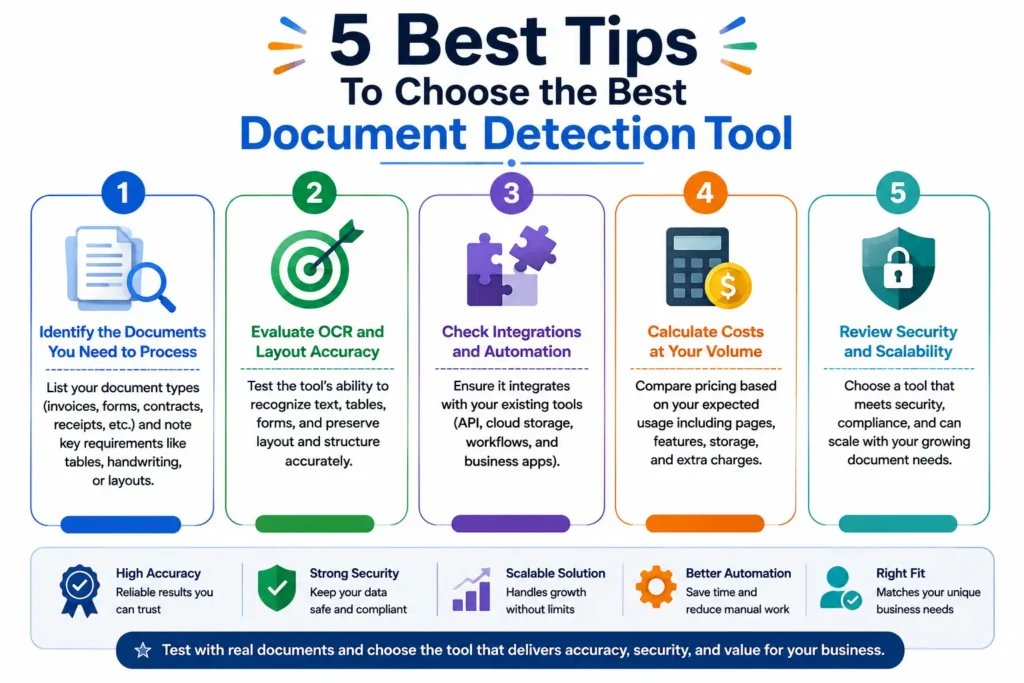
5 Best Tips To Choose the Best Document Detection Tool
Tip 1: Identify the Documents You Need to Process
Start by defining exactly what your system needs to detect and extract. List common document types such as invoices, receipts, contracts, forms, IDs, reports, scanned PDFs, and handwritten pages. Also note whether documents contain tables, checkboxes, signatures, multiple columns, or embedded images. Different document AI models are optimized for different structures. Testing real examples from your workflow will help reveal whether a platform can consistently recognize the content and fields that actually matter to your business.
Tip 2: Evaluate OCR and Layout Accuracy
Don’t focus only on how accurately a tool recognizes individual characters. Modern document processing also needs to understand reading order, headings, paragraphs, tables, columns, key-value pairs, and relationships between different elements. This becomes especially important for RAG and AI applications because poorly structured content can lead to missing or misleading context. Test difficult files such as low-resolution scans, multi-column documents, complex tables, forms, and pages containing both images and text before choosing a provider.
Tip 3: Check Integrations and Automation Options
A document detection platform becomes much more valuable when it fits naturally into your existing technology stack. Check whether it provides APIs, SDKs, webhooks, cloud storage integrations, workflow automation, and connectors for your business applications. Also consider authentication, monitoring, data pipelines, and developer documentation. A highly accurate model may still create unnecessary work if your team needs to build a large amount of custom infrastructure before extracted information can reach databases, CRMs, ERPs, or AI systems.
Tip 4: Calculate Costs at Your Expected Volume
Don’t compare pricing based only on a free tier or small test. Estimate how many pages and documents you expect to process each month, then calculate the likely cost at production volume. Consider API requests, custom models, additional AI processing, storage, human validation, and workflow features where applicable. A cheaper OCR service may not actually cost less if its extraction quality creates substantial manual review. Run a realistic pilot and compare total processing cost against the amount of human work the tool eliminates.
Tip 5: Review Security and Scalability
Security should be a major consideration when documents contain financial information, personal data, contracts, or confidential business records. Review encryption, data retention, access controls, compliance requirements, and deployment options before processing sensitive files. Scalability matters too. A platform that performs well on a few hundred documents may require different architecture when processing millions of pages. Test performance under realistic workloads and confirm that the provider can support your expected growth without compromising accuracy, reliability, or data protection.
Frequently Asked Questions
What is the best document detection tool in 2026?
There isn’t one document detection tool that is best for every situation. Mistral OCR is a strong option for advanced document understanding and AI workflows, while Google Document AI and Azure AI Document Intelligence are well suited to scalable enterprise processing. Amazon Textract is a natural choice for AWS environments, Nanonets focuses on workflow automation, ABBYY Vantage targets enterprise document intelligence, and LlamaParse is particularly useful for RAG and complex document parsing.
What is the difference between OCR and document detection?
OCR, or optical character recognition, primarily converts text from images and scanned documents into machine-readable text. Document detection is broader. It can identify document types, locate content, understand page layouts, detect tables and forms, and extract structured information. Modern document AI systems often combine OCR with computer vision, machine learning, and language models to understand both the text and its position or relationship within the document.
Can document detection tools analyze scanned PDFs?
Yes. Most modern document detection platforms can analyze scanned PDFs by using OCR and document layout analysis. Depending on the service, they can recognize printed text, handwriting, tables, forms, checkboxes, and other elements. However, document quality has a major impact on results. Blurry scans, skewed pages, low resolution, unusual fonts, and compression artifacts can reduce accuracy. Always test representative scanned files before deploying a tool at scale.
Can AI document detection recognize tables and forms?
Yes. Advanced document AI tools can recognize tables, forms, key-value pairs, checkboxes, selection marks, and other structured elements. Platforms such as Google Document AI, Azure AI Document Intelligence, Amazon Textract, and Mistral OCR provide capabilities beyond traditional OCR. However, detection quality can vary considerably. When evaluating a tool, check whether it preserves rows, columns, field relationships, and document structure instead of simply extracting the visible text.
Which document detection tool is best for RAG?
Mistral OCR and LlamaParse are strong choices for RAG because they are designed to preserve useful document structure and produce content suitable for downstream AI processing. LlamaParse is particularly useful within LlamaIndex-based RAG workflows, while Mistral OCR provides structure-aware extraction from complex documents. Google Document AI is another option for organizations that need enterprise-scale document processing alongside layout-aware parsing and structured extraction.
Are document detection tools accurate?
Modern document detection tools can deliver high accuracy, but results depend on document quality, language, layout, handwriting, and the selected model. Clean digital PDFs are generally easier to process than low-quality scans. Vendor accuracy claims should therefore be treated as a starting point rather than a guarantee for your documents. Test real samples and measure character accuracy, field extraction, table recognition, classification, and how much human correction is required.
Are there free document detection tools?
Yes. Several document processing platforms offer free trials, limited free tiers, introductory credits, or open-source alternatives. However, free plans often impose restrictions on pages, API calls, features, or processing volume. Before selecting a free solution, review its file-size limits, supported formats, privacy policies, API restrictions, and extraction capabilities. A free option can work well for experimentation or occasional use, but production workloads often require a paid service.
✨ Discover More Articles: Best Email Management Tools for 2026
Conclusion
Document detection has developed far beyond simply converting scanned images into text. Today’s document AI platforms can recognize layouts, classify files, extract structured fields, understand tables and forms, and prepare complex documents for AI-powered applications.
The best choice ultimately depends on your workflow. Mistral OCR and LlamaParse are compelling options for AI, RAG, and complex document understanding. Google Document AI, Azure AI Document Intelligence, and Amazon Textract are strong choices for scalable cloud-based processing, while Nanonets emphasizes workflow automation and ABBYY Vantage focuses on enterprise document intelligence.
✨ If this made sense, wait till you see what’s next. Follow Tech Statar.





































One thought on “7 Document Detection Tools You Should Try in 2026”