

What Are Teacher Tools?
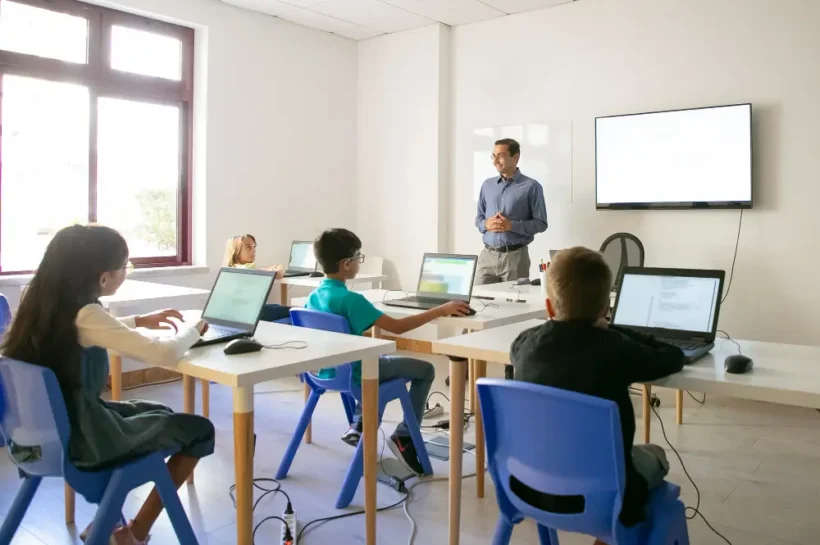
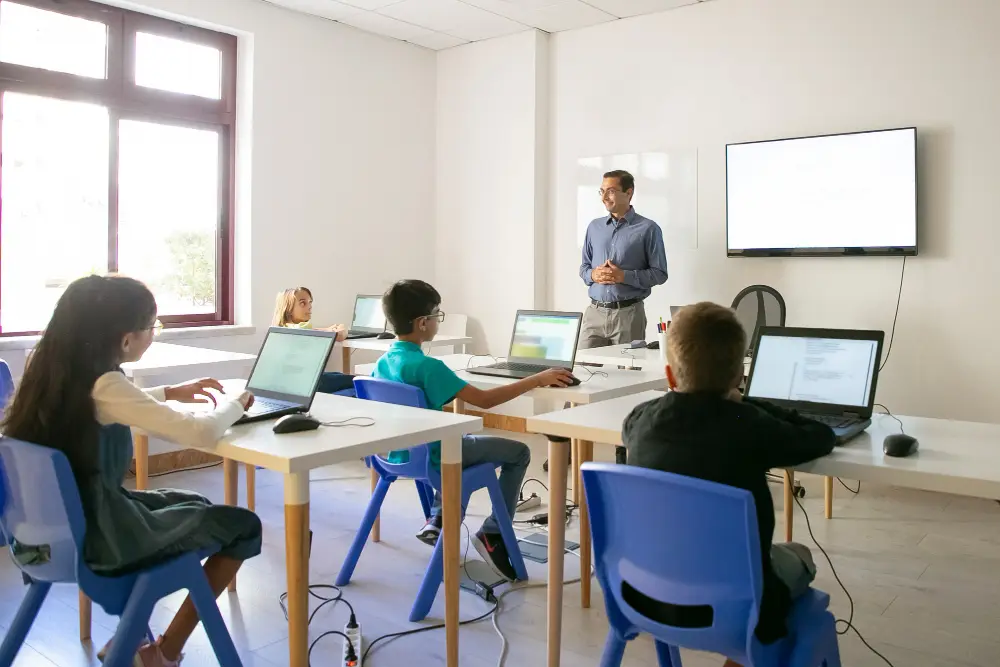
Teacher tools are digital platforms, apps, and software designed to help educators manage classrooms, create learning materials, communicate with students, grade assignments, and improve student participation. These tools support both traditional and online education environments. Modern classrooms rely heavily on technology because students respond better to interactive and visually engaging learning experiences. Educational tools also reduce repetitive administrative work for teachers, allowing them to focus more on teaching and student development. From lesson planning and virtual meetings to student assessments such as the i-Ready Diagnostic Test, teacher tools now play a central role in improving productivity, tracking progress, and enhancing classroom efficiency.
How Digital Tools Improve Teaching, Student Engagement, and Productivity
Digital teaching tools make learning more flexible, collaborative, and engaging for students. Interactive quizzes, video lessons, visual presentations, and gamified learning activities increase participation during classes. Research from EdTech Evidence Exchange shows that classrooms using interactive learning technology often report stronger student motivation and improved participation rates.
Teachers also benefit because these platforms automate grading, organize assignments, track performance, and simplify communication. Whether teaching remotely or in person, digital tools help educators manage tasks faster while creating more personalized learning experiences that support different learning styles and educational needs. For educators and students looking to extend this approach into AI skill-building, Coursiv applies these same principles, combining gamified micro-lessons, daily streaks, personalized learning paths, and accredited certificates to make building AI fluency just as engaging and effective as the best digital classroom tools.
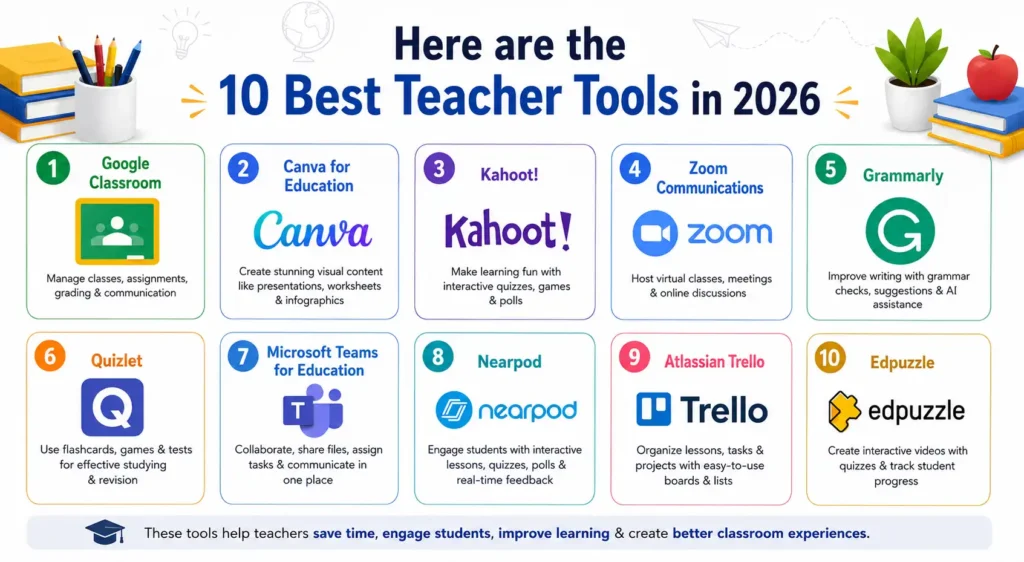
Here are the 10 Best Teacher Tools in 2026
1. Google Classroom
Google Classroom is a cloud-based learning management system created by Google for educational institutions and teachers. It allows educators to create virtual classrooms, distribute assignments, share learning materials, and communicate with students in real time. Teachers can organize coursework digitally, while students can submit assignments online from any device. The platform works well for in-person, hybrid, and remote learning environments. Because it integrates with other Google services, teachers can streamline workflows without relying on multiple disconnected tools during daily classroom activities.
2. Canva for Education
Canva for Education has transformed how teachers create visual learning content for classrooms. Modern students engage more effectively with visual presentations, infographics, videos, and interactive worksheets compared to traditional text-heavy lessons. Canva helps educators design professional-looking educational materials without requiring graphic design skills. The platform offers thousands of templates specifically created for schools and academic use. Teachers can quickly create lesson slides, classroom posters, worksheets, certificates, and collaborative student projects. Its drag-and-drop interface and cloud accessibility make it one of the easiest design tools for educators across all educational levels.
3. Kahoot!
Kahoot! is one of the most recognized gamified learning platforms used in schools worldwide. The platform transforms quizzes and assessments into interactive classroom games that encourage participation and competition. Students often respond positively to game-based learning because it feels more engaging than traditional assessments. Teachers use Kahoot! to review lessons, conduct quizzes, and improve classroom interaction in both physical and online learning environments. According to Kahoot!, millions of users globally access the platform regularly for educational activities. Its simplicity, competitive elements, and mobile accessibility make it a favorite tool among educators and students alike.
4. Zoom Communications
Zoom became one of the most important educational tools during the rapid growth of online learning worldwide. Teachers needed reliable video conferencing software that could support live classes, student discussions, presentations, and remote collaboration without complicated setup processes. Zoom helped schools, colleges, and tutoring centers continue teaching during remote learning periods while maintaining classroom interaction. According to Zoom Communications, the platform experienced massive growth in educational usage because of its accessibility and classroom-friendly features. Today, many teachers still use Zoom for virtual lessons, hybrid learning, online tutoring, and communication with students across different locations.
5. Grammarly
Grammarly has become one of the most widely used writing support tools for teachers, students, and professionals. Strong writing and communication skills are essential in education, but many students struggle with grammar, sentence structure, punctuation, and clarity. Grammarly helps users identify writing mistakes and improve overall communication quality through AI-powered suggestions. Teachers also use the platform to provide clearer feedback on assignments and support academic writing development. According to Grammarly, millions of users rely on the platform daily for writing assistance. Its accessibility and ease of use make it highly valuable in modern educational environments.
💚 You might also like: Top 5 AI Innovations Every Tech Professional Should Know
6. Quizlet
Quizlet is one of the most popular study and revision platforms used by students and teachers worldwide. The platform focuses on interactive learning through flashcards, quizzes, games, and practice tests that support memory retention and exam preparation. Teachers use Quizlet to create custom study materials for classrooms, while students use it for independent revision across multiple subjects. Interactive learning methods often improve knowledge retention because students engage more actively with educational content. Quizlet’s mobile accessibility and gamified learning tools make studying more flexible and convenient for learners of different ages and educational backgrounds.
7. Microsoft Teams for Education
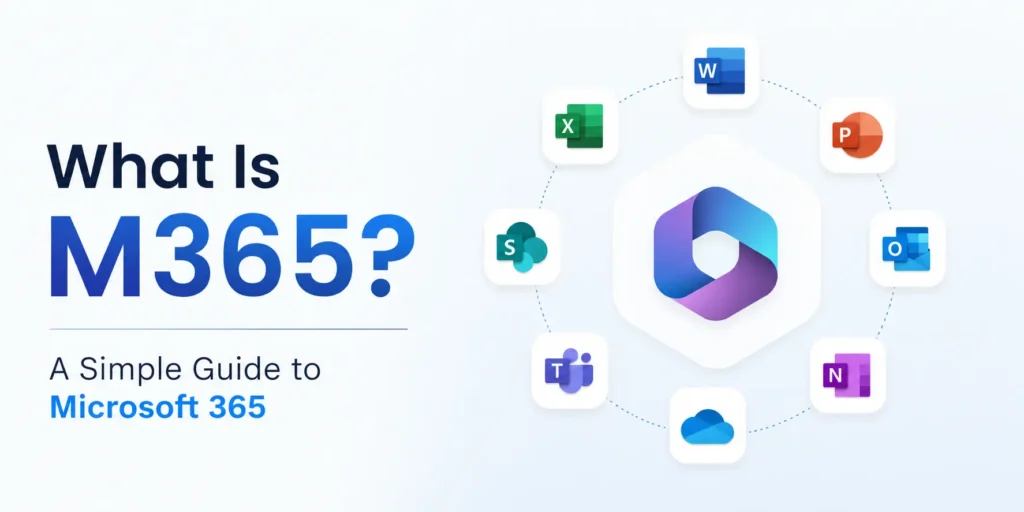
Microsoft Teams for Education has become a major classroom collaboration platform for schools, universities, and educational organizations worldwide. The platform combines communication, assignment management, video meetings, and collaboration tools within one system. Many schools choose Microsoft Teams because it integrates directly with Microsoft 365 applications like Word, Excel, PowerPoint, and OneNote. Teachers can manage digital classrooms more efficiently while students gain centralized access to assignments, lessons, discussions, and educational resources. As hybrid and remote learning continue expanding, Microsoft Teams remains one of the most comprehensive educational collaboration tools available today.
8. Nearpod
Nearpod has become one of the most effective classroom engagement platforms for modern educators. Traditional lectures often struggle to maintain student attention, especially in online and hybrid learning environments. Nearpod solves this challenge by transforming lessons into interactive experiences that include live quizzes, polls, videos, collaborative boards, and virtual reality activities. Teachers can control lesson pacing while tracking student participation in real time. According to various edtech adoption reports, interactive learning tools consistently improve classroom engagement and participation levels. Nearpod stands out because it combines content delivery, collaboration, and assessment features within one easy-to-use educational platform.
9. Atlassian Trello
Trello is widely known as a project management and productivity platform, but many teachers now use it to organize classroom activities, lesson planning, assignments, and collaborative student projects. Teaching involves managing multiple responsibilities at once, including schedules, grading, classroom preparation, communication, and educational resources. Trello simplifies organization through visual boards, task lists, and workflow management systems that help teachers stay productive and structured. Because the platform uses a simple drag-and-drop interface, educators can easily manage tasks without technical expertise. Its flexibility makes Trello useful for both individual classroom organization and collaborative educational planning.
💚 You might also like: How Data-Driven Insights Are Transforming Interview Preparation
10. Edpuzzle
Edpuzzle has become one of the most valuable video-based learning platforms for modern classrooms. Video content plays a major role in education because students often learn more effectively through visual explanations and demonstrations. However, passive video watching does not always guarantee student attention or understanding. Edpuzzle solves this issue by allowing teachers to transform videos into interactive learning experiences with embedded questions, quizzes, and voice notes. Teachers can also monitor student participation and viewing progress in real time. This combination of engagement and analytics makes Edpuzzle highly effective for online, hybrid, and flipped classroom learning models.
| Tool | Best For | Key Features | Free Plan | Ease of Use | Best Teaching Style |
| 🟢 Google Classroom | Classroom management | Assignments, grading, file sharing, announcements | ✅ Yes | ⭐⭐⭐⭐⭐ | Hybrid & online learning |
| 🎨 Canva for Education | Visual content creation | Presentations, worksheets, infographics, templates | ✅ Yes | ⭐⭐⭐⭐⭐ | Creative & visual teaching |
| 🎮 Kahoot! | Gamified learning | Live quizzes, competitions, polls | ✅ Limited | ⭐⭐⭐⭐⭐ | Interactive classrooms |
| 📹 Zoom Communications | Virtual teaching | Video meetings, breakout rooms, screen sharing | ✅ Yes | ⭐⭐⭐⭐ | Remote & hybrid classes |
| ✍️ Grammarly | Writing improvement | Grammar checks, AI suggestions, plagiarism detection | ✅ Limited | ⭐⭐⭐⭐⭐ | Writing-focused learning |
| 📚 Quizlet | Student revision | Flashcards, study games, practice tests | ✅ Yes | ⭐⭐⭐⭐⭐ | Self-paced learning |
| 💼 Microsoft Teams for Education | Collaboration & communication | Assignments, meetings, and file collaboration | ✅ Yes | ⭐⭐⭐⭐ | Enterprise & school systems |
| 🚀 Nearpod | Interactive lessons | Live quizzes, VR lessons, collaboration boards | ✅ Limited | ⭐⭐⭐⭐ | Engagement-focused teaching |
| 📋 Atlassian Trello | Teacher productivity | Task boards, planning, workflow management | ✅ Yes | ⭐⭐⭐⭐ | Classroom organization |
| 🎥 Edpuzzle | Video-based learning | Interactive videos, analytics, embedded quizzes | ✅ Yes | ⭐⭐⭐⭐ | Flipped & online classrooms |
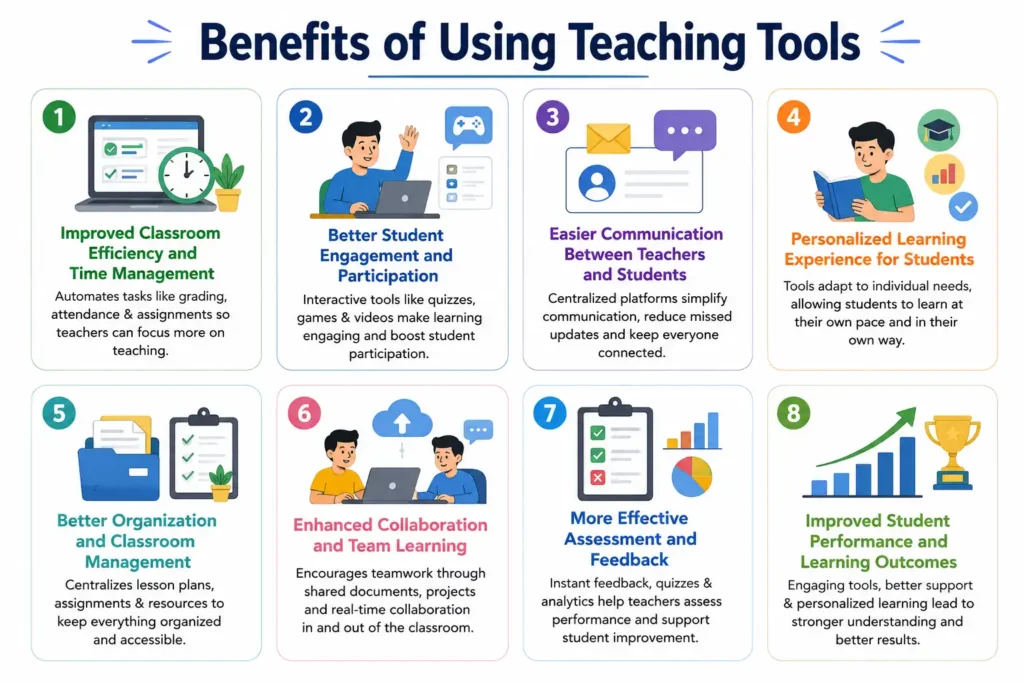
Benefits of Using Teaching Tools
Improved Classroom Efficiency and Time Management
Teaching tools help educators manage their daily tasks more efficiently by automating repetitive work like grading, attendance tracking, assignment distribution, and progress monitoring. Platforms like Google Classroom and Microsoft Teams reduce the time spent on administrative tasks so teachers can focus more on actual instruction and student support.
Better Student Engagement and Participation
Modern teaching tools make learning more interactive through quizzes, games, videos, and visual content. Platforms like Kahoot! and Nearpod increase student participation by turning lessons into engaging experiences instead of passive lectures. This interactive approach helps students stay focused and improves classroom involvement, especially in online or hybrid environments.
Easier Communication Between Teachers and Students
Teaching tools improve communication by providing centralized platforms where teachers and students can interact easily. Announcements, assignments, feedback, and discussions are all managed in one place, reducing confusion and missed updates. Tools like Zoom Communications and Microsoft Teams also support real-time communication through live classes and video meetings.
Personalized Learning Experience for Students
Every student learns differently, and teaching tools help teachers adapt content based on individual learning needs. Platforms like Quizlet and Edpuzzle allow students to learn at their own pace using flashcards, interactive videos, and self-assessment tools. This flexibility supports weaker students who need more time while also challenging advanced learners with additional material.
Better Organization and Classroom Management
Teaching tools help educators stay organized by centralizing lesson plans, assignments, and resources in one place. Tools like Atlassian Trello allow teachers to manage tasks visually and track progress easily. Instead of handling scattered paperwork or multiple systems, everything becomes structured and accessible.
Enhanced Collaboration and Team Learning
Digital teaching tools encourage collaboration between students and teachers through group projects, shared documents, and interactive assignments. Platforms like Canva for Education and Microsoft Teams allow students to work together in real time, even from different locations.
More Effective Assessment and Feedback
Teaching tools make it easier for teachers to evaluate student performance through quizzes, assignments, and analytics dashboards. Platforms like Kahoot! and Edpuzzle provide instant feedback that helps students understand their mistakes immediately. Teachers can also track progress over time and identify areas where students need extra support.
FAQs
What are the best tools for teachers in 2026?
Some of the best tools include Google Classroom, Canva for Education, Kahoot!, Zoom Communications, Microsoft Teams, and Quizlet. These tools help with teaching, engagement, communication, and classroom management.
Are free teaching tools enough for classrooms?
Yes, in many cases, free plans are enough for basic teaching needs. Platforms like Google Classroom, Quizlet, and Trello offer strong free versions. However, premium features can be helpful for advanced analytics, collaboration, and larger classrooms.
Which tool is best for online teaching?
For online teaching, Zoom Communications, Google Classroom, and Microsoft Teams are commonly used. They support live classes, assignments, file sharing, and student communication in one system.
What tools help improve student engagement?
Tools like Kahoot!, Nearpod, and Edpuzzle are designed to increase engagement through quizzes, interactive lessons, and gamified learning activities. These tools make learning more active and less passive.
Do teachers need multiple tools or just one platform?
Most teachers use a combination of tools instead of relying on one platform. For example, Google Classroom for management, Canva for content creation, and Kahoot! for engagement work well together.
Is it difficult for teachers to learn these tools?
No, most modern teaching tools are designed to be user-friendly. Platforms like Canva, Quizlet, and Google Classroom are especially easy to learn, even for non-technical users.
💚 You might also like: Why Teachers Are Using Seedance 2.0 to Make Learning Content More Engaging for Students
Conclusion
Modern education is no longer limited to textbooks and traditional lectures. Today’s classrooms depend on digital tools that make teaching more interactive, organized, and efficient. Platforms like Google Classroom and Microsoft Teams simplify classroom management and communication, while tools like Canva and Kahoot! make learning more engaging and visual.
The key is not to rely on a single tool but to build a balanced system that supports lesson planning, student engagement, communication, and assessment. When used correctly, these tools reduce teacher workload and improve student performance at the same time. As education continues to evolve, teachers who adopt the right digital tools will always stay one step ahead in creating effective and engaging learning experiences.
✨ Hungry for more? Follow Tech Statar and stay updated.




































One thought on “10 Best Teacher Tools To Improve Learning in 2026”