
Cloud tech has changed how people use software, store data, build applications, and run businesses. Instead of buying and maintaining your own hardware, you can access computing resources on demand through a cloud provider.
But cloud tech is more than “using servers online.” It combines computing, storage, networking, software, virtualization, and managed services into an environment you can provision and scale on demand.
This guide explains what cloud tech means, how it works, the main models behind it, where it is used, and what to consider before adopting it.
What Is Cloud Tech? (A Detailed Definition)
Cloud tech in simple terms
Cloud tech is the collection of technologies and services used to deliver computing resources over a network, usually through cloud platforms and providers.
Those resources can include virtual machines, storage, databases, networking, applications, analytics tools, and development platforms. Instead of owning every physical component, users can access these resources as needed.
The underlying idea is closely related to the NIST definition of cloud computing: on-demand access to a shared pool of configurable computing resources that can be rapidly provisioned and released with minimal management effort.
For a simple example, think about an online application. You can run the application without owning or managing the underlying servers. A cloud provider can supply the computing power, storage, database, networking, and other services required to run it.
What does “the cloud” actually mean?
“The cloud” does not mean that your data exists somewhere with no physical infrastructure behind it.
Behind every cloud service are physical servers, storage systems, networks, and data centers. Cloud technology adds software and virtualization layers that allow these physical resources to be pooled, managed, and delivered to users more flexibly. NIST identifies virtualization, networking, and server infrastructure as important technologies supporting cloud computing.
A file stored in the cloud still lives on physical servers. You simply access it through the cloud service instead of managing the hardware yourself.
Cloud tech vs. cloud computing
The terms are closely related, but they are not exactly interchangeable in every context.
Cloud computing is a model that provides on-demand access to computing resources over a network.
Cloud tech is a broader, more informal term that can refer to the technologies, platforms, infrastructure, and services that make cloud computing possible.
In practice, most readers will see the two terms used in overlapping ways. The important point is understanding what sits behind the cloud: physical infrastructure, software-defined resources, networking, data services, and applications.
How Does Cloud Tech Work?
What Happens Behind the Scenes When You Use Cloud Tech?
A simple cloud request can be understood as a chain of connected systems.
User → Internet → Cloud entry point → Application/Compute → Database or Storage → Response
Suppose you open an online shopping website. Your request is sent over the internet to the cloud environment running the application. The application processes it, retrieves the necessary information from a database or storage system, and returns the result to your device.
A real production system may also use load balancers, content delivery networks, caching, authentication services, monitoring tools, and other components. The exact architecture depends on the application.
The important idea is that cloud tech separates the user from the physical hardware while providing access to the computing resources the application needs.
What technologies power cloud tech?
Several technologies work together behind the scenes.
Servers provide the computing power needed to run applications and workloads.
Storage systems keep files, backups, databases, and other data.
Networking connects users, applications, databases, and services.
Virtualization allows physical computing resources to be divided into multiple virtual resources. NIST identifies high-performance virtualization as one of the technologies that helped enable modern cloud computing.
Databases store and organize application data so it can be accessed when needed.
Together, these technologies create an environment where resources can be provisioned and managed without requiring users to operate every physical component themselves.
How does cloud tech scale with demand?
One of the biggest advantages of cloud tech is its ability to scale resources as demand changes.
Imagine an application that normally receives 1,000 visitors a day but suddenly gets 100,000 because of a product launch. A properly designed cloud architecture can add computing resources, distribute traffic, or use managed services to handle the increase.
This is where scalability and elasticity come into play. Scalability is the ability to support increasing workloads by adding resources. Elasticity refers to adjusting resources as demand rises or falls.
That flexibility does not happen automatically for every application. The outcome depends on the cloud services and architecture you choose.
Discover More: What Is Cloud Connected Audio?
What Are the Main Types of Cloud Tech?
The term “types” can be confusing because cloud environments can be categorized in different ways. Public, private, hybrid, and multicloud describe how environments are deployed or combined, while IaaS, PaaS, and SaaS describe service models.
Public cloud
A public cloud is a cloud environment managed by a provider and made available to multiple customers through shared infrastructure.
Businesses can provision resources without purchasing and maintaining the underlying data-center hardware themselves. Public cloud platforms support a wide range of workloads, including websites, applications, storage, databases, and analytics.
Private cloud
A private cloud is a dedicated cloud environment designed for a single organization.
It can provide greater control over how infrastructure is configured and managed, which can matter for particular security, compliance, operational, or architectural requirements.
Private cloud does not automatically mean that everything must physically sit inside a company’s own building. The important distinction is that the environment is dedicated rather than being a shared public cloud environment.
Hybrid cloud
Hybrid cloud combines public cloud services with private or on-premises infrastructure.
A company can keep sensitive workloads in its existing environment while moving other applications and workloads to the public cloud.
Hybrid environments require integration and coordination across environments, which can add operational complexity.
Multicloud
Multicloud means using services from more than one cloud provider.
For example, a business might run one workload on AWS and another on Google Cloud or Microsoft Azure. Organizations may use this approach to access specific capabilities, reduce dependence on one provider, or meet certain geographic or technical requirements.
However, multicloud can increase management complexity, since each provider may have different tools, services, pricing structures, and APIs.
What Are Cloud Tech Service Models?
Service models answer a different question:
What level of computing capability are you consuming and managing?
Infrastructure as a Service (IaaS)
IaaS provides virtualized infrastructure such as compute, storage, and networking.
The provider manages the physical infrastructure, while the customer typically has more responsibility for the operating system, applications, configurations, and data.
IaaS is useful when a team needs substantial control over its computing environment without owning the physical hardware.
Platform as a Service (PaaS)
PaaS provides a managed environment for building and deploying applications.
Developers can focus more on application code while the platform handles more of the underlying infrastructure and operational tasks.
This can reduce the amount of infrastructure management required by development teams.
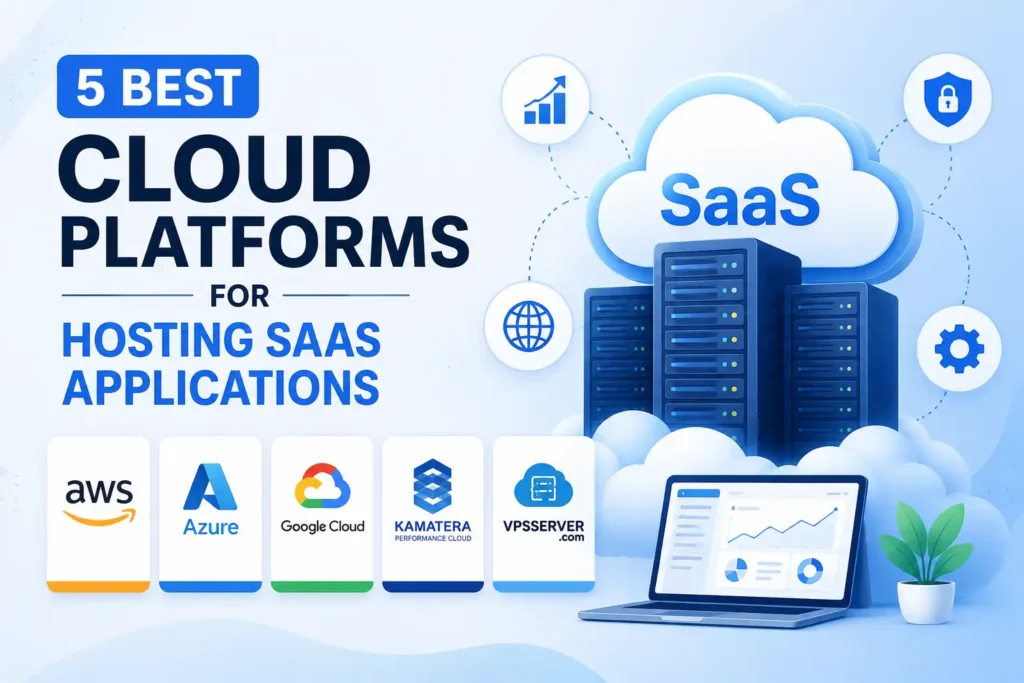
Software as a Service (SaaS)
SaaS delivers complete software applications through the cloud.
Instead of installing and maintaining the application infrastructure yourself, you use the software as a service. Email, collaboration platforms, customer relationship management systems, and many business applications follow this model.
SaaS generally places the least infrastructure responsibility on the customer compared with IaaS and PaaS.
Where does serverless fit?
Serverless is a modern cloud approach in which the provider handles the underlying server management, while developers focus on application logic and managed services.
It does not mean servers have disappeared. Servers still run the workloads; the difference is that the customer does not have to provision and manage those servers directly.
Serverless services can also scale automatically and use usage-based billing models, depending on the service.
What Are the Benefits of Cloud Tech?
Scalability and flexibility
Cloud environments make it easier to increase or reduce resources as workload requirements change.
That can be especially useful for applications with unpredictable traffic, seasonal demand, or rapid growth.
Faster deployment
Traditional infrastructure often requires hardware procurement, installation, configuration, and ongoing maintenance before a workload can run.
Cloud services can reduce that setup time by allowing teams to provision computing resources through software and provider APIs.
Lower upfront infrastructure costs
Cloud tech can reduce the need for large upfront investments in servers, storage, and data-center infrastructure.
However, lower upfront cost does not guarantee lower total cost. Usage, architecture, storage, network traffic, licensing, redundancy, and inefficient resource allocation can all affect the final bill.
The real financial advantage depends on how the workload is designed and managed.
Remote access and collaboration
Cloud-based applications and services can make resources accessible from different locations and devices, provided users have the required connectivity and permissions.
This supports distributed teams and makes it easier to provide centralized access to business systems and data.
Reliability and business continuity
Cloud platforms provide tools and infrastructure that can support resilient architectures, but simply moving an application to the cloud does not automatically make it highly available.
For example, an application deployed in one failure domain can still be affected if that location fails. Higher availability may require distributing workloads across multiple zones or regions, along with appropriate replication and recovery strategies.
Access to advanced technologies
Cloud platforms also make advanced capabilities more accessible.
Teams can use managed databases, analytics platforms, AI and machine-learning services, container platforms, event-driven systems, monitoring tools, and other services without building every underlying component from scratch.
That can shorten development time and allow smaller teams to use infrastructure that would otherwise require significant operational effort.
What Are the Challenges of Cloud Tech?
Cloud costs can become difficult to control
Cloud pricing can look simple at first because resources are often billed according to usage, but a growing environment can become complicated.
Unused virtual machines, excessive storage, unnecessary data transfers, oversized resources, and redundant workloads can all increase costs.
Cloud adoption therefore needs cost monitoring and resource management, not just migration.
Security is a shared responsibility
Cloud security is not something the provider handles completely on the customer’s behalf.
The exact division of responsibility depends on the service model and provider, but customers may still be responsible for areas such as identities, permissions, application security, data protection, and configurations.
AWS, for example, describes cloud security as a shared responsibility and notes that customer responsibilities vary depending on the services used.
This is why “the cloud is secure” is too broad a statement. A cloud provider can secure its infrastructure while a customer can still create security problems through weak access controls or incorrect configurations.
Vendor lock-in
Vendor lock-in happens when applications, data, processes, or architectures become heavily dependent on a particular provider’s technologies.
The more provider-specific services a system uses, the harder it may become to move that workload elsewhere.
That does not make proprietary cloud services automatically bad. It simply means portability should be considered when it matters to the business.
Internet dependency and outages
Cloud services generally depend on network connectivity, so connectivity problems can affect access.
Cloud providers can also experience service disruptions. Strong cloud architectures reduce the impact of failures through redundancy, monitoring, recovery processes, and geographic distribution, but no architecture should be treated as failure-proof.
Compliance and data requirements
Some businesses must consider where data is stored, where it is processed, who can access it, and how the environment is managed.
Geographic deployment can affect latency, data residency, availability, and regulatory requirements. Cloud providers therefore offer different regions and deployment options to help organizations match infrastructure choices to their requirements.
What Is Cloud Tech Used For?
Websites and applications
Cloud infrastructure can host websites, mobile backends, APIs, databases, and complete application stacks.
A company can combine compute, storage, databases, networking, monitoring, and security services to run an application without maintaining its own physical data center.
Data storage and backup
Cloud storage can be used for documents, media, application data, archives, and backups.
The important distinction is that cloud storage is only one part of cloud tech. Cloud environments can provide complete computing systems, not just a remote place to store files.
Business software and collaboration
Many business applications are delivered through SaaS.
Organizations use cloud-based email, collaboration, customer relationship management, project management, accounting, communication, and other software without running the application’s underlying infrastructure themselves.
Data analytics and AI
Cloud platforms provide computing resources and managed services for processing large datasets and running analytics or AI workloads.
This is particularly useful when computing demand varies or when organizations want access to specialized infrastructure without purchasing and operating it themselves.
Disaster recovery
Cloud infrastructure can support backup and disaster recovery by keeping data or recovery resources separate from a primary environment.
The design matters, though. A backup is only useful if it is properly configured, accessible when needed, and tested through a recovery process.
IoT and connected systems
Cloud services can collect, process, store, and analyze data generated by connected devices.
This allows organizations to connect large numbers of devices to centralized applications and analytics systems without building every backend component independently.
Cloud Tech vs. Traditional IT Infrastructure
The key difference is not simply “cloud is modern” and “traditional IT is old.” The real difference is how infrastructure is owned, provisioned, managed, and scaled.
| Factor | Cloud Tech | Traditional IT Infrastructure |
| Ownership | Provider typically owns the underlying cloud infrastructure | Organization typically owns or directly manages hardware |
| Deployment | Resources can often be provisioned through software | Hardware usually must be purchased and installed first |
| Scalability | Resources can often scale more quickly | Scaling may require additional physical infrastructure |
| Maintenance | Provider manages some or much of the underlying infrastructure, depending on the service | Organization handles more infrastructure maintenance |
| Cost model | Often usage-based or subscription-based | Often includes upfront hardware and ongoing operating costs |
| Control | Depends on the cloud service model and architecture | Organization can have direct control over physical infrastructure |
| Responsibility | Shared between provider and customer | Greater infrastructure responsibility usually sits with the organization |
Neither model is universally right for every workload. The better choice depends on requirements such as cost, control, performance, compliance, existing infrastructure, and operational capability.
Discover More: App Protection Plan
When Should You Use Cloud Tech?
Cloud tech makes the most sense when its flexibility, managed services, or scalability solve a real business or technical problem.
When SaaS is enough
Choose SaaS when the main requirement is using a finished application rather than building or managing the underlying system.
For many business functions, there is little value in operating servers when a mature cloud application already provides the required capability.
When IaaS, PaaS, or serverless makes sense
IaaS can fit workloads that need more infrastructure control.
PaaS can be useful when developers want to build and deploy applications without managing as much infrastructure.
Serverless can make sense for event-driven workloads or applications where minimizing server management is a priority.
When hybrid or private cloud may make sense
Hybrid or private environments can be useful when an organization has existing infrastructure, strict data requirements, specialized systems, or workloads that should not be moved completely to a public cloud.
The right architecture depends on why the workload needs a particular environment, not simply on whether the environment is labeled “cloud.”
What should you evaluate before adopting cloud tech?
Start with the workload rather than the provider.
Consider:
Security → Cost → Performance → Scalability → Compliance → Skills → Portability
Ask what the application needs, what risks must be controlled, how demand changes, and how much operational responsibility your team wants to keep.
That produces a better cloud decision than starting with a provider’s product catalog.
Common Cloud Tech Misconceptions
Cloud tech is not the same as the internet
The internet is the network through which many cloud services are accessed. Cloud tech is the computing infrastructure, software, services, and management systems delivered through that environment.
A useful mental model is:
Internet = connectivity
Cloud = computing resources and services delivered through that connectivity
Cloud tech is not just online storage
Online storage is one cloud use case, not the definition of cloud tech.
Cloud environments can provide compute, databases, networking, analytics, application platforms, AI services, development tools, and much more.
Cloud tech is not automatically cheaper
Cloud can reduce upfront infrastructure costs and improve flexibility, but a poorly designed or poorly managed cloud environment can become expensive.
The correct question is not “Is cloud cheaper?”
It is:
“Which architecture meets the business requirements at a reasonable total cost?”
Cloud tech is not automatically secure
Cloud providers invest heavily in security, but the customer still has responsibilities.
Identity settings, access permissions, software, application vulnerabilities, data handling, and configuration choices can all affect security. The provider’s security controls do not eliminate customer responsibilities.
Cloud tech still depends on physical infrastructure
Cloud services run on physical servers, storage, networks, and data centers.
The abstraction simply means the customer interacts with these resources through managed services and software rather than operating all of the physical equipment directly.
Serverless does not mean “no servers”
Serverless removes much of the server management work from the customer; it does not remove the servers themselves.
The provider still operates the underlying infrastructure. The customer simply focuses more on code, events, data, and application behavior.
FAQs About Cloud Tech
What is cloud tech in simple terms?
Cloud tech is the technology and services that let people and organizations access computing resources such as servers, storage, databases, applications, and networking on demand instead of managing all of the physical infrastructure themselves.
What Types of Cloud Tech Are There?
The main deployment approaches commonly discussed are public, private, hybrid, and multicloud. These describe how cloud environments are organized or combined. Service models such as IaaS, PaaS, and SaaS describe what level of computing capability the customer uses.
Is cloud tech secure?
Cloud tech can be highly secure, but security is a shared responsibility. The provider secures the infrastructure it operates, while customers still need to secure the parts they control, which vary by service.
Is cloud tech cheaper than traditional IT?
Not always. Cloud can reduce upfront hardware spending and improve resource flexibility, but costs depend on usage, architecture, data transfer, storage, redundancy, licensing, and how well the environment is managed.
What are some examples of cloud tech?
Examples include cloud storage, SaaS applications, virtual machines, managed databases, serverless platforms, cloud analytics, AI services, container platforms, backup systems, and infrastructure services.
Conclusion
Cloud tech is best understood as a way of delivering computing resources and services through flexible, software-driven infrastructure.
It covers far more than online storage. Behind the experience are physical data centers, servers, networking, virtualization, databases, software platforms, and managed services that can be provisioned and scaled according to demand.
The main concepts become easier to understand once you separate them properly: deployment models describe how cloud environments are organized, while service models describe what level of computing capability you consume.
Cloud tech can provide scalability, faster deployment, flexible access, and access to advanced services, but those benefits come with trade-offs around cost, security, reliability, compliance, and vendor dependence.
The most useful question is therefore not whether cloud tech is universally better than traditional infrastructure. It is whether a particular cloud architecture fits the workload, business requirements, risk profile, and long-term goals.
🔔 Follow Tech Statar for more insights like this!