
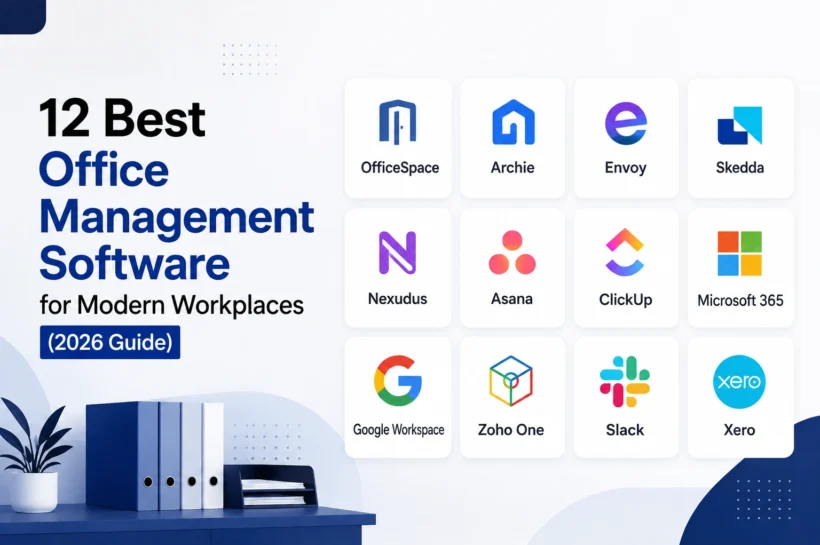

12 Best Office Management Software for Modern Workplaces (2026 Guide)
Running an office today involves far more than keeping a calendar updated or making sure everyone has a desk. Teams need to coordinate meetings, manage shared spaces, handle visitors, organize tasks, communicate internally, and keep track of how the workplace is actually being used.
That is where office management software comes in.
The challenge is that there is no single type of software that fits every office. Some platforms focus on desks and meeting rooms, while others are built around visitors, workplace operations, project management, or broader business administration.
For this guide, we looked at the tools from a practical perspective: what each platform actually does, who it is built for, and where it fits into a modern office-management workflow.
What Is Office Management Software?
Office management software is a digital system that helps businesses organize and automate the day-to-day activities involved in running a workplace.
Depending on the platform, that can include managing desks and meeting rooms, scheduling employees, handling visitors, assigning tasks, organizing documents, coordinating teams, tracking office resources, and monitoring workplace usage.
The term can therefore describe two slightly different categories.
A workplace management platform is generally focused on the physical office. It may include desk booking, room reservations, floor plans, visitor management, occupancy data, and hybrid-work features. Archie, Envoy, OfficeSpace, and Skedda are good examples of this approach.
A broader office management or business productivity platform can cover administrative work as well. That may mean project management, communication, documents, accounting, HR, and other business processes.
This distinction matters when choosing software. A company struggling with unused meeting rooms has a different problem from an office manager trying to coordinate invoices, documents, employee requests, and internal communication.
What Can Office Management Software Do?
Modern platforms can cover several parts of workplace operations without forcing employees to rely on spreadsheets, email chains, and separate calendars.
Workspace-focused systems can allow employees to find and reserve desks or rooms, view availability on floor plans, check in, and coordinate where colleagues are working. Skedda, for example, combines desk and room reservations with interactive floor plans and workplace usage data.
Visitor management is another common capability. Instead of a paper sign-in book, platforms such as Envoy let companies invite visitors, collect required information, notify hosts, and maintain a record of who is onsite.
Some systems go further by connecting workplace operations with analytics. OfficeSpace, for instance, provides data around bookings, check-ins, occupancy, and actual room usage, helping businesses understand whether their existing space is being used efficiently.
The result is a category that is broader than the name suggests. The best solution depends on whether your main priority is office space, people, administration, collaboration, or a combination of these areas.
Best Office Management Software at a Glance
| Software | Best For | Main Strength |
| OfficeSpace | Enterprise workplaces | Workplace and space management |
| Archie | Hybrid offices | Desk, room, and visitor management |
| Envoy | Workplace operations | Visitors, desks, rooms, and workplace experience |
| Skedda | Space booking | Desk and meeting room scheduling |
| Nexudus | Coworking spaces | Workspace and member management |
| Asana | Office workflows | Tasks and project management |
| ClickUp | Centralized work management | Tasks, docs, and workflows |
| Microsoft 365 | Microsoft-based businesses | Productivity and collaboration |
| Google Workspace | Cloud-first teams | Communication and collaboration |
| Zoho One | All-in-one business operations | Broad business management |
| Slack | Internal communication | Team messaging and collaboration |
| Xero | Office finances | Accounting and expenses |
1. OfficeSpace (Best for Enterprise Workplace Management)
OfficeSpace targets organizations that need more than a basic desk-booking app. Its platform brings together workplace planning, desk and room booking, floor plans, occupancy information, and other workplace-management functions.
One of its strengths is connecting booking data with actual workplace usage. Businesses can review reservations, check-ins, occupancy trends, and room demand to understand how their space is performing. Its room-booking system can also use real-time status information and automatically release unused meeting rooms, helping reduce wasted space.
OfficeSpace also supports flexible desk booking for hybrid teams. Employees can find desks through interactive floor plans, filter locations by amenities, set recurring bookings, and check in when they arrive. The platform now also promotes AI-assisted workplace recommendations through its Workplace Experience Agent.
Best for: Medium to large organizations managing complex or multi-location workplaces.
Our take: OfficeSpace makes the most sense when workplace visibility and space utilization matter as much as booking.
2. Archie (Best for Hybrid Offices)
Archie takes a more flexible approach to workplace management, combining desk and room reservations with broader workspace and visitor functionality.
Employees can reserve desks, meeting rooms, private offices, and other resources through the platform. Reservations can also connect with tools such as Outlook, Google Calendar, and Microsoft Teams, while occupancy insights help organizations identify heavily used and underused spaces.
Its visitor-management functionality adds another useful layer. Companies can schedule external visits, configure check-in policies, and manage visitor flows alongside their workspace bookings.
That combination makes Archie particularly useful for companies that have moved toward hybrid work and want one system for the physical workplace rather than separate tools for desks, rooms, and visitors.
Best for: Hybrid offices, flexible workplaces, and organizations that need centralized workspace booking.
Our take: Archie is a strong option when the goal is to make office attendance and space coordination simple for both employees and administrators.
3. Envoy (Best for Workplace Operations)
Envoy is especially well known for visitor management, but its workplace platform now covers a much wider part of the office experience.
Its visitor system allows organizations to invite guests, collect information before arrival, digitally complete required documents, and automatically notify hosts when visitors check in.
On the employee side, Envoy supports desk booking and workplace coordination. Employees can reserve desks by the hour, day, or week, choose locations based on amenities, and use team neighborhoods to sit near coworkers.
Envoy also connects workplace operations with building insights. Its platform combines visitor management, workplace operations, desk and room booking, delivery workflows, and analytics in one environment.
Best for: Companies that need visitor management alongside hybrid workplace operations.
Our take: Envoy stands out when the front desk, workplace experience, and employee office experience all need to work together.
4. Skedda (Best for Desk and Room Booking)
Skedda focuses more tightly on scheduling shared spaces than some of the broader platforms on this list.
Its desk-booking software lets employees find available workspaces through interactive floor plans, reserve desks, check in, and review usage. The platform supports booking from desktop and mobile devices and can also be accessed through Microsoft Teams.
For meeting rooms, Skedda provides real-time availability, calendar synchronization, booking rules, check-in, and floor-plan views. These features are designed to reduce scheduling conflicts while giving companies better visibility into how shared rooms are being used.
Best for: Businesses that primarily need reliable desk and meeting-room scheduling.
Our take: Skedda is a practical choice when space reservations are the core requirement, and you do not need a full business-management suite.
5. Nexudus (Best for Coworking Spaces)
Nexudus is designed for coworking and flexible-workspace operators rather than a typical company looking for a simple office booking tool.
The platform combines workspace bookings with member management, billing, access control, contracts, community features, and operational reporting. Operators can manage desks, rooms, and other resources while keeping memberships and payments in the same system.
Its multi-location support is another advantage for growing workspace businesses. Administrators can manage bookings, memberships, and financial information across locations from a central system, with permissions controlling what different staff members can access. Nexudus also supports integrations with services such as Stripe, PayPal, Xero, QuickBooks, and several access-control systems.
The platform has also added AI-powered features to its member experience. Its AI assistant can help users with booking questions, recommend suitable spaces and times, and handle common requests without requiring staff intervention.
Best for: Coworking spaces, serviced offices, and businesses operating multiple flexible-workspace locations.
Our take: Nexudus is more than office management software. It is a strong operational platform for businesses whose office itself is the product.
6. Asana (Best for Office Tasks and Workflows)
Not every office-management problem is about desks and meeting rooms. A large part of an office manager’s day can involve coordinating requests, recurring tasks, vendors, events, facilities work, and internal processes.
Asana is well suited to that side of office management. Its core system is built around tasks, projects, owners, deadlines, custom fields, and different project views, giving teams a structured way to track work from start to finish.
For office operations, that could mean creating workflows for maintenance requests, onboarding, event planning, supply orders, or recurring administrative work. Asana also supports forms, rules, templates, and workflow automation, so routine requests can enter a standardized process instead of being handled through scattered emails.
Its current feature set also includes AI-powered workflow capabilities. Teams can use AI to help create workflows, summarize work, and automate parts of recurring processes.
Best for: Office managers and teams that need organized task management and repeatable workflows.
Our take: Asana is not a physical workplace management system, but it can become the operational backbone for office administration.
7. ClickUp (Best for Centralized Work Management)
ClickUp approaches office management from the work-management side, bringing tasks, documentation, workflows, reporting, and integrations into one workspace.
Its flexibility is one of its main strengths. Teams can organize work with custom fields and multiple views, while ClickUp Docs can be used for internal wikis, project information, policies, and other shared knowledge. Templates make recurring processes easier to standardize, while automations can reduce repetitive administrative work.
That combination can be useful for offices where information is spread across different places. An office manager could keep procedures in Docs, assign facility or administrative tasks, track requests through structured workflows, and monitor progress from the same workspace.
The trade-off is that ClickUp offers a large number of features, which can take time to configure properly. It is more suitable for teams willing to build their own system than businesses looking for a ready-made desk and room management platform.
Best for: Teams that want tasks, documents, workflows, and office operations in one customizable workspace.
Our take: ClickUp works particularly well when office management is closely connected to broader team operations.
8. Microsoft 365 (Best for Microsoft-Based Offices)
Microsoft 365 is not marketed as traditional office management software, but it already covers many of the tools businesses use to run everyday operations.
Outlook combines email, calendars, contacts, and tasks, while Teams handles chat, calls, meetings, and collaboration. OneDrive provides cloud file storage, SharePoint supports team sites and shared information, and Microsoft also includes tools such as Bookings, Planner, and Forms within its business offerings.
That makes Microsoft 365 particularly useful for companies that want to build their office-management workflow around a familiar ecosystem instead of adding a separate application for every function.
An office manager can use Outlook for scheduling, Teams for communication, Forms for collecting requests, Planner for operational tasks, and SharePoint for policies and internal resources. The result is not a dedicated workplace-management platform, but it can cover a large portion of day-to-day office administration.
Best for: Businesses already using Microsoft products across their organization.
Our take: Microsoft 365 is one of the strongest choices when productivity, communication, documents, and scheduling matter more than physical workspace management.
9. Google Workspace (Best for Cloud-Based Office Collaboration)
Google Workspace takes a similar approach to Microsoft 365, bringing a collection of cloud-based applications together under one business subscription.
Gmail handles business email, Calendar supports shared scheduling, Drive manages files, Meet provides video conferencing, and Chat supports team messaging. Docs, Sheets, Slides, Forms, Sites, and Tasks extend the platform into documentation, data management, internal resources, and everyday office work.
The biggest advantage is how closely these services work together. A team can schedule through Calendar, collaborate on a document in Docs, store it in Drive, and discuss the work through Chat or Meet without moving between unrelated platforms. Google also provides administrative and security controls for business accounts.
Google Workspace has increasingly integrated AI into the experience through Gemini, including capabilities inside tools such as Gmail, Docs, and Meet.
Best for: Cloud-first companies that prioritize collaboration, communication, scheduling, and shared documents.
Our take: Google Workspace is a strong foundation for office operations, especially when the workplace is distributed or hybrid and employees need access from different devices.
10. Zoho One (Best All-in-One Business Suite)
Zoho One is perhaps the broadest option on this list. Rather than solving one office-management problem, it brings together a large collection of business applications under one system.
Zoho currently describes the suite as an operating system for business, with more than 45 applications covering areas such as finance, HR, sales, marketing, service, e-commerce, and operations. It also advertises more than 1,000 integrations that allow its applications and external services to work together.
For office administration, that breadth can be valuable. A business can use different Zoho applications for employee management, finance, customer operations, documents, communication, and internal workflows without assembling an entirely separate software stack.
The downside is also the obvious one: a large suite can be more complicated to deploy than a focused application. Businesses need to decide which apps they actually need and how those systems should fit together.
Best for: Growing businesses that want to centralize multiple business functions under one platform.
Our take: Zoho One is a better fit for broad business operations than for physical workplace management, but it becomes compelling when “office management” extends across several departments.
11. Slack (Best for Internal Office Communication)
Slack is not a dedicated office-management platform, but communication is such a central part of office operations that it earns a place here.
Instead of keeping every discussion inside email threads, Slack organizes conversations into channels for teams, projects, departments, and specific topics. Employees can share files, use direct messages, join huddles, and connect other business applications without leaving the workspace. Slack currently offers integrations with more than 2,600 apps, along with workflow automation and AI-powered conversation summaries.
That makes it useful for everyday office coordination. A facilities channel can handle maintenance requests, an HR channel can carry internal announcements, and a team channel can keep project-related discussions in one searchable place.
Slack has also expanded its AI capabilities in 2026. Its paid plans include features such as conversation summaries, huddle notes, recaps, and AI-assisted search, while higher-tier plans add broader workflow and enterprise search capabilities.
Best for: Internal communication, team coordination, and connecting office workflows with other software.
Our take: Slack works best as part of an office-management stack rather than as the system responsible for managing the workplace itself.
12. Xero (Best for Office Finance and Expenses)
Financial administration is another part of office management that often requires its own software.
Xero is primarily an accounting platform, with features for invoicing, bills, purchase orders, expense claims, bank reconciliation, reporting, and financial records. Employees can submit expenses and receipts digitally, while administrators can review claims and reconcile transactions against connected bank accounts.
That makes Xero particularly useful for offices where managers need a better way to handle recurring expenses, supplier bills, reimbursements, and financial administration without maintaining separate spreadsheets.
It also connects with more than 1,000 business applications, allowing companies to extend its accounting functions into other parts of their operations.
Best for: Small and growing businesses that need organized accounting and expense management.
Our take: Xero should not replace a workplace-management platform, but it can fill an important gap in the financial side of office administration.
Best Office Management Software by Use Case
There is no universal winner here because “office management” can mean very different things from one business to another.
Best Office Management Software for Small Businesses
Small businesses usually benefit from software that is simple to deploy and does not require a dedicated administrator to maintain it.
Google Workspace, Microsoft 365, Asana, ClickUp, or Zoho One can cover a large portion of day-to-day office operations without requiring a specialized workplace platform.
For a small hybrid team, adding a focused desk-booking product such as Skedda can make more sense than adopting a large enterprise workplace system.
Best Office Management Software for Large Businesses
Larger organizations generally need stronger administration, reporting, permissions, integrations, and multi-location support.
OfficeSpace is better suited to complex workplace environments, while Envoy and Archie can work well for organizations managing hybrid offices, visitors, desks, and rooms across locations.
The deciding factor should be scalability rather than the number of features on a product page.
Best Office Management Software for Hybrid Teams
Hybrid offices need to answer a simple question: who is working where, and when?
OfficeSpace, Archie, Envoy, and Skedda are stronger choices when desk reservations, room scheduling, workplace availability, and office attendance are central requirements.
For communication and collaboration around that physical workplace, Microsoft 365, Google Workspace, or Slack can complete the stack.
Best Free Office Management Software
Free options can be useful, but businesses should look closely at limitations around users, storage, integrations, automation, and booking capacity.
Google Workspace and Microsoft alternatives can cover basic collaboration needs, while Slack and some dedicated scheduling platforms offer entry-level plans. However, a free plan is not necessarily enough once an organization needs advanced administration or workplace analytics.
Best Office Management Software for Coworking Spaces
Coworking operators have requirements that traditional offices generally do not.
They may need to manage members, bookings, billing, access, resources, and multiple locations simultaneously. Nexudus is built specifically around this type of operation and is therefore a more natural fit than a general productivity platform.
Key Features to Look for in Office Management Software
The right feature set depends on your workplace, but several capabilities consistently matter.
Workspace and Desk Booking
For hybrid offices, employees should be able to see available desks, choose a suitable workspace, and make reservations without relying on an office administrator.
Meeting Room Scheduling
Room availability should be visible in real time, with booking rules that reduce clashes and prevent unused reservations from blocking valuable space.
Visitor Management
A digital visitor system can simplify guest invitations, check-ins, host notifications, and records while creating a more organized arrival experience.
Task and Workflow Management
Office managers often deal with recurring requests and operational tasks. Workflow software can turn these processes into clear assignments with owners and deadlines instead of leaving them scattered across email.
Document and Knowledge Management
Policies, procedures, contracts, forms, and internal information should be easy for authorized employees to find.
Communication and Collaboration
Your office-management system should work alongside the communication tools your employees already use. Integrations with Slack, Microsoft Teams, Google Workspace, or similar platforms can reduce unnecessary switching.
Reporting and Analytics
For larger workplaces, booking activity alone is not enough. Usage and occupancy data can reveal which rooms are consistently underused, where teams are concentrating, and whether the existing office footprint is being used efficiently.
Integrations and Automation
A good platform should fit into your existing software environment rather than creating another isolated database.
How to Choose the Right Office Management Software
Start with the problem, not the software.
A company dealing with unused desks has a different requirement from one trying to organize employee requests and recurring administrative work. Before comparing products, decide which part of office operations is creating the most friction.
Then determine whether you need a dedicated office-management platform or a collection of specialized tools.
A hybrid office might need Skedda for reservations, Slack for communication, and Google Workspace for documents and scheduling. Another business could prefer Zoho One because it wants broader business functions under one ecosystem.
The next step is to check integrations. A platform can look excellent on its own and still create problems if it does not work with your calendars, identity provider, communication tools, accounting system, or access-control hardware.
Ease of adoption matters just as much. If employees find desk booking or visitor check-in confusing, the software will not deliver much value regardless of its feature set.
Finally, consider scalability, permissions, security, reporting, and the total cost of ownership rather than comparing subscription prices alone.
Office Management Software vs. Multiple Specialized Tools
An all-in-one platform sounds attractive because it puts more functions under one roof.
Zoho One is a good example. It can connect finance, HR, communication, documentation, operations, and other business processes within one broader ecosystem.
The alternative is a specialized stack.
A business might use Google Workspace for email and documents, Slack for communication, Asana for workflows, Skedda for workspace bookings, and Xero for accounting.
The specialized approach usually gives you more freedom to choose the strongest product for each job. The downside is that you have more systems to administer and more integrations to maintain.
For that reason, the best setup is often not the one with the most features. It is the one that gives employees a straightforward way to complete their work without unnecessary complexity.
How Much Does Office Management Software Cost?
There is no standard price for office management software because different products solve very different problems.
Some tools offer free entry-level plans, while dedicated workplace platforms may charge according to users, locations, workspaces, or the scope of the deployment. Enterprise plans may require a custom pricing quote.
For example, Xero’s current regional pricing includes plans aimed at micro-businesses through established businesses, while its feature set expands with the plan level.
When comparing prices, also account for implementation, integrations, onboarding, support, additional modules, and the number of locations or employees you need to manage.
A cheaper subscription is not necessarily the cheaper solution if it leaves your team dependent on manual work.
Conclusion
The best office management software depends on what you are actually trying to manage.
For physical workplace operations, OfficeSpace, Archie, Envoy, and Skedda are stronger choices because desks, rooms, visitors, and workplace utilization are at the center of their products.
For office workflows and team operations, Asana and ClickUp offer more flexibility. For communication and everyday productivity, Slack, Microsoft 365, and Google Workspace can form the foundation of an effective office stack. And for businesses that want broader business administration in one ecosystem, Zoho One is one of the most comprehensive options.
For coworking operators, Nexudus is the more specialized choice, while Xero is a useful addition when accounting and expense management are an important part of office administration.
Ultimately, there is no single platform that is “best” for every office. The right choice is the one that matches your team’s workflow, integrates with the tools you already use, and removes the operational problems that slow your workplace down.
FAQs
What is the best office management software?
There is no single best option for every business. OfficeSpace and Archie are strong for workplace management, Skedda is useful for desk and room booking, Asana and ClickUp are better for office workflows. At the same time, Zoho One is suited to broader business operations.
Is there free office management software?
Yes. Several office and productivity platforms offer free or entry-level plans, although advanced features such as workplace analytics, automation, larger user limits, or enterprise administration may require a paid plan.
What software do office managers use?
Office managers commonly use a combination of productivity, communication, scheduling, task-management, accounting, and workplace-management tools. The exact stack depends on whether they manage physical space, administrative processes, employees, or all three.
What is the difference between office management and workplace management software?
Office management software can cover broader administrative and operational work. In contrast, workplace management software generally focuses on the physical and hybrid workplace, including desks, meeting rooms, visitors, space planning, and utilization.
How do I choose the right office management software?
Start by identifying the main challenge you want to address. Then compare the required features, integrations, usability, security, scalability, and total cost. Choosing software around your actual workflow is more useful than selecting a platform simply because it has the longest feature list.
➾ Learn what actually works. Follow Tech Statar.










































2 thoughts on “12 Best Office Management Software for Modern Workplaces (2026 Guide)”