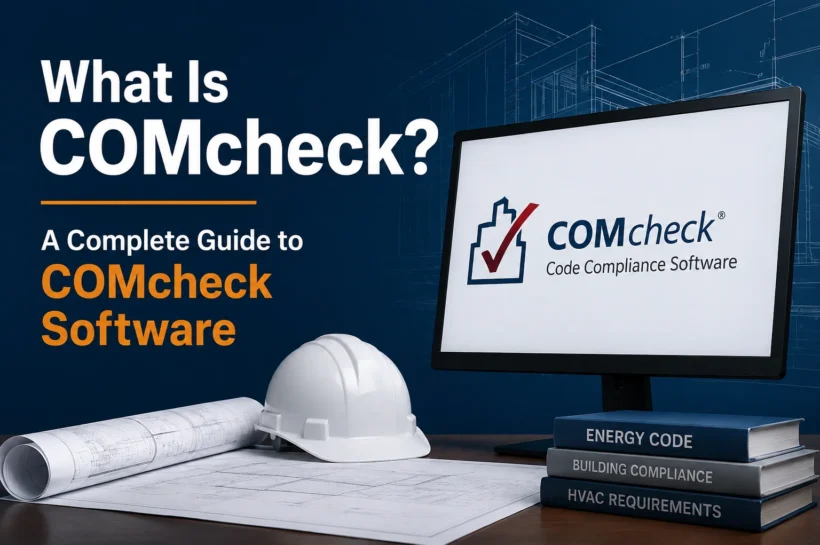

What Is COMcheck? A Complete Guide to COMcheck Software
If you work with commercial construction, building design, HVAC, lighting, or energy compliance, you may have heard of COMcheck. The name can sound highly technical, but the basic idea is fairly simple: COMcheck is software that helps building professionals check whether a project meets applicable energy-code requirements.
Instead of handling every calculation manually, users enter information about a building into the software. COMcheck then evaluates that information against a selected energy code and creates documentation that can be used during the compliance and review process. The tool is provided through the U.S. Department of Energy’s Building Energy Codes Program.
The current platform is COMcheck-Web, which runs in a browser rather than requiring a traditional desktop installation. That makes the software more accessible, while its supported code options and project workflow make it useful for architects, designers, contractors, and other professionals working on commercial projects.
What Is COMcheck Software?
COMcheck is a software application designed to simplify the process of demonstrating energy-code compliance for commercial and high-rise residential buildings, along with certain additions and alterations.
The software takes project information such as building characteristics, envelope assemblies, lighting details, and mechanical systems and checks it against the requirements of a selected code or standard. It can then generate a compliance report based on those inputs.
Think of COMcheck as a digital compliance assistant rather than a building-design application. It does not design the walls, select an HVAC system, or create a lighting plan for you. Instead, it takes the design information you already have and helps determine whether it satisfies the applicable energy requirements.
This distinction is important. COMcheck can automate calculations and organize compliance information, but the quality of its result still depends on the accuracy of the information entered.
What Is COMcheck-Web?
COMcheck-Web is the browser-based version of the software. The U.S. Department of Energy currently provides a new COMcheck-Web alongside legacy versions. The newer platform runs on Amazon Web Services and is intended to provide improved stability, security, performance, and navigation.
Unlike traditional desktop software, the web version can be accessed directly through the Energy Codes Program website without downloading and installing a Windows application.
The newer COMcheck-Web is also the platform where future national and state energy codes will be implemented. DOE’s current release information lists support for the 2015, 2018, 2021, and 2024 IECC editions, as well as ASHRAE Standard 90.1-2013, 2016, 2019, and 2022, plus various state-specific codes.
Because code support changes over time, users should always check the current software and jurisdiction requirements before starting a project.
What Can You Do With COMcheck?
The main purpose of COMcheck is to turn a building’s technical information into a structured energy-code compliance check.
The software can evaluate several major areas of a project, including the building envelope, lighting, and mechanical systems. Depending on the selected code and project type, different information is required for each area.
For the building envelope, COMcheck can work with information about walls, roofs, floors, windows, doors, insulation, and other thermal characteristics. Its supported calculations can also account for permitted trade-offs between envelope assemblies.
For lighting, users can enter information about the building’s lighting design and applicable requirements. Mechanical compliance can involve HVAC equipment and other system information relevant to the selected code.
After the information is entered, the software provides compliance results and allows users to produce the appropriate documentation.
That makes COMcheck particularly useful when several people are working on different parts of the same project. Instead of keeping compliance calculations scattered across separate documents, the information can be organized within a dedicated tool.
How Does COMcheck Work?
COMcheck follows a fairly straightforward workflow.
You begin by creating a project and selecting the appropriate code or compliance option. The software then provides sections where you can enter information about the building.
The next stage is entering the technical data. This may include the building location, project type, floor areas, envelope assemblies, lighting information, and mechanical equipment.
COMcheck processes the information and compares it with the requirements associated with the selected compliance method. If the project does not meet a requirement, the software identifies the relevant issue so the user can investigate it.
The design can then be adjusted where appropriate, and the project can be checked again.
Once the required sections demonstrate compliance, the software can generate a report that documents the result.
The process is therefore less about manually performing every calculation and more about providing accurate project data and letting the software perform the applicable compliance checks.
How to Use COMcheck Step by Step
Create Your Project
The process starts with a new project. You provide basic information that identifies the building and establish the project parameters required by the software.
The project location matters because energy-code requirements can vary depending on climate and jurisdiction. Choosing the correct location and project characteristics helps ensure that the subsequent calculations are based on the right conditions.
Select the Applicable Code
The next step is choosing the energy code or standard that applies to the project.
COMcheck supports various editions of the IECC, ASHRAE Standard 90.1, and state-specific requirements. However, the newest option in the software is not automatically the correct choice for every project.
The code adopted by the relevant jurisdiction is what matters.
Enter Building Envelope Data
You then provide information about the building envelope. This can include wall, roof, floor, window, door, and insulation details.
The information should match the actual design rather than being entered simply to produce a passing result. If the architectural drawings specify one assembly while the COMcheck project contains another, the resulting report may not accurately represent the building.
COMcheck can perform certain envelope trade-off calculations where the selected compliance method permits them. DOE explains that its envelope methodology considers factors such as location, assembly type, building type, internal gains, thermal properties, and orientation.
Add Lighting Information
The lighting section requires information about the project’s lighting design.
Depending on the selected code, this can include lighting power and other applicable details. The information should correspond with the project’s lighting plans and schedules.
If the lighting design changes later, the COMcheck project should be updated as well.
Add Mechanical Information
The mechanical section covers applicable HVAC and equipment requirements.
The exact information required depends on the selected code and project. Equipment efficiency, system characteristics, controls, and related details can influence the compliance result.
This is another reason to keep the software project synchronized with the latest construction documents.
Run the Compliance Check
Once the required information has been entered, COMcheck evaluates the project.
If something fails, review the relevant section first. A failed result could come from an incorrect input, an incomplete project detail, or an actual design issue.
Correct the underlying information or make a legitimate design change where necessary, then run the check again.
Generate the Compliance Report
After the project satisfies the applicable requirements, the software can produce compliance documentation.
This report provides a record of the information used and the resulting compliance status. Depending on the jurisdiction, it may form part of the documentation submitted for plan review or permitting.
What Information Does COMcheck Need?
The exact inputs vary by project, but users generally need reasonably complete design information before starting.
This can include the building’s location, type, floor area, envelope assemblies, insulation characteristics, windows and doors, lighting specifications, HVAC systems, and equipment information.
Having these details ready makes the software easier to use and reduces the chance of entering estimates that later have to be replaced.
COMcheck is essentially a data-driven tool. If the input is incomplete or inaccurate, the output may not accurately reflect the project.
🌟 Expand Your Knowledge:: Role of Proxy Testing in Modern Network Management
COMcheck Software Features
One of the most useful aspects of COMcheck is that it brings several compliance tasks into one software workflow.
The tool can handle envelope, lighting, and mechanical compliance and can generate reports based on the project information. Its web-based platform also makes the software easier to access than a traditional desktop-only application.
The newer COMcheck-Web has continued to receive updates. DOE’s October 2025 release, for example, added support for the Vermont 2024 Standard and IECC 2024 Appendix CF, introduced an off-site renewable energy system module and an energy-credit and renewable-energy compliance workflow, and improved project loading and saving performance.
For teams working across different parts of a project, COMcheck-Web can also support project sharing workflows. DOE’s documentation describes options for sharing project files or using accounts to allow multiple people to work with project information.
These features make COMcheck more than a simple online calculator. It functions as a project-based compliance tool for organizing technical information and producing documentation.
COMcheck-Web vs. Desktop COMcheck
The main difference lies in where the software runs.
The legacy desktop version is a Windows application that can be installed locally. COMcheck-Web runs through a supported web browser.
DOE states that new codes moving forward will be added only to COMcheck-Web as the desktop version eventually becomes unsupported.
For someone starting a new project, this makes the web platform the more important version to understand.
The web application also avoids the traditional installation process. According to DOE’s current supported-software information, COMcheck-Web works with current versions of major browsers including Chrome, Edge, Firefox, and Safari.
Common COMcheck Problems
Most COMcheck problems are connected to project information rather than complicated software calculations.
A common issue is entering information that does not match the construction documents. An incorrect insulation value, window specification, lighting detail, or HVAC selection can affect the resulting compliance status.
Another problem occurs when the design changes after the COMcheck report has been prepared. If the project switches equipment or modifies the envelope, the report may need to be updated.
The newer COMcheck-Web has also experienced some saving and loading performance issues. DOE’s current FAQ recommends saving frequently while using the new platform and notes that the team is working on the issue.
For technical questions, DOE also provides a web-based help desk for COMcheck support.
🌟 Expand Your Knowledge:: Why Your ERP Success Depends on Choosing the Right Oracle NetSuite Partner
Is COMcheck Free?
COMcheck is provided through the U.S. Department of Energy’s Building Energy Codes Program, and the web application can be accessed through the official Energy Codes Program website.
However, using the software does not mean that every part of energy-code compliance is free. A project may still require architects, engineers, energy consultants, plan reviewers, or other professionals.
In other words, COMcheck is a software tool for compliance; it is not a complete substitute for professional design or code-review services.
COMcheck vs. REScheck
COMcheck and REScheck are both DOE compliance software tools, but they target different types of buildings.
COMcheck is intended primarily for commercial and high-rise residential projects. REScheck is designed for residential projects such as single-family homes and low-rise multifamily buildings.
Choosing between the two therefore depends mainly on the building type and the applicable code rather than which interface a user prefers.
Who Should Use COMcheck?
COMcheck can be useful for architects, engineers, designers, builders, contractors, energy consultants, and others involved in commercial building projects.
A designer may use it to check a proposed design. A contractor may use the report to understand compliance requirements. An energy professional may prepare the project documentation, while a code official or plan reviewer can use the report to help evaluate compliance.
The software itself does not determine who is legally responsible for a project’s documents. That depends on the applicable code and jurisdiction.
🌟 Expand Your Knowledge:: What Is a Biometric Queue System?
Conclusion
COMcheck is best understood as a software-based energy-code compliance tool, not simply another construction form. It takes technical building information, evaluates it against supported energy-code requirements, and turns the results into compliance documentation.
Its modern version, COMcheck-Web, makes the process more accessible through a browser while continuing to add support for newer codes and features. For anyone working with commercial buildings, understanding the software can make the compliance process much easier to navigate.
The key is accuracy. COMcheck can automate much of the checking process, but it cannot know whether the information entered actually matches the building design. Keeping the project data current, selecting the correct code, and reviewing the final report against the construction documents are essential for getting reliable results.
FAQs
What is COMcheck used for?
COMcheck is used to help demonstrate energy-code compliance for applicable commercial and high-rise residential building projects. It evaluates project information and produces compliance documentation based on the selected code and inputs.
Is COMcheck software or a website?
Both versions exist. COMcheck includes a legacy desktop application as well as the newer COMcheck-Web platform, which runs through a web browser. DOE is moving future code support toward COMcheck-Web.
Can I use COMcheck on a Mac?
The web version can be accessed through supported browsers, including Safari. The legacy desktop COMcheck application is a Windows program. DOE’s current software-support page lists macOS as unsupported for the desktop version.
What happens if COMcheck shows a failed result?
A failed result means that the entered project information does not satisfy the applicable requirement being evaluated. Check the inputs first to make sure they accurately represent the design. If the information is correct, the relevant building component or system may need to be changed to achieve compliance.
Does a COMcheck report guarantee building-code approval?
No. COMcheck can provide documentation for an applicable energy-code compliance path, but final acceptance depends on the adopted code and the authority having jurisdiction. A COMcheck report does not replace the broader permitting or building-code review process.
🖇 Better knowledge. Better results. Follow Tech Statar.