
What Are Project Management Tools?
Project management tools are software platforms designed to help individuals and teams plan, organize, and execute work more efficiently. Instead of relying on scattered spreadsheets, emails, or manual tracking, these tools centralize everything in one place. From assigning tasks to monitoring deadlines and team performance, they create a structured workflow that reduces confusion and improves accountability. According to a 2023 report by PMI (Project Management Institute), organizations that use structured project management practices waste 28 times less money. That alone explains why these tools have become essential across industries, from startups to enterprise-level operations.
Why Businesses Need Project Management Tools in 2026
In 2026, the way teams work has fundamentally changed. Remote and hybrid setups are now standard, and businesses need systems that keep everyone aligned regardless of location. Project management tools provide that structure by bringing communication, tasks, and timelines into one unified workspace. Without them, teams often struggle with missed deadlines, unclear priorities, and duplicated work. Research from McKinsey shows that employees spend nearly 20% of their time searching for information. These tools solve that problem by centralizing everything, making work faster, clearer, and far more scalable for growing teams.
How We Selected the Best Project Management Tools
Choosing the right tools isn’t just about popularity, it’s about real-world performance. For this guide, we evaluated each tool based on practical factors that matter to businesses, including usability, features, pricing, and scalability. We also analyzed user feedback from platforms like G2 and Capterra to understand real experiences. Beyond that, we looked at how well each tool performs in specific use cases, such as startups, freelancers, and enterprise teams. This approach ensures our recommendations are not generic but tailored to actual business needs, helping readers make confident, informed decisions.
Quick Comparison Table of the Best Project Management Tools
Before diving into detailed reviews, a quick comparison helps readers understand the landscape. Not all tools are built the same some focus on simplicity, while others offer deep customization and automation. Comparing them side by side makes it easier to identify which tool aligns with your workflow. Factors like features, pricing, and ideal use cases play a major role in decision-making. This section gives a high-level overview so readers can quickly shortlist options before exploring them in detail, saving time and making the selection process more efficient.
Best Project Management Tools (Detailed Reviews)
This section breaks down the top project management tools based on performance, usability, and real-world application. Each tool is evaluated across key factors like features, pricing, and ideal use cases. Instead of generic descriptions, the focus is on practical insights into what the tool does well, where it falls short, and who it’s best suited for. This helps readers move beyond surface-level comparisons and choose a tool that genuinely fits their workflow, team size, and long-term business goals.
ClickUp
ClickUp is an all-in-one project management platform designed to replace multiple tools. It offers extensive customization, making it suitable for teams with complex workflows. From startups to large organizations, ClickUp adapts to different use cases. It includes task management, automation, time tracking, and goal setting. The platform also supports multiple views, like list, board, and calendar, giving teams flexibility in how they manage projects. ClickUp is highly customizable and feature-rich. However, new users may find the interface overwhelming due to its complexity. It offers a free plan, with paid plans starting at affordable monthly rates, making it accessible for small teams. Best for teams that need flexibility, customization, and an all-in-one solution.
Asana
Asana is a popular project management tool known for its clean interface and ease of use. It’s widely used by teams that want structured workflows without complexity. It offers task tracking, timelines, automation, and reporting. Its user-friendly design makes it easy for teams to get started quickly. Asana is simple and intuitive, but its advanced features can be limited compared to more customizable tools. It includes a free plan, with premium features available in paid tiers. Ideal for teams looking for a balance between simplicity and functionality.
Trello
Trello is a visual project management tool based on Kanban boards. It’s known for its simplicity and ease of use, making it popular among small teams. It offers boards, lists, cards, and basic automation. Its drag-and-drop interface makes task management straightforward. Trello is easy to use but lacks advanced features needed for complex projects. It offers a generous free plan, with optional paid upgrades for additional features. Best for individuals and small teams managing simple workflows.
💚 You might also like: 10 Best Email Finder Tools for Lead Generation in 2026
Monday.com
Monday.com is a flexible work management platform that combines project tracking with team collaboration. It’s known for its visual dashboards and automation capabilities. It includes customizable workflows, automation, integrations, and reporting tools. The interface is visually appealing and easy to navigate. It’s highly flexible but can become expensive as team size grows. Pricing starts at a mid-range level, with multiple tiers based on features. Ideal for teams that need visual project tracking and automation.
Wrike
Wrike is a powerful project management tool designed for professional teams and enterprises. It focuses on scalability and advanced project tracking. It offers task management, time tracking, reporting, and workload management features. Wrike is feature-rich but may feel complex for smaller teams. It offers multiple pricing tiers, including enterprise-level plans. Best for large teams and organizations managing complex projects.
Notion
Notion is a versatile tool that combines note-taking with project management. It’s highly customizable and widely used by creative teams. It includes databases, task tracking, and collaboration tools, all within a flexible workspace. Notion is flexible but lacks advanced project tracking features found in dedicated tools. It offers a free plan, with paid options for teams and businesses. Best for individuals and teams that want a flexible, all-in-one workspace.
💚 You might also like: Remote Team Management Tips for Growing Teams in 2026
Jira
Jira is a project management tool designed primarily for software development teams. It supports agile methodologies like Scrum and Kanban. It includes issue tracking, sprint planning, and advanced reporting features. Jira is powerful but has a steep learning curve for non-technical users. It offers flexible pricing based on team size and requirements. Best for developers and agile teams.
Smartsheet
Smartsheet combines spreadsheet functionality with project management features. It’s ideal for teams familiar with Excel-like interfaces. It offers task tracking, automation, reporting, and collaboration tools. It’s easy to use for spreadsheet users but less intuitive for others. It offers tiered pricing based on features and team size. Best for teams that prefer spreadsheet-style project management.
Best Project Management Tools by Use Case
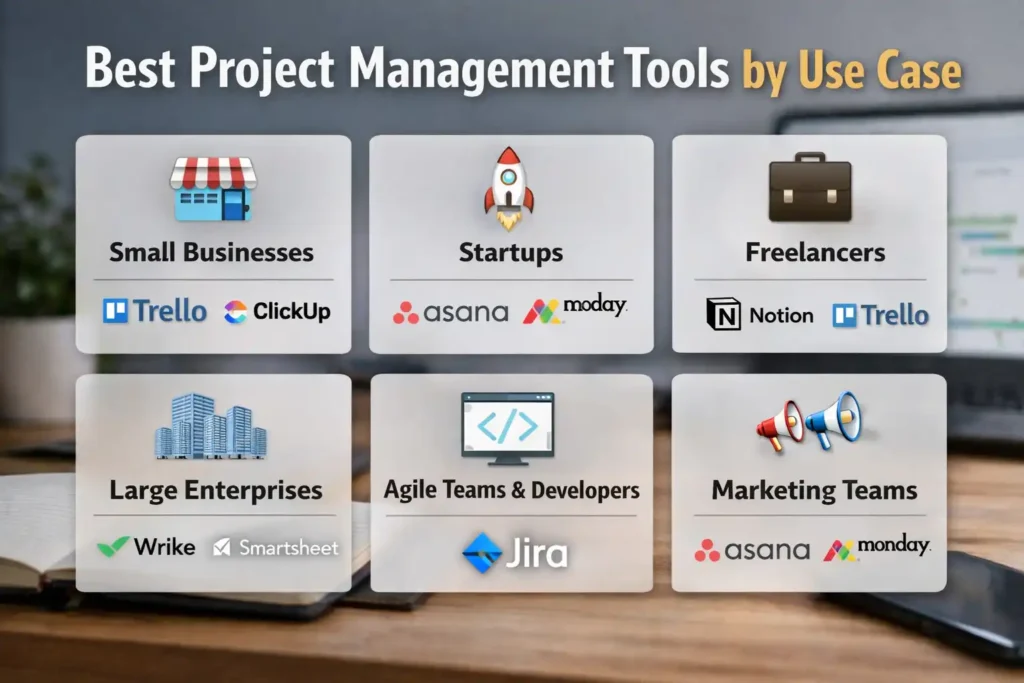
Not every project management tool fits every team. The right choice depends heavily on how you work, your team size, and your goals. A freelancer doesn’t need the same level of complexity as an enterprise team managing multiple departments. That’s why breaking tools down by use case makes decision-making much easier. Instead of getting overwhelmed by features, you can focus on what actually matters for your workflow. Below, we’ve categorized the best tools based on real-world use cases so you can quickly identify the right fit for your business or team structure.
Best for Small Businesses
Small businesses need tools that are affordable, easy to use, and quick to set up. Platforms like Trello and ClickUp work well because they offer essential features without unnecessary complexity. These tools help small teams stay organized, track tasks, and collaborate efficiently without requiring dedicated project managers or extensive training.
Best for Startups
Startups require flexibility and scalability. Tools like Asana and Monday.com are ideal because they grow with your team. They support fast-moving workflows, automation, and integrations, helping startups manage rapid growth while maintaining structure and efficiency across projects.
Best for Freelancers
Freelancers benefit from simple, distraction-free tools. Notion and Trello are great choices because they combine task management with flexibility. These tools allow freelancers to manage clients, deadlines, and personal workflows without the overhead of complex systems.
Best for Large Enterprises
Enterprises need advanced features like reporting, scalability, and security. Wrike and Smartsheet are strong options because they handle complex workflows, large teams, and cross-department collaboration efficiently while offering enterprise-grade controls.
Best for Agile Teams and Developers
Agile teams need tools built for sprint planning and issue tracking. Jira is widely used in development environments because it supports Scrum and Kanban methodologies. It helps teams manage backlogs, track bugs, and deliver projects in iterative cycles.
Best for Marketing Teams
Marketing teams need collaboration, content planning, and campaign tracking. Asana and Monday.com are ideal because they allow teams to manage campaigns, deadlines, and creative workflows in one place, improving coordination and execution.
Key Features to Look for in the Best Project Management Tools
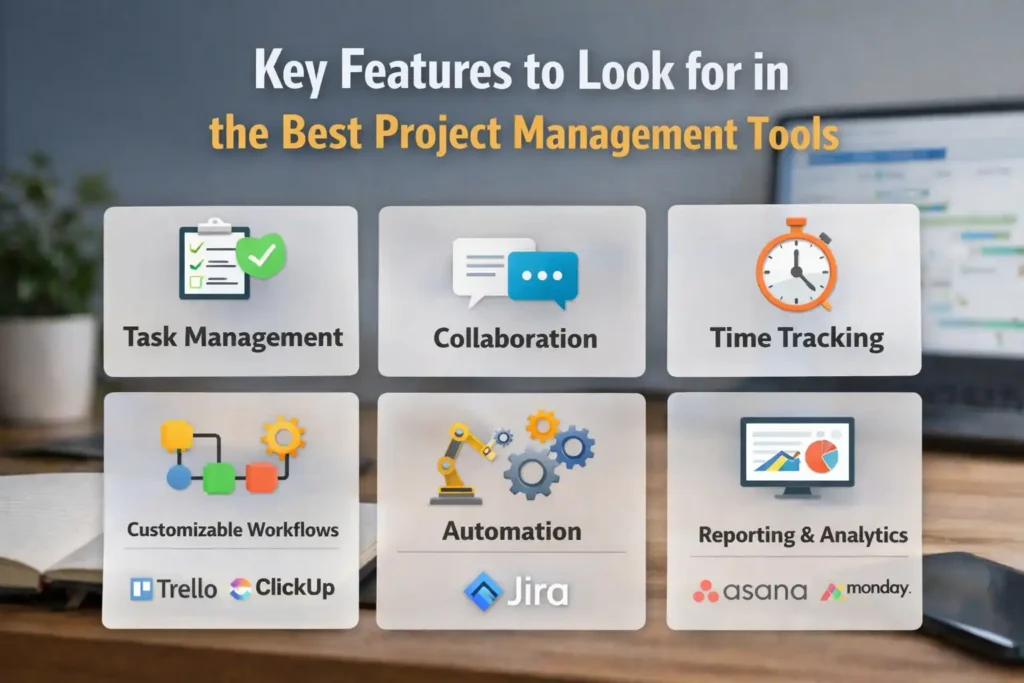
Choosing the right tool becomes much easier when you know what features actually matter. While many platforms offer similar capabilities, the real difference lies in how effectively those features support your workflow. The best project management tools don’t just organize tasks, they streamline processes, improve communication, and provide actionable insights. Instead of chasing every feature, focus on the ones that directly impact your team’s productivity and collaboration. Below are the most important features to consider when evaluating any project management software.
Common Mistakes to Avoid When Choosing a Project Management Tool
Selecting the wrong project management tool can slow down your team instead of improving productivity. Many businesses make decisions based on trends rather than actual needs, which leads to frustration and wasted resources. The key is to approach the decision strategically, focusing on long-term usability rather than short-term convenience. Avoiding common mistakes can save time, money, and effort while ensuring that the tool you choose genuinely supports your workflow. Below are some of the most frequent mistakes businesses make and how to avoid them.
How to Choose the Right Project Management Tool (Step-by-Step)
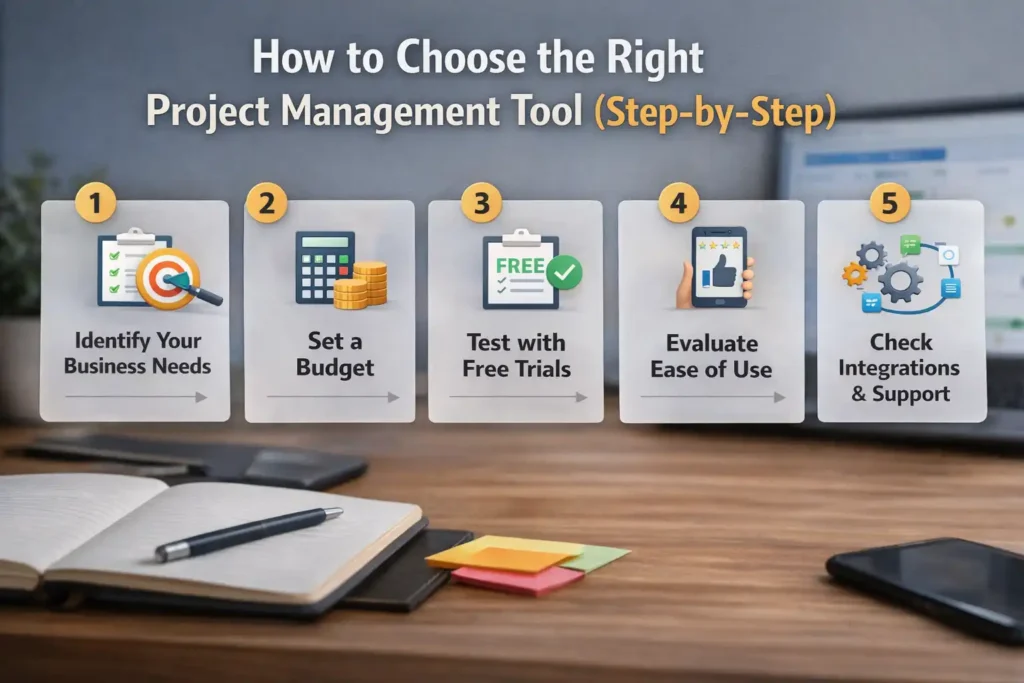
Choosing the right project management tool doesn’t have to be overwhelming if you follow a structured approach. Instead of jumping straight into feature comparisons, start by understanding your needs and gradually narrow down your options. This process helps you avoid costly mistakes and ensures the tool you select actually improves your workflow. By taking a step-by-step approach, you can confidently choose a platform that aligns with your goals, team size, and budget, while also supporting long-term scalability and efficiency.
Identify Your Business Needs
Start by understanding what you want to achieve. Do you need better collaboration, task tracking, or automation? Identifying your priorities helps you filter out tools that don’t align with your goals.
Set a Budget
Determine how much you’re willing to spend. This helps you narrow down your many options and prevents overspending. Consider both short-term affordability and long-term value when setting your budget.
Test with Free Trials
Most tools offer free trials. Use them to explore features, test usability, and see how well the tool fits your workflow before committing to a paid plan.
Evaluate Ease of Use
A tool should be easy to use for your entire team. Complicated platforms can slow down adoption and reduce productivity. Always prioritize user-friendly interfaces.
Check Integrations and Support
Make sure the tool can integrate with your already existing software. Also, check customer support quality, as reliable support can make a big difference when issues arise.
Benefits of Using Project Management Tools
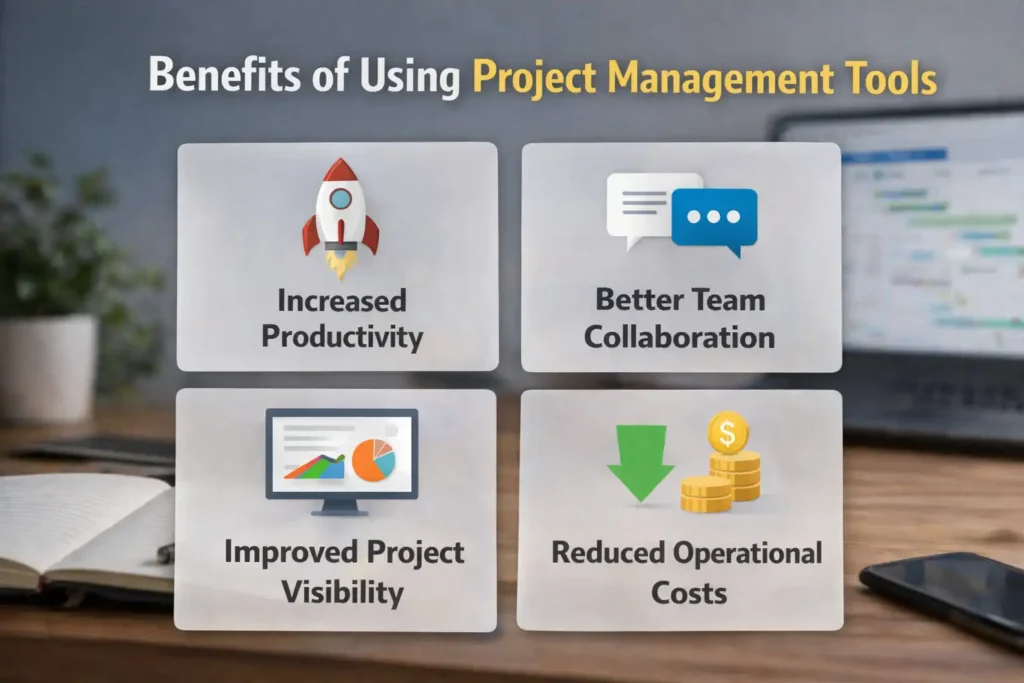
Project management tools are not just about organizing tasks; they directly impact how efficiently your team works. By centralizing workflows, improving communication, and providing real-time visibility, these tools help businesses operate more effectively. According to industry research, teams using structured project management practices are significantly more likely to complete projects on time and within budget. Whether you’re a small business or a large organization, the right tool can streamline operations, reduce errors, and create a more productive work environment.
Increased Productivity
With clear workflows and automation, teams spend less time managing tasks and more time completing them. This leads to higher efficiency and better output across projects.
Better Team Collaboration
Centralized communication improves collaboration. Teams can share updates, files, and feedback in one place, reducing confusion and improving coordination.
Improved Project Visibility
Real-time dashboards provide clear insights into project progress. Managers can quickly identify delays and take action before issues escalate.
Reduced Operational Costs
Efficient workflows reduce wasted time and resources. By improving productivity and minimizing errors, businesses can lower operational costs over time.
FAQs
Choosing the right project management tool often comes with a lot of questions, especially for beginners. With so many options available, it’s important to understand what works best for your specific needs. This section answers some of the most common questions to help you make a more informed decision. Whether you’re a freelancer, startup, or enterprise team, these answers will give you clarity and help you avoid common confusion when selecting and using project management software.
What is the best project management tool for beginners?
For beginners, tools like Trello and Asana are great options. They offer simple interfaces and easy onboarding, making it easier to get started without a steep learning curve.
Are free project management tools worth it?
Yes, free tools are useful for small teams or individuals. They provide essential features to manage tasks and workflows. However, they may lack the advanced functionality needed for larger or more complex projects.
Which tool is best for remote teams?
Tools like ClickUp and Monday.com work well for remote teams because they offer strong collaboration, communication, and real-time updates.
What is the easiest project management software to use?
Trello is often considered one of the easiest tools due to its simple drag-and-drop interface. It’s ideal for users who want a straightforward way to manage tasks without complexity.
Can small businesses benefit from project management tools?
Absolutely. Project management tools help small businesses stay organized, improve efficiency, and manage tasks effectively. Even simple tools can make a significant difference in productivity and workflow management.
Conclusion
The best project management tool ultimately depends on your specific needs, team size, and workflow complexity. There’s no one-size-fits-all solution, which is why it’s important to focus on what actually matters for your business. Start by identifying your priorities, testing a few tools, and choosing one that aligns with your goals. Whether you’re a freelancer looking for simplicity or an enterprise needing advanced features, the right tool can transform how your team works. Take your time, evaluate carefully, and choose a solution that supports both your current needs and future growth.
✨ Want smarter takes like this? Tap follow on Tech Statar.