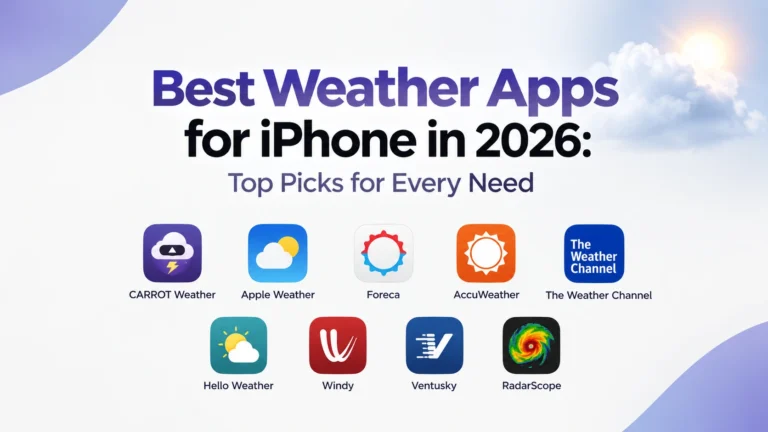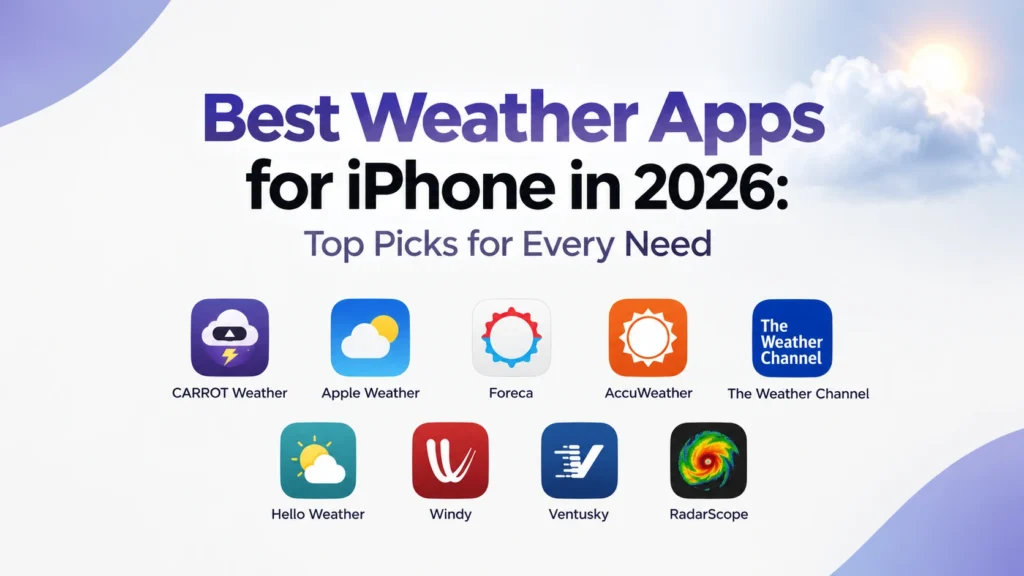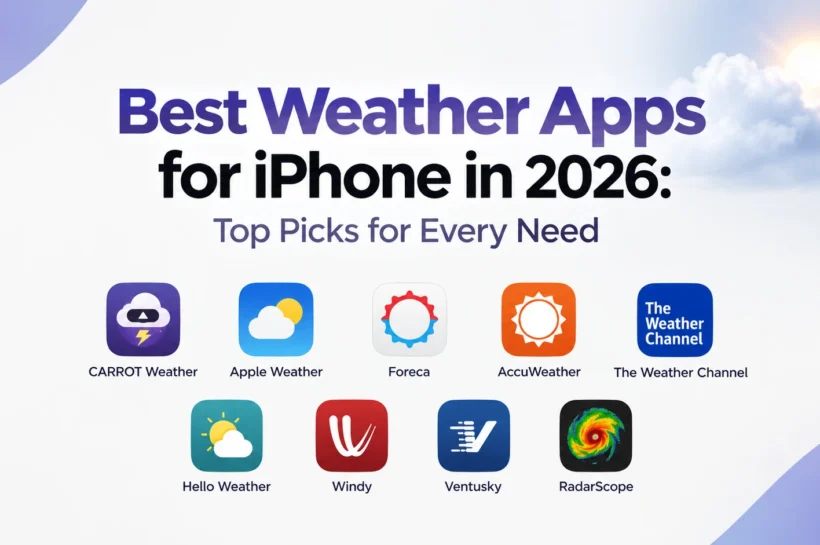

Best Weather Apps for iPhone in 2026: Top Picks for Every Need
Your iPhone already has Apple Weather, so installing another weather app might seem unnecessary. But once you need better rain tracking, advanced radar, more detailed forecasts, smarter widgets, or severe-weather alerts, the differences become much clearer.
The best weather app for iPhone depends on what you actually need. Some apps are built for everyday forecasts, while others are better suited to weather enthusiasts, travelers, or people who want more control over how they see forecast data.
We compared the leading options based on forecast detail, radar, alerts, widgets, Apple Watch support, usability, and the features that genuinely make an app more useful day-to-day.
Best Weather Apps for iPhone at a Glance
| Weather App | Best For | Free Version | Radar | Widgets | Apple Watch |
| CARROT Weather | Best overall | Yes | Yes | Yes | Yes |
| Apple Weather | Best free option | Yes | Yes | Yes | No dedicated app |
| Foreca | Forecast accuracy | Yes | Yes | Yes | Yes |
| AccuWeather | Rain forecasts | Yes | Yes | Yes | Yes |
| The Weather Channel | Severe weather | Yes | Yes | Yes | Yes |
| Hello Weather | Simple interface | Yes | Yes | Yes | Yes |
| Windy | Advanced weather maps | Yes | Yes | Yes | Yes |
| Ventusky | Visual forecasts | Yes | Yes | Yes | Yes |
| RadarScope | Professional radar | Limited | Excellent | — | — |
1. CARROT Weather – Best Weather App for iPhone Overall
CARROT Weather is our top pick for users who want more than a basic forecast.
Its biggest strength is flexibility. The app can provide multiple weather data sources, detailed forecasts, weather maps, precipitation and weather alerts, while giving you plenty of control over how that information appears. Premium also adds Home Screen and Lock Screen widgets, Live Activities, Apple Watch complications, and additional radar layers.
The interface is another reason CARROT stands out. It gives you a lot of information without forcing you to dig through several screens, and its personality makes the app feel less generic than most weather tools.
The downside is that many of its best features sit behind a subscription. That matters if you only want a quick temperature check.
Best for: iPhone users who want detailed forecasts, customization, widgets, radar, and Apple Watch support in one app.
2. Apple Weather – Best Free Weather App for iPhone
Before downloading anything, try Apple Weather.
For everyday use, Apple’s built-in app already covers current conditions, hourly forecasts, a 10-day forecast, weather maps, and severe-weather information where supported. It also uses your iPhone’s location to provide local forecasts, with Precise Location available for greater accuracy.
Its main advantage is simplicity. There are no extra accounts, complicated settings, or third-party subscriptions to think about. It is already integrated into the iPhone experience, including widgets and Siri.
The limitation is depth. Feature availability varies by region, and advanced users may want more detailed radar, additional data sources, or greater customization than Apple provides. Apple’s next-hour precipitation feature, for example, is currently limited to selected countries and regions.
Best for: Anyone who wants a clean, capable weather app without paying for or managing another service.
3. Foreca – Best Weather App for Forecast Accuracy
Foreca is worth considering when forecast quality matters more to you than flashy design.
The app focuses heavily on detailed forecasting, radar, precipitation information, and local conditions. Its recent updates have also added more Home Screen widgets and improved the way favorite locations are displayed.
There is an important distinction here: no weather app can guarantee the most accurate forecast everywhere. Accuracy changes with location, weather conditions, forecast period, and the underlying forecasting data. So rather than treating “most accurate” as an absolute title, Foreca is better viewed as a strong option for readers who prioritize forecast quality.
It also has a relatively clean interface, making it easier to use than some data-heavy alternatives.
Best for: Users who care more about dependable forecast information than entertainment or excessive customization.
4. AccuWeather – Best for Rain Forecasts
AccuWeather is a strong choice when your main question is simple: Is it going to rain, and when?
Its standout feature is MinuteCast, which provides short-term precipitation forecasts for a specific location. The app also includes hourly and daily forecasts, radar, severe weather information, air quality, and other weather details.
That makes AccuWeather particularly useful for commuting, traveling, or deciding whether to head outside. You can get a much clearer picture of changing conditions than you would from a basic daily forecast alone.
The trade-off is the app experience. The free version includes advertising, while some of its more advanced features require a paid plan.
Best for: People who want detailed short-term rain forecasts and a broad set of everyday weather tools.
5. The Weather Channel – Best for Severe Weather
The Weather Channel remains one of the most comprehensive options for people who want more than temperature and precipitation.
Along with hourly and extended forecasts, the iPhone app provides radar, severe weather alerts, storm information, air quality, pollen data, UV information, and weather-related news.
Its biggest advantage is breadth. You can use it for a normal morning forecast and still rely on the same app when a storm is approaching.
The interface can feel busier than Apple Weather or Hello Weather, and advertising is part of the free experience. That makes it less appealing for readers who prefer a minimal design.
Best for: Users who want detailed forecasts, storm tracking, and a wide range of weather information in one app.
6. Hello Weather – Best for Simple Weather Widgets
Hello Weather takes the opposite approach to feature-heavy weather apps. Instead of showing everything at once, it focuses on presenting the information you are most likely to need at a glance.
Its interface is clean and easy to scan, while its widgets make it particularly useful for checking the forecast without opening the full app. It can also use different weather data sources, giving users more flexibility than the minimalist design might suggest.
This makes Hello Weather a good fit for people who find traditional weather apps overwhelming. You get useful forecast information without a screen full of charts, numbers, and menus.
Some advanced capabilities require a subscription, so the free experience is best suited to straightforward forecasting.
Best for: iPhone users who want a clean interface and genuinely useful Home Screen or Lock Screen widgets.
7. Windy – Best for Advanced Weather Maps
Windy is built for users who want to see the weather, not just read a forecast.
Its map-based interface lets you explore wind, rain, temperature, pressure, waves, and other conditions visually. More importantly, Windy gives weather enthusiasts access to different forecast models, making it possible to compare how conditions may develop rather than relying on a single simplified forecast.
That makes the app especially useful for outdoor activities, travel, sailing, aviation, and anyone who wants more context behind a standard weather prediction.
For casual users, however, Windy can feel like overkill. Its strength is the amount of information it provides, not simplicity.
Best for: Weather enthusiasts and outdoor users who want detailed maps and forecast-model data.
8. Ventusky – Best for Visual Forecasting
Ventusky offers another map-first approach, but its visual presentation makes changing weather conditions particularly easy to understand.
You can move through a timeline and see how temperature, precipitation, wind, pressure, and other conditions are expected to change across an area. That makes it useful when you care about the bigger weather picture rather than just the forecast at one location.
It is also a good alternative to Windy for users who prefer visual exploration over a traditional forecast layout.
Best for: Users who want to understand weather patterns through interactive maps and visual forecasts.
9. RadarScope – Best for Serious Weather Radar
RadarScope is aimed at a much narrower audience than the other apps on this list.
Rather than trying to be an all-purpose weather companion, it focuses on high-quality weather radar and the information that can be extracted from it. That makes it valuable for weather enthusiasts and users who actively follow severe storms.
The learning curve is also higher. RadarScope makes more sense when you understand what radar products such as reflectivity and velocity are showing you; otherwise, much of its advantage can go unused.
Best for: Experienced weather users who want detailed radar data instead of a simplified forecast.
📌 More on This Topic:: Best Email Management Tools for 2026
Which Weather App Is Best for You?
There is no single winner for every iPhone user.
For the average person who simply wants a reliable forecast, Apple Weather is hard to beat because it is already integrated into iOS and costs nothing. CARROT Weather is the better choice when you want more customization and deeper features.
For short-term rain predictions, AccuWeather is the more natural fit. For severe weather and broad coverage, The Weather Channel makes more sense.
Readers who want a cleaner experience should look at Hello Weather, while Windy, Ventusky, and RadarScope are better suited to people who want to explore weather data in greater depth.
That difference matters. The best weather app is not necessarily the one with the longest feature list, it is the one that gives you the information you actually use without getting in the way.
What to Look for in a Weather App for iPhone
A good weather app is not simply the one with the most features. It should give you the information you need quickly and make that information easy to understand.
Forecast quality should come first. Look for an app that provides useful hourly and daily forecasts, especially when weather can change quickly in your area.
Radar is another important factor. A daily forecast might tell you that rain is expected, but radar can show where precipitation is moving and whether it is approaching your location.
Alerts matter even more during severe weather. A useful app should make important warnings easy to notice without filling your phone with unnecessary notifications.
For regular iPhone users, widgets can make a surprising difference. A good weather widget lets you check conditions from the Home Screen or Lock Screen without opening the app. Apple Weather, CARROT Weather, and Hello Weather all take different approaches to this experience.
Other features become useful depending on your lifestyle. Air quality, pollen, UV levels, wind conditions, weather maps, and Apple Watch support can all be valuable, but they should support the forecast rather than overwhelm it.
Apple Weather vs. Third-Party Weather Apps
Apple Weather is already good enough for a large number of iPhone users. It provides current conditions, hourly forecasts, a 10-day forecast, weather maps, and severe-weather information where available. Apple also uses Location Services, with Precise Location available to improve location-based forecasts.
The reason to install a third-party app is not simply to get another version of the same forecast.
Apps such as CARROT Weather can give you more data sources, deeper customization, advanced widgets, additional notifications, and more detailed weather maps. Hello Weather takes a different approach by letting users choose among several data sources while keeping the interface easy to scan.
That means the choice is straightforward: stay with Apple Weather when simplicity is enough, or move to a third-party app when you need more depth or a different way of using weather data.
Are Weather Apps Actually Accurate?
This is where weather-app comparisons often become misleading.
There is no universal answer to which app is “the most accurate.” Different services can use different weather data sources, models, processing methods, and update schedules. A forecast that performs well in one location may not perform equally well somewhere else.
The forecast period matters too. A prediction several days ahead naturally carries more uncertainty than one for the next few hours.
That is why it is better to judge an app by how well it serves your location and the type of forecast you need rather than trusting a single “most accurate” claim.
Radar can also be more useful than a standard forecast when conditions are changing quickly. A forecast might tell you rain is expected today; radar can help you see whether that rain is actually moving toward you.
📌 More on This Topic:: Why Your Business In Houston Needs a Separate Mobile Application in 2026
Free vs. Paid Weather Apps
Free weather apps are perfectly capable when you mainly need current conditions, hourly forecasts, and basic daily information.
Paid plans become more useful when you want advanced radar, more weather-data sources, detailed alerts, premium widgets, Apple Watch features, or deeper customization.
CARROT Weather, for example, puts features such as additional data sources, notifications, widgets, Live Activities, Apple Watch complications, and advanced weather maps behind its premium tiers. Hello Weather also keeps its basic forecast experience free while reserving features such as additional data sources, advanced radar, widgets, notifications, and Apple Watch support for Pro.
For most people, paying for a weather app is only worthwhile when you will actually use those features regularly.
How to Get More Accurate Weather Information on iPhone
Your weather app can only be as useful as the location information it receives.
Make sure Location Services are enabled for Weather and use Precise Location when available. Apple specifically notes that Precise Location can improve the accuracy of location-based weather information.
It is also worth enabling only the alerts you genuinely need. During rapidly changing weather, checking radar alongside the forecast can give you a better understanding of what is happening right now.
And when two apps disagree, do not automatically assume one is broken. Compare the forecast period, location, and data source before deciding which one makes more sense.
FAQs
What is the best weather app for iPhone?
CARROT Weather is our best overall pick because it combines detailed forecasts, customization, weather maps, notifications, widgets, and Apple Watch support.
What is the best free weather app for iPhone?
Apple Weather is the best free choice for most people. It is already built into iOS and provides current conditions, hourly forecasts, a 10-day forecast, and several useful weather tools without requiring another subscription. Feature availability varies by region.
What is the most accurate weather app for iPhone?
There is no single app that is guaranteed to be the most accurate everywhere. Forecast performance depends on factors such as location, weather conditions, forecast period, and the underlying data source. Apps such as Foreca are strong choices for users who prioritize forecast quality.
What is the best weather app for rain prediction?
AccuWeather is a strong choice for short-term rain forecasts, particularly because of its MinuteCast feature. For users who want to see precipitation movement visually, a radar-focused app can be more useful.
Do I need a third-party weather app on iPhone?
Not necessarily. Apple Weather is enough for everyday forecasting for many users. A third-party app becomes worthwhile when you want advanced radar, additional data sources, more customization, specialized alerts, or a better widget and Apple Watch experience.
Conclusion
The best weather app for iPhone depends less on the number of features and more on how you use weather information.
CARROT Weather is the strongest all-around option for users who want depth and customization. Apple Weather remains the easiest free choice. Foreca is a strong option for forecast-focused users, while AccuWeather is especially useful for short-term rain forecasts.
For a simpler experience, Hello Weather is difficult to overlook. Windy and Ventusky are better for users who enjoy exploring weather maps, while RadarScope is aimed at people who want serious radar information.
You do not need the most complicated weather app. You need the one that gives you the right information at the right time and makes it easy to act on.
💡 Learn today. Rank tomorrow. Follow Tech Statar.