

Introduction
SaaS applications are transforming how businesses deliver software, making it accessible anywhere without traditional installations. But building a successful SaaS product starts with picking the right development platform. A platform not only affects how fast you can launch but also how scalable, secure, and flexible your app becomes as your user base grows. This guide is perfect for founders, developers, and non‑technical entrepreneurs alike who want to understand the best options available today. By the end, you’ll know which platform fits your project’s complexity, budget, and growth plan.
Qualities you need in a SaaS Development Platform
Choosing a platform for your SaaS application isn’t just about features; it’s about long-term success. You want a solution that speeds up development without sacrificing quality, ensures smooth performance under growing user load, and integrates seamlessly with other tools you rely on. Customization matters too. Your app should reflect your vision, not the platform’s limitations. Finally, pricing and long-term costs can make or break your project, so understanding subscription models, hidden fees, and scaling costs is critical before committing to a platform.
Types of Platforms for Building SaaS Apps
There are several paths to build a SaaS application, each suited to different skills and goals. Traditional development frameworks provide full control but require coding expertise and longer timelines. No‑code platforms let anyone launch functional apps quickly using drag-and-drop tools. Low-code platforms offer a mix of visual design and coding flexibility, ideal for teams with some technical skills. AI-assisted builders are emerging as a fast, innovative way to automate repetitive coding and UI tasks, helping teams prototype and deploy with minimal effort.
5 Best Platforms for Building SaaS Applications
Platform #1: Bubble (All-in-One No-Code Builder)
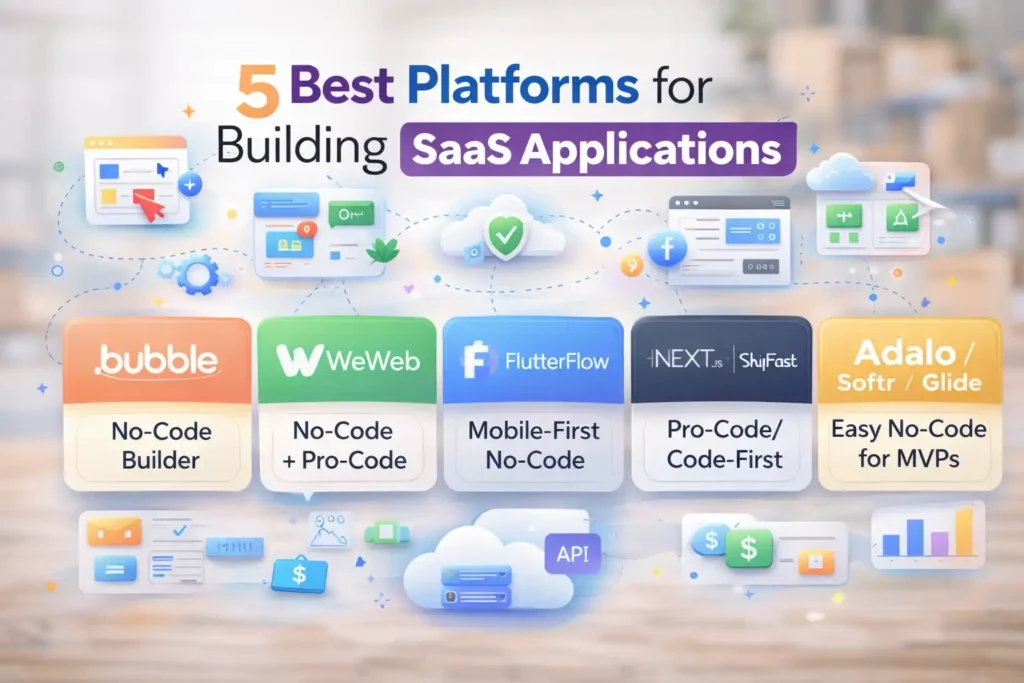
Bubble is a no-code platform designed for building complex web applications without writing code. Business founders and non-technical users appreciate it for its drag-and-drop editor paired with robust backend tools, including user login systems, workflow automation, and integrated database management. Bubble is perfect for SaaS products where you need custom logic and user dashboards quickly. The main benefits include speed, flexibility, and full control over your app’s functionality. On the downside, performance can lag with very large user bases, and there’s a learning curve for advanced workflows.
Platform #2: WeWeb (Visual No-Code + Pro-Code Flexibility)
WeWeb offers a hybrid no-code and pro-code approach, making it ideal for projects that need both speed and developer customization. Its visual UI builder supports Vue3 components and integrates easily with APIs and external services. Internal tools, dashboards, and customer portals are common use cases, and developers appreciate how it balances ease of use with coding flexibility. While fast and versatile, it may require some coding knowledge for complex logic. Pricing is scalable, but advanced features come at higher tiers, which teams should consider before committing.
👉 You might also like: Why Stock Locations for WooCommerce Matter for Large Stores?
Platform #3: FlutterFlow (Native Cross‑Platform Apps)
FlutterFlow is a no-code platform focused on creating mobile-first SaaS applications quickly. It combines a drag-and-drop interface with the ability to export fully functional native iOS and Android apps. Developers and founders use it to speed up MVP launches, especially when mobile experience is a priority. The platform supports Firebase integration, real-time databases, and responsive design, giving flexibility without deep coding skills. FlutterFlow is ideal for startups that want a polished mobile presence quickly, though very complex apps may require additional custom code for advanced functionality.
Platform #4: Next.js / Shipfast (Code-First SaaS Development)
For teams comfortable with coding, Next.js or pro-code starters like Shipfast provide a robust foundation for SaaS applications. These frameworks give full control over architecture, performance, and integrations. They come with built-in features for authentication, subscription management, APIs, and server-side rendering, making it easier to scale applications while maintaining security. Developers can build highly customized products with precise control over backend and frontend logic. This approach suits projects that anticipate rapid growth or need specialized features beyond what no-code platforms offer.
👉 You might also like: 5 Best VPNs for Privacy & Security in 2026
Platform #5: Adalo / Softr / Glide (Easy No-Code for MVPs)
Platforms like Adalo, Softr, and Glide are designed for founders who want to launch MVPs quickly without coding. Adalo offers drag-and-drop app building with built-in databases, Softr integrates with Airtable for web apps, and Glide turns spreadsheets into functional apps instantly. These tools are perfect for testing ideas, early-stage products, or simple internal tools. While they limit advanced features, they help startups validate concepts fast, gather user feedback, and iterate without significant developer resources.
Comparison Table: Features, Pricing, Best Fit
| Platform | Best For | Pricing | Scalability | Ease of Use | Key Features |
| Bubble | Complex SaaS without coding | $$ | Medium | Moderate | Workflows, DB, auth |
| WeWeb | Internal tools / portals | $$ | Medium-High | Moderate | Vue3, APIs, integrations |
| FlutterFlow | Mobile-first MVPs | $$ | Medium | Easy | Cross-platform, Firebase |
| Next.js / Shipfast | Pro-code scalable apps | $$$ | High | Advanced | APIs, auth, subscriptions |
| Adalo / Softr / Glide | Quick MVPs | $ | Low-Medium | Very Easy | Drag-and-drop, templates |
This table helps readers compare speed, scalability, cost, and complexity side by side, making it easier to choose the right platform.
How to Choose the Best Platform for Your SaaS

Choosing the right SaaS platform depends on your team, product goals, and long-term vision. Match your technical skills with the platform type: no-code for quick MVPs, low-code for moderate flexibility, and pro-code for high scalability. Consider whether you need a rapid launch or a product that can scale massively. Factor in budget trade-offs; some platforms have higher upfront costs but save time later. Finally, evaluate your user growth, integrations, and performance requirements to ensure the platform will support your SaaS beyond its initial release.
Tips for Launching Your SaaS Application
Launching a SaaS application successfully requires more than just choosing a platform. Start by planning your MVP carefully: define core features, target audience, and what success looks like. Next, integrate essential tools like payments, analytics, and authentication early to avoid friction later. Finally, focus on testing and deployment best practices. Run user tests, monitor performance, and ensure smooth onboarding. Thoughtful preparation here can save you time, reduce bugs, and create a product that not only works but delights your users from day one.
Planning Your MVP
Focus on the features that solve the main problem for your users. Avoid overbuilding at the start.
Choosing Integrations
Select reliable payment processors, analytics tools, and authentication systems to ensure smooth operation and tracking.
Testing and Deployment
Run multiple rounds of testing for usability, performance, and security. Deploy incrementally for safer releases.
Conclusion

Choosing the right platform is crucial for building a SaaS application that’s efficient, scalable, and maintainable. Bubble, WeWeb, and FlutterFlow excel at no-code or low-code solutions, ideal for startups and MVPs. Pro-code options like Next.js or Shipfast offer advanced flexibility for complex, high-growth applications. Platforms like Adalo, Softr, or Glide help test ideas quickly. Ultimately, your choice should match your technical skill, budget, and product goals, ensuring your SaaS can grow and adapt over time while providing a seamless user experience.
FAQ
What platform should beginners choose?
No-code platforms like Bubble, Adalo, or Glide are ideal for beginners. They allow you to build functional SaaS apps quickly without coding experience.
Can you build a fully scalable SaaS without coding?
Yes, but with limitations. No-code platforms can support small to medium user bases effectively. For high-growth applications, consider low-code or pro-code for better scalability.
How much does it cost to make a SaaS app?
Costs vary widely: no-code MVPs can start around $20 to $200/month, while pro-code custom apps may cost thousands upfront for development and infrastructure.
What’s the difference between no-code and low-code for SaaS?
No-code platforms let anyone build apps visually with minimal technical skill. Low-code platforms combine visual tools with coding, offering more flexibility and scalability for complex projects.
✨ Smart minds follow smart pages, hit follow on Tech Statar.

































One thought on “5 Best Platforms for Building SaaS Applications in 2026”