
10 Best Mobile App Development Tips for Better Apps
Building a mobile app is relatively easy to start. Building one that people actually find easy to use is much harder.
A good app needs more than clean code and an attractive interface. It should solve a real problem, perform reliably, protect user data, and remain easy to maintain as it grows.
Whether you’re building your first app or improving an existing product, a few development decisions can make a significant difference to its quality and long-term success.
In this guide, we’ll cover 10 practical mobile app development tips that can help you build faster, more reliable, secure, and user-friendly apps.
1. Start With One Clear App Idea and User Problem
Before choosing a programming language or designing screens, figure out what problem your app is supposed to solve.
It’s tempting to start with features. But only the features alone aren’t the main reason people download an app. People download it because they want to solve their problem.
For example, a fitness app could include workout tracking, meal planning, social features, AI recommendations, and dozens of other functions. But if its primary users simply want a quick way to track their workouts, adding more features may make the app harder to use rather than more valuable.
Start by answering three questions:
- Who is the app for?
- What problem does it solve?
Define your target users
Don’t try to build an app for everyone.
Create a clear picture of your target audience, including their goals, common frustrations, technical experience, and expectations. This helps you make better decisions about features, navigation, design, and messaging.
Research competing apps
Look at similar apps before development begins.
Pay attention to their features, pricing, reviews, usability, and recurring complaints. App store reviews can be particularly useful because they show what real users like and dislike.
Sometimes the opportunity is to solve an existing problem more simply or effectively.
Validate the idea before building everything
You can validate an idea with a prototype, landing page, user interviews, surveys, or a minimum viable product (MVP).
The goal is simple: learn whether people actually want the solution before investing heavily in development.
Tip: Keep the first version focused on the core problem. You can add secondary features after you have evidence that users need them.
💡 Explore More Insights: App Protection Plan: What to Include, What to Prioritize, and How to Test It
2. Choose the Right Technology Stack
Your technology choices affect development speed, performance, maintenance, scalability, and cost.
There’s no single technology stack that’s right for every mobile app. The best choice depends on what you’re building and where you expect the product to go.
One of the first decisions is whether to build natively or use a cross-platform framework.
Native vs. cross-platform development
Native development means building separately for platforms such as Android and iOS using their respective technologies.
Cross-platform development allows developers to share much of the codebase across multiple platforms.
For example, a team may choose a cross-platform framework when it wants to launch on both Android and iOS while reducing duplicated development work.
Native development can make sense when an app requires highly platform-specific functionality or maximum control over performance.
The important thing is to choose based on the app’s requirements rather than simply following what’s popular.
Consider the long-term requirements
Ask yourself:
- Does the app require advanced device features?
- Will it need to support both Android and iOS?
- How important is high-performance graphics?
- How large is the development team?
- How quickly does the first version need to launch?
- What will maintenance look like six months from now?
A technology stack that works well for a simple productivity app may not be appropriate for a graphics-intensive application.
3. Prioritize UI/UX From the Beginning
Good UI gets attention. Good UX keeps people using the app.
Users shouldn’t have to think too hard about how to complete basic tasks. Navigation should feel predictable, important actions should be easy to find, and unnecessary steps should be removed.
Keep the interface simple
Every screen should have a clear purpose.
Avoid filling the interface with buttons, menus, animations, and information that users don’t need. A simpler interface often makes an app easier to understand and faster to use.
Create consistent navigation
Keep navigation patterns consistent throughout the app.
If a button performs a particular action on one screen, users should generally expect similar behavior elsewhere. Consistent icons, labels, spacing, and interaction patterns reduce cognitive load.
Design for different screen sizes
Your app may be used on many devices with different screen sizes, resolutions, and aspect ratios.
Make sure layouts adapt properly instead of assuming every user has the same display.
Also consider accessibility. Text should be readable, controls should be easy to interact with, and important information shouldn’t depend solely on color.
Test important user flows
Don’t wait until the entire app is finished to test usability.
Test the most important journeys early, such as:
Open app → Sign up → Find feature → Complete task → Receive confirmation
If users struggle with the basic flow, adding more features won’t solve the underlying problem.
4. Build for Speed and Performance
People notice slow apps immediately.
Long loading times, laggy interactions, excessive battery usage, and crashes can quickly turn a useful app into a frustrating one.
Performance should therefore be considered during development, not treated as something to fix immediately before launch.
Optimize loading times
Avoid loading unnecessary data when the app starts.
Load only what’s required for the current screen and fetch additional information when needed. Caching frequently used data can also reduce repeated network requests.
Optimize images and assets
Large images can increase download times and consume memory.
Use appropriately sized assets and modern optimization techniques where supported. There’s little benefit in loading a huge image when a much smaller version is sufficient for the screen.
Reduce unnecessary API requests
Every network request can introduce latency.
Review how frequently the app communicates with your backend and combine or cache requests where appropriate.
Test on real devices
An app that feels fast on a high-end development machine may perform very differently on an older smartphone.
Test performance across a realistic range of devices, network conditions, and operating system versions.
Tip: Measure performance instead of guessing. Profiling tools can help identify slow screens, memory problems, excessive CPU usage, and other bottlenecks.
💡 Explore More Insights: The Role of APIs in Modern Web Applications in 2026
5. Make Mobile App Security a Priority
Security shouldn’t be something you add after the app is finished.
Mobile apps often handle sensitive information, including personal details, authentication credentials, payment information, and private user data. A security problem can damage both users and the reputation of the product.
Protect sensitive data
Only collect information the app actually needs.
The less sensitive information you store, the less information there is to protect.
Use appropriate encryption and secure communication methods when transmitting sensitive data.
Use secure authentication
Authentication should be designed carefully from the beginning.
Avoid storing passwords or authentication credentials insecurely. Use established authentication mechanisms instead of creating your own security system without a strong reason.
Secure your APIs
If the app communicates with a backend, APIs must also be protected. Use proper authorization, validate incoming data, and avoid exposing secrets such as private API keys inside the mobile application.
Keep dependencies updated
Third-party libraries can introduce vulnerabilities.
Regularly review dependencies and update them when security fixes or important patches are released.
Security is a long-term and ongoing process.
6. Use APIs and Third-Party Integrations Carefully
Third-party services can save development time.
Instead of building everything from scratch, developers can integrate services for payments, maps, authentication, analytics, notifications, cloud storage, and other functionality.
But every integration also introduces another dependency.
Choose reliable APIs
Before integrating a service, check its documentation, uptime history, pricing, limitations, authentication requirements, and support options.
A service that works perfectly during development may become a problem if its API changes or becomes unreliable.
Handle failures gracefully
Assume that an API will occasionally fail.
The app should provide a useful response instead of crashing or leaving users staring at a blank screen.
For example, if a weather API is temporarily unavailable, the app could show the last available information and explain that fresh data couldn’t be retrieved.
Protect API credentials
Never assume that information embedded in a mobile app is completely secret.
Sensitive credentials should be handled securely on the server side where appropriate, rather than exposing private keys directly in the client application.
The goal isn’t to avoid third-party services. It’s to use them deliberately and understand the risks they introduce.
7. Test Your App on Real Devices
Testing is also one of the easy areas to underestimate.
An app can work perfectly in development and still fail when real users install it on different devices, operating systems, screen sizes, or network connections.
That’s why testing should cover more than whether each feature technically works.
Test the core functionality
Make sure important actions work from beginning to end.
For example, if your app has an account creation process, test the complete journey rather than testing the registration button in isolation.
Test usability
Watch how people actually use the app.
You may discover that users don’t understand an icon, can’t find an important setting, or repeatedly miss a particular button.
These issues can be difficult to identify from code alone.
Test performance
Check how the app behaves when:
- The internet connection is slow
- The device has limited storage
- Battery levels are low
- Multiple apps are running
- The device has limited memory
- The network connection disappears
Test different devices and OS versions
Don’t test only on the newest phone.
Use a representative range of devices and supported operating system versions. This can reveal layout problems, compatibility issues, and performance differences that aren’t visible in a single test environment.
Tip: Automated tests can help catch regressions quickly, but they shouldn’t completely replace real-device and human testing.
💡 Explore More Insights: What is WhatsApp Plus Software, and is it legitimate?
8. Build With Scalability in Mind
You don’t need to build your first version as if you already have millions of users.
However, avoid choosing an app architecture that could create unnecessary challenges as your product grows.
Scalability applies to more than server capacity. It also includes your codebase, database, APIs, development process, and team.
Keep the code maintainable
Organize your code into logical components and avoid unnecessary duplication.
Clear architecture makes it easier for developers to fix bugs and introduce new functionality later.
Plan for growing traffic
Think about what happens if usage increases significantly.
Can your backend handle more requests? Can your database scale? Are APIs efficient enough? Do you have monitoring in place?
You don’t need to solve every hypothetical problem upfront. Instead, identify the areas most likely to become bottlenecks and design them with reasonable growth in mind.
Avoid overengineering
Scalability doesn’t mean adding complexity everywhere.
Building an unnecessarily complicated architecture can slow down development and increase maintenance costs.
Start with what the product actually needs, while leaving a sensible path for future improvements.
9. Prepare Your App for Launch and App Stores
Finishing development doesn’t mean you’re ready to launch.
Before submitting your app, make sure the product, store listing, analytics, crash reporting, and support processes are ready.
Follow app store requirements
Both major mobile platforms have requirements around areas such as privacy, permissions, content, functionality, and user data.
Review the current requirements before submission because policies and technical requirements can change.
Optimize your app listing
Your app store listing is often the first impression potential users get.
Use a clear title, concise description, relevant screenshots, and visuals that accurately demonstrate what the app does.
Don’t make exaggerated claims just to increase downloads. The experience users get after installing the app should match what the listing promises.
Set up analytics and crash reporting
You need visibility into what happens after launch.
Analytics can show how users interact with important features, while crash reporting can help identify technical problems that aren’t appearing during internal testing.
These systems give you data you can use to prioritize improvements.
💡 Explore More Insights: 10 Best Digital Planners for Everyone (Free & Paid)
10. Monitor, Update, and Improve Your App
Launching an app is the beginning, not the end, of development.
User expectations change. Operating systems change. Devices change. Bugs appear. New competitors enter the market.
The best apps improve based on what happens after launch.
Track meaningful metrics
Don’t track every possible metric just because your analytics platform allows it.
Focus on measurements connected to your product goals, such as activation, retention, feature usage, conversion, crashes, or task completion.
Listen to user feedback
Reviews, support requests, surveys, and in-app feedback can reveal problems that analytics alone can’t explain.
If users repeatedly report that a particular workflow is confusing, investigate it rather than simply adding another feature.
Release regular updates
Updates can improve security, compatibility, performance, and usability.
They also give you opportunities to respond to changing user needs.
The goal isn’t to release updates just for the sake of frequency. Each update should ideally make the product more useful, reliable, or secure.
Common Mobile App Development Mistakes to Avoid
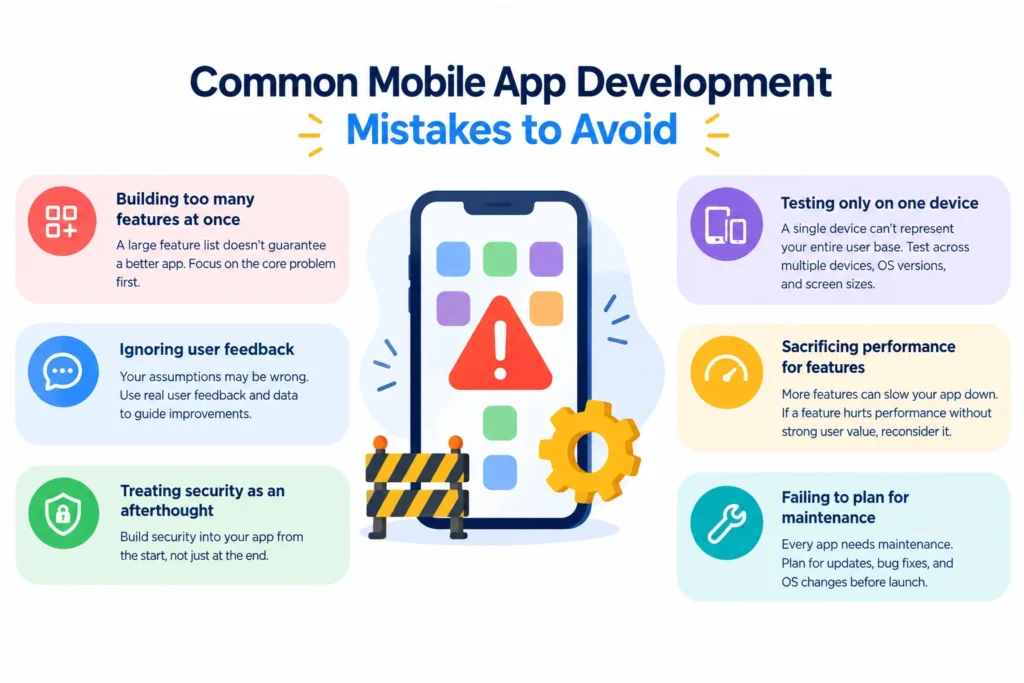
Even a strong development process can go off track when teams focus on the wrong things.
Here are some common mistakes worth avoiding.
Building too many features at once
A large feature list doesn’t automatically create a better app.
Start with the functionality needed to solve the core user problem. Additional features can be prioritized after you understand how people use the product.
Ignoring user feedback
Your assumptions about what users want may be wrong.
Use feedback and product data to identify friction and determine which improvements actually matter.
Treating security as an afterthought
Retrofitting security can be more difficult than designing secure practices into the product from the start.
Consider authentication, data protection, permissions, and API security during the initial architecture phase.
Testing only on one device
A single device can’t represent your entire user base.
Test across supported devices, screen sizes, operating systems, and network conditions.
Sacrificing performance for features
More functionality can introduce more processing, network requests, and complexity.
If a feature significantly hurts performance without providing enough user value, reconsider whether it belongs in the product.
Failing to plan for maintenance
Every app needs maintenance.
Operating systems receive updates, dependencies change, security vulnerabilities are discovered, and users expect improvements.
Plan for maintenance before launch rather than treating it as an unexpected expense.
A Simple Mobile App Development Checklist
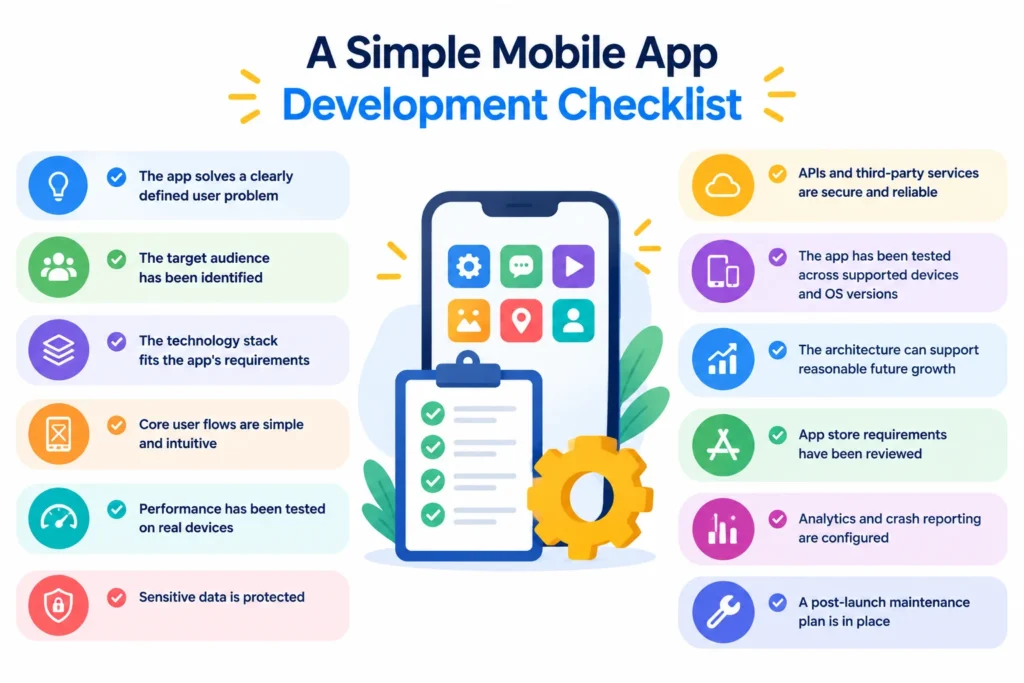
Before launching your app, run through this checklist:
- The app solves a clearly defined user problem
- The target audience has been identified
- The technology stack fits the app’s requirements
- Core user flows are simple and intuitive
- Performance has been tested on real devices
- Sensitive data is protected
- APIs and third-party services are secure and reliable
- The app has been tested across supported devices and OS versions
- The architecture can support reasonable future growth
- App store requirements have been reviewed
- Analytics and crash reporting are configured
- A post-launch maintenance plan is in place
FAQs About Mobile App Development
What is the most important mobile app development tip?
Start with a clear user problem. Understanding who you’re building for and what problem you’re solving helps guide decisions about features, UX, technology, and priorities.
How can I make my mobile app better?
Focus on the fundamentals: usability, performance, security, reliability, and user feedback. Use analytics and real-world feedback to identify areas that need improvement instead of adding features without evidence that users need them.
Should I choose native or cross-platform development?
It depends on your app’s requirements. Native development can provide deeper platform-specific control, while cross-platform development can reduce duplicated development work when supporting multiple platforms. Consider performance requirements, team expertise, budget, and long-term maintenance before deciding.
How do I improve mobile app performance?
Start by measuring where performance problems occur. Optimize loading, reduce unnecessary network requests, optimize assets, manage memory carefully, and test on real devices rather than relying only on development hardware.
How important is mobile app security?
It’s essential, especially when an app handles personal, financial, or authentication data. Security should be considered throughout the development lifecycle, including authentication, data protection, API security, permissions, and dependency management.
How often should a mobile app be updated?
There’s no universal update schedule. Release updates when there are meaningful improvements, security fixes, compatibility changes, or important bugs to address. The right cadence depends on the app, its users, and how frequently the underlying platforms change.
💡 Explore More Insights: Best Online Marketplace for Teachers in 2027
Final Thoughts
Building a better mobile app isn’t about adding the most features.
It’s about solving a real problem and delivering that solution in a way that’s fast, secure, reliable, and easy to use.
Start with a clear user need, choose technology that fits the project, prioritize UX and performance, test on real devices, and build with security and maintenance in mind.
Once the app is live, keep learning from real users. Their behavior and feedback can show you what to improve next.
That’s what turns an app from a one-time development project into a product that continues to get better over time.
✨ Want smarter takes like this? Tap follow on Tech Statar.