
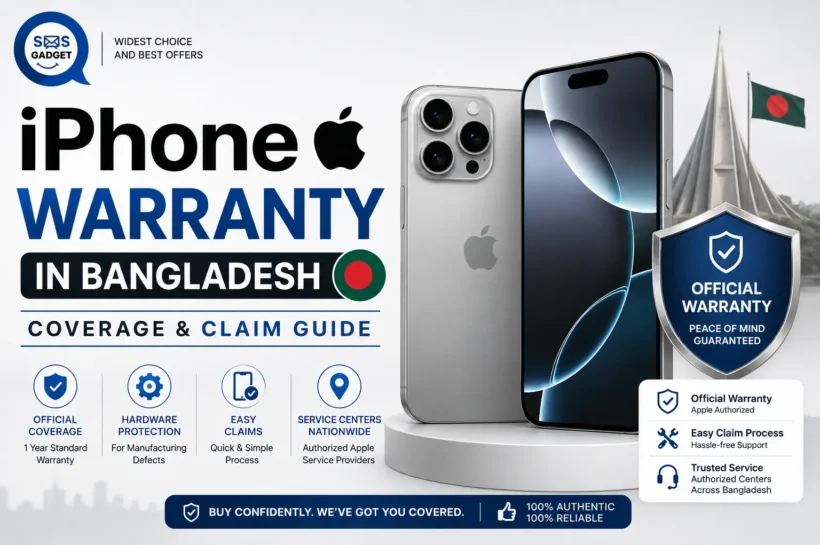

iPhone Warranty in Bangladesh Explained: What’s Covered, What’s Not, and How to Claim It
Ask ten iPhone owners in Bangladesh whether their phone has a real warranty, and you’ll likely get ten different answers “yes, one year,” “the shop said lifetime,” “I think so, I have the box,” or simply a shrug. The truth is, most buyers here don’t actually know whose warranty they have, what it covers, or how to use it if something goes wrong.
That confusion isn’t an accident, Apple has no official stores or service centers in Bangladesh, which leaves a gap that shops fill with their own versions of “warranty,” some genuine and some not. By the end of this guide, you’ll know exactly which type of warranty your iPhone actually has, what’s covered and what isn’t, how to check your coverage status yourself in under two minutes, and the step-by-step process to actually claim a repair.
Does Apple Offer Official Warranty Support in Bangladesh?
Apple has no official retail stores or Apple Authorized Service Providers physically operating inside Bangladesh the country falls under Apple’s broader South Asia coverage region, which is handled remotely rather than through local Apple-run outlets.
That said, the Apple Limited Warranty that comes with every genuine iPhone is a global, one-year warranty it exists no matter where you bought the phone. The catch is that “global” doesn’t mean “convenient.” Without a physical Apple Store or Apple-run service center in the country, there’s no straightforward walk-in claim process the way there is in, say, Singapore or the UAE.
This is exactly the gap local shops step into. When you see a Bangladeshi shop advertise “Apple Authorized Warranty,” what they usually mean is that they are an authorized reseller or independent service provider, not that Apple itself is running the counter. It’s very important to make sure you understand this distinction before you buy.
Types of iPhone Warranty You’ll Encounter in Bangladesh
Apple International (Manufacturer) Warranty
This is the genuine one-year warranty Apple attaches to every new iPhone sold worldwide. It’s tied to the phone’s serial number, not the shop you bought it from, which means it can technically be honored anywhere Apple has service infrastructure, though in Bangladesh, that usually means going through a local reseller who forwards the claim or arranging service during travel to a country with an Apple Store.
Local Shop / “Authorized” Warranty
Many Bangladeshi retailers offer their own in-house warranty, often marketed as “Apple Authorized.” This is typically a shop-backed guarantee, they’ll repair or replace certain issues themselves, using their own relationship with parts suppliers or regional distributors. It can be genuinely useful, but it is not the same thing as Apple’s own warranty, and terms vary widely from shop to shop.
No Warranty (Gray Market / Unofficial Import)
These types of phones are typically imported independently via informal channels and are known as “non-PTA” or “gray market” phones. Such phones rarely carry any form of warranty, only a verbal assurance that lacks written documentation. These phones tend to be less expensive, but this comes with its risks.
| Warranty Type | Who Provides It | Typical Duration | Where to Claim | Risk Level |
| Apple International Warranty | Apple Inc. | 1 year | Local reseller (forwarded) or abroad at an Apple Store | Low, if the phone is genuine and unlocked officially |
| Local Shop / “Authorized” Warranty | The retailer | Varies (often 6–12 months) | Same shop you purchased from | Medium depends entirely on the shop’s reliability |
| No Warranty (Gray Market) | Nobody | None | Nowhere reliable | High |
What this means for you: Before buying, ask the shop directly which of these three categories your phone falls into and get the answer in writing, not just verbally. If you’re still comparing options, it’s worth checking the current iPhone price in Bangladesh across a few sellers so you can weigh a lower gray-market price against the warranty risk you’d be taking on.
What’s Covered Under iPhone Warranty?
Apple’s standard Limited Warranty is built to cover genuine manufacturing problems, not accidents.
That generally includes:
Manufacturing defects in materials or workmanship (battery, display, or other hardware faults present from the factory)
Component failure that happens under normal use and isn’t caused by the user.
Dead-on-arrival (DOA) replacement, if the phone has a serious fault discovered shortly after purchase.
What’s NOT Covered Under iPhone Warranty?
This is the list that catches most people off guard:
Physical or accidental damage drops, cracked screens, bent frames.
Liquid or water damage, even on models with an IP68 water-resistance rating.
Unauthorized repairs or third-party part replacements (opening the phone outside an authorized channel can void coverage entirely)
Software issues caused by jailbreaking or unauthorized modifications.
Cosmetic wear and tear from normal daily use.
Phones bought without a proper invoice or receipt.
What this means for you: Warranty protects you against Apple’s manufacturing mistakes, it was never designed to protect you against drops, water, or unofficial repairs.
How to Check If Your iPhone Is Still Under Warranty?
You don’t need to guess or trust a shop’s word, you can check this yourself directly through Apple.
Using the Settings app
Open Settings
Tap General
Tap AppleCare & Warranty
You’ll see your device’s current coverage status and expiration date directly on-screen.
Using Apple’s official Coverage Checker website
On any browser, go to checkcoverage.apple.com
Enter your iPhone’s serial number (found in Settings > General > About, or on the original box)
Complete the verification/CAPTCHA step.
You’ll see your Limited Warranty status, expiration date, and whether AppleCare+ is active.
Using IMEI/Serial Number Verification
Dial #06# on your iPhone to instantly display both the IMEI and serial number.
Cross-check this number against the one printed on the original box a mismatch is a red flag that the box may not belong to your phone.
You can also sign in at mysupport.apple.com with your Apple ID to see all coverage details for devices linked to your account.
What this means for you: These three checks take less than five minutes combined, and they don’t require trusting anyone’s word the answer comes straight from Apple’s own systems.
Step-by-Step: How to Claim iPhone Warranty in Bangladesh
1. Gather proof of purchase
You’ll need your original invoice or receipt, ideally with the IMEI/serial number printed on it. Without this, most shops and Apple itself will be far more reluctant to process a claim.
2. Verify warranty status online first
Before visiting anyone, check your coverage using the Settings app or the checkcoverage.apple.com method above. This tells you exactly what you’re entitled to before a shop has a chance to talk you out of it.
3. Choose the right service point
If you bought from a reputable local shop offering their own authorized warranty, start there, it’s usually the fastest option.
If you’re relying purely on Apple’s international warranty and have no strong local shop backing, you may need to explore service during international travel or through a reseller who can forward the claim on your behalf.
4. What to expect diagnosis and timeline
Most shops will run a diagnostic check first, which can take anywhere from the same day to a few days depending on the issue and parts availability. Genuine Apple-authorized repairs (screen, battery) tend to be faster than complex board-level or camera module issues, which sometimes require parts to be sourced from abroad.
5. Pickup or delivery
Once repaired, you’ll either collect the device in person or, with some shops, arrange delivery. Always test the phone thoroughly, including the exact issue that triggered the claim, before you leave the counter or accept a delivery.
Real-life example: Tanvir bought his iPhone from a shop that offered its own 12-month local warranty. When his display started showing a faint discoloration after four months, he checked coverage in Settings first, confirmed it was still valid, brought his original invoice, and had a replacement screen fitted within two days. Because he had kept his receipt and hadn’t opened the phone himself, the claim went smoothly.
AppleCare+ in Bangladesh: Is It Available?
AppleCare+ is not officially sold in Bangladesh. Apple’s country and region list for direct AppleCare+ purchase doesn’t include Bangladesh, so there’s no local, straightforward way to buy it the way you can in the US, UK, or UAE.
Some buyers work around this by purchasing AppleCare+ through a US or UAE Apple ID and Apple Account tied to a device originally activated in that region. This is technically possible but comes with real friction, coverage is often region-locked to where it was purchased, claims may require sending the phone abroad or visiting that country in person, and the process depends heavily on Apple’s discretion. Treat this as a workaround with real limitations, not a guaranteed safety net.
What this means for you: If AppleCare+ is important to you, don’t assume it works the same way locally as it does abroad; go in with realistic expectations about the extra effort involved.
Common Warranty Scams and Mistakes to Avoid in Bangladesh
Fake “authorized” warranty claims: Some unofficial shops print their own warranty cards that look official but carry no real backing if the shop closes or refuses to honor them.
Refurbished units sold as brand-new: Always check the battery health percentage and look closely for signs of prior repair before assuming a phone is unused.
Skipping the IMEI check before buying: Always dial *#06# and compare the number against the box and receipt before handing over payment, not after.
Tips to Protect Your iPhone Warranty
Always keep your original invoice, ideally both a physical and digital copy.
Avoid third-party or unofficial repairs before filing an official warranty claim this can void coverage entirely.
Register your purchase properly where the option is available.
Buy only from verified, reputable resellers with a track record, not the cheapest listing you can find online, and when in doubt, start with a name you can trust, like the Best iPhone Shop in Bangladesh.
FAQs
Does iPhone have an international warranty in Bangladesh?
Yes, the Apple Limited Warranty is global and technically applies regardless of country. The challenge in Bangladesh is the lack of an official Apple Store or service center to claim it through directly, which is why most people rely on local resellers instead.
Can I claim Apple warranty without a receipt?
It’s much harder. Apple’s coverage check relies on serial number and purchase date records, and most local shops will require proof of purchase before honoring any claim, official or shop-based.
How long does an iPhone warranty claim take in BD?
It varies by shop and the specific issue, simple repairs like a battery or screen replacement can sometimes be same-day to a few days, while more complex faults may take longer if parts need to be sourced from abroad.
Is a used iPhone still under Apple warranty?
Only if the original one-year period hasn’t expired yet, Apple’s warranty is tied to the device’s activation date, not the current owner, so a used phone can still have valid coverage if it’s recent enough.
What if I bought my iPhone abroad? Is it covered in Bangladesh?
The manufacturer warranty itself still technically applies, but claiming it locally can be more complicated since there’s no Apple-run service point in the country, a local shop willing to service internationally-purchased units, or a trip back to where you bought it are usually your two realistic paths.
Conclusion
The core decision points come down to this: know exactly which type of warranty your iPhone has, keep your invoice safe, and verify your coverage status yourself using Apple’s own tools rather than taking a shop’s word for it. A few minutes of checking before or after you buy can save you from a costly surprise later, so before your next purchase, take the time to verify what you’re actually getting.
✨ Stay informed without overwhelm, follow Tech Statar.

































2 thoughts on “iPhone Warranty in Bangladesh Explained: What’s Covered, What’s Not, and How to Claim It”