
MDM, SSO, and Your Legacy Backend: The Three Mobile-App Blockers That Aren’t Software Problems
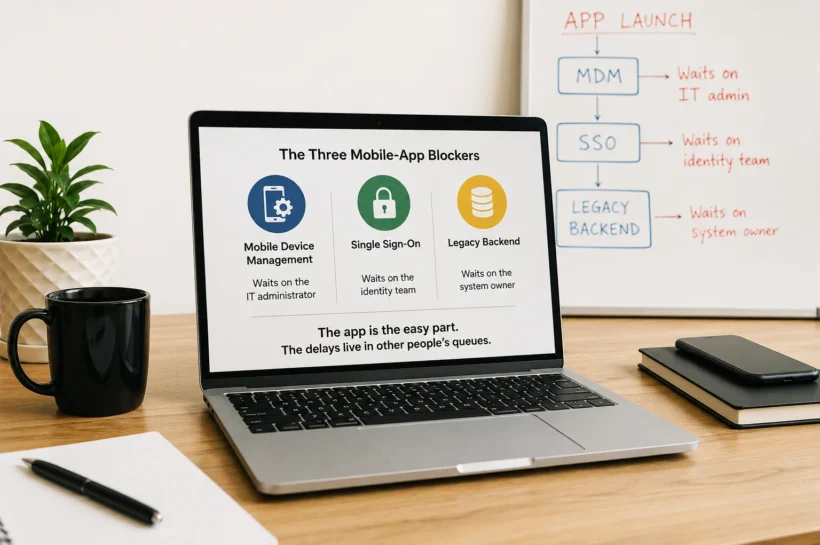
Ask an engineering lead why their enterprise mobile app shipped three months late, and you will usually hear about scope creep or a tricky feature. Digging a little, a different story comes out. The app itself was mostly fine. What sank the timeline were three things that have almost nothing to do with writing code: device management, single sign-on, and a backend that was never meant to talk to a phone. They look like technical tasks. They are really coordination problems, and that distinction is why they keep catching teams off guard.
A consumer app can be launched without any of them. You download it, make an account, and you are in. An enterprise app does not get that luxury. It must enroll on managed devices, plug into the company’s identity system, and pull data from systems that predate the iPhone. Each of those three depends on someone who does not sit on the development team, and that is the whole problem.
Device management can freeze your testing before it even starts
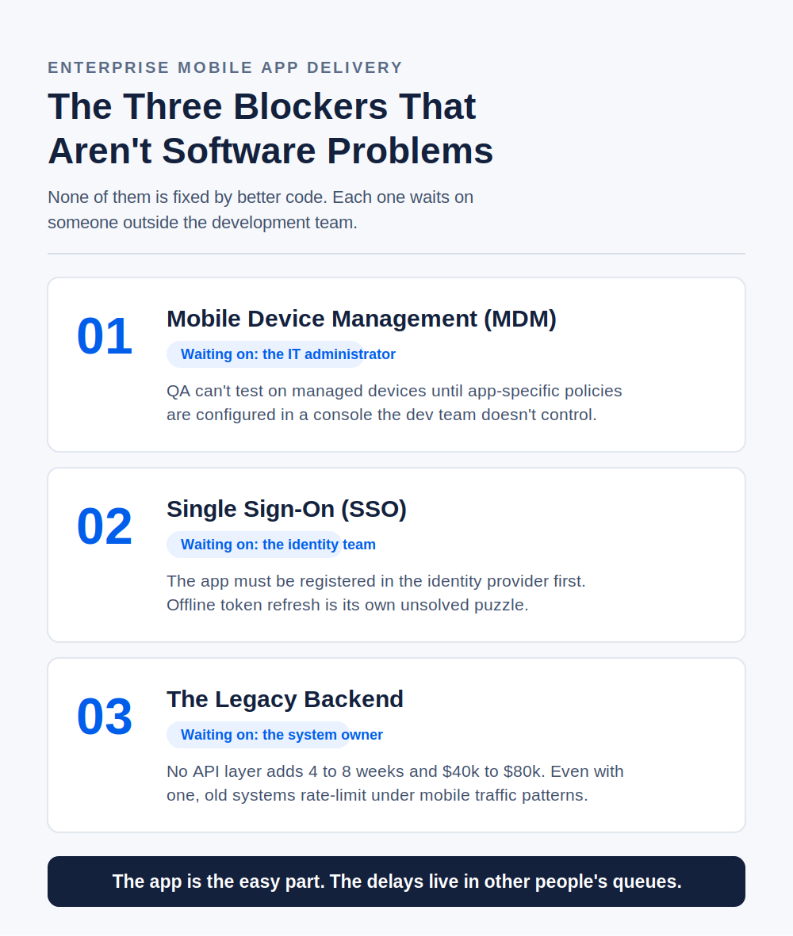
Mobile device management is how a company controls what runs on company phones: which apps are allowed, what data they can access, and what happens when a device goes missing. Before anyone can test the new app on a managed device, an IT administrator has to configure app-specific policies inside the MDM platform. That sounds like a two-hour task. In practice, the admin has a day job, the policies need review, and the request sits in a queue. Your QA team is ready to test and cannot, because a setting in a console they do not control has not been flipped yet. The code was done. The calendar kept moving anyway.
Single sign-on is out of the dev team’s hands
Then there is a login. Employees expect to open the app and be recognized through the same single sign-on they use for everything else, which means the app has to be registered in the company’s identity provider. The identity team owns that. They register the app, they hand over the configuration credentials, and until they do, you are testing against a stub that behaves nothing like the real thing.
There is a quieter trap here, too. Tokens expire. What should the app do when a token needs refreshing, and the user happens to be offline in a parking garage? Get that wrong, and people get logged out at the worst possible moments, which in an enterprise app means a field technician locked out of a work order while a customer waits.
Your legacy systems were never meant to talk to a phone
The third blocker is the heaviest. Most enterprise data lives in systems built years or decades ago: an ERP with batch-only update cycles, a CRM with an authentication model from another era, a custom database with no documentation, and one person left who understands it. The app has to read from and write to these systems, and two things tend to go wrong.
First, many of these backends have no API layer at all. Someone has to build one, and that someone usually owns the legacy system, not the app. Teams that track this work put the cost of a missing API layer at four to eight weeks and somewhere between forty and eighty thousand dollars added to the integration scope. That is not a line item most project plans open with.
Second, even when an interface exists, the old system was tuned for a handful of desktop users hitting it in a predictable rhythm. A mobile app generates a very different pattern, with far more requests, far less predictable, and the backend starts rate-limiting or simply falling behind. The fix is rarely in the app. It is in a system nobody wanted to touch.
The blockers aren’t hard; lining up three teams is
Notice what these blockers have in common. None of them is solved by better mobile code. Each is a dependency that crosses an organizational line: the development team needs something from internal IT, which needs something from whoever owns an external system. The delay is not technically difficult. It is the time it takes three parties with different priorities to line up. Teams that treat the app as the only deliverable plan for the code and get blindsided by the coordination.
There is a longer tail to this as well. The average enterprise app now leans somewhere between fifteen and twenty-five third-party services for payments, location, analytics, identity, and more. Every one of those is a dependency you do not control. When a provider changes a version or a pricing tier, your team drops what it is doing to patch it. That cost does not show up in the build quote. It shows up later every year. IEEE research has long placed roughly 60 percent of a software product’s total cost after launch rather than during the build, and Gartner and Forrester peg annual maintenance at 15 to 25 percent of the original cost. The integration surface you create on day one is a bill you keep paying.
💚 You might also like: How to Trigger Automated Alerts from Power BI Using Power Automate
Map these dependencies before kickoff, not in week six
The teams that avoid the three-month surprise do something simple. They surface these dependencies before kickoff instead of discovering them in week six. That usually starts with a short, honest mapping exercise: which systems does the app touch, who owns each one, does an API already exist, which MDM platform is in play, who runs the identity provider, and what access does everyone need before work begins. A round of software product engineering consulting up front, aimed squarely at the integration surface rather than the feature list, tends to pay for itself the first time it catches a missing API layer before the schedule is built around it.
From there, the build should be scoped around these realities. The teams delivering custom mobile application development services that actually land on time are the ones who plan the MDM enrollment, the SSO registration, and the legacy integration as first-class workstreams with named owners and real lead times, not as things to sort out once the screens are done.
The app is an easy part. It usually was. The reason enterprise mobile projects slip is that the hardest dependencies live outside the codebase, in other people’s systems and other people’s queues. Name them early, and the timeline holds. Ignore them, and the cleanest code in the world will still be sitting there, finished, waiting on a setting that somebody else must change.
Conclusion
Enterprise mobile apps often slip not because the code is hard, but because key dependencies sit outside the development team’s control. MDM setup, SSO integration, and legacy backend access all require coordination across multiple teams. The projects that stay on schedule are the ones that identify these dependencies early, assign clear owners, and plan them as core workstreams from day one.
✨ Don’t stop here, follow Tech Statar for daily upgrades.