
Auditing Commercial Infrastructure: A Facility Manager’s Checklist for Network Cabling in Dallas
Facility managers face a frustrating daily reality when managing older commercial buildings. Staff members constantly complain about slow network speeds, dropped video calls, and intermittent software access. When you investigate the issue, you open a telecom closet only to find a tangled mess of inherited “spaghetti wiring.”
When assessing your building’s infrastructure, identifying a haphazard collection of wires is often the first sign that your network is at risk for costly outages. Physical hazards, poor routing, and outdated materials all contribute to an unstable digital environment. Fortunately, partnering with local experts who provide clean, structured network cabling in Dallas eliminates these hazards and ensures connectivity is built to scale.
This article offers a practical checklist to evaluate your commercial network cabling. You can use this guide to identify physical vulnerabilities, understand your current performance limits, and justify necessary budget upgrades to your executive team.
Key Takeaways
Unplanned network downtime comes with massive financial consequences, making proactive physical cabling audits a necessity for business continuity.
A thorough network audit should evaluate four core areas: cable grade, physical condition, cable management, and documentation standards.
Upgrading outdated infrastructure like Cat5e to modern standards, such as Cat6A or fiber optics, is a business requirement to support advanced cloud computing and AI applications.
Partnering with certified, professional cabling experts is the safest way to execute complex, enterprise-grade infrastructure overhauls.
Business Risks of Disorganized Wiring
A tangled mess of cables might seem like a problem you can simply close the door on, but the operational costs are entirely real. When a single connection drops, IT staff must manually trace a single cord through a web of hundreds of identical wires. This turns a simple two-minute break/fix task into an hours-long troubleshooting nightmare.
Disorganized wiring also introduces serious physical and security vulnerabilities to your facility. Cables left lying across drop ceilings or hanging loosely in server racks are easily snagged, stretched, or accidentally unplugged. Furthermore, dense clusters of unmanaged wires block proper airflow around your expensive networking equipment, leading to overheating and premature hardware failure.
Outdated wiring acts as a hard limit on your overall business productivity. As your company adopts heavier data loads through cloud computing and artificial intelligence applications, legacy cables simply cannot keep up with the demand. The result is a network bottleneck where data transmission stalls, severely impacting employee efficiency across the entire building.
Securing the budget for infrastructure upgrades requires concrete data to show executive leadership what is at stake. According to the Uptime Institute, 57% of organizations report that their most recent significant outage cost more than $100,000, with network-related issues steadily on the rise. Scheduling an annual physical infrastructure audit is the most reliable way to catch these structural risks before they trigger a catastrophic system failure.
The Essential Commercial Network Cabling Audit Checklist
A formal physical audit takes the guesswork out of your network’s reliability. This checklist serves as a practical tool to assess current performance baselines, identify immediate physical safety hazards, and plan for long-term scalability.
Keep in mind that a comprehensive audit requires inspecting multiple zones within your facility. You will need to evaluate both the backbone cabling in your core server rooms and the horizontal cabling that runs out to individual user workspaces.
✨ Discover More Articles: Why Juggling Multiple IT Vendors Creates Your Biggest Cybersecurity Blind Spot
1. Evaluate Cable Management and Physical Condition
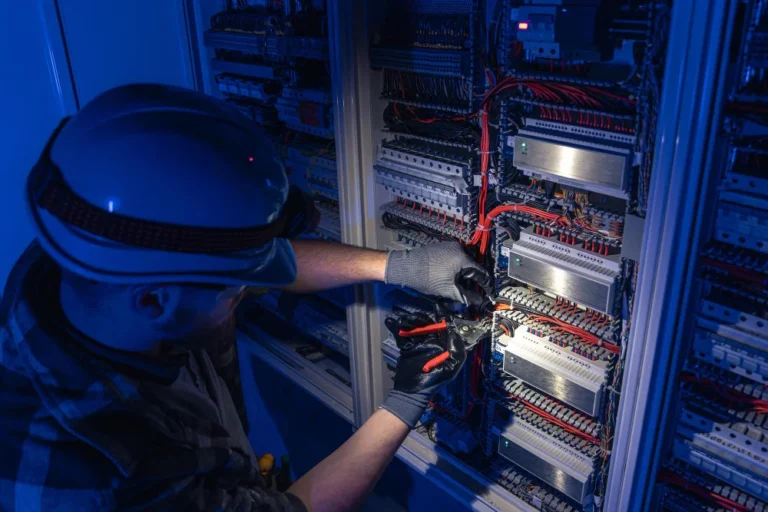
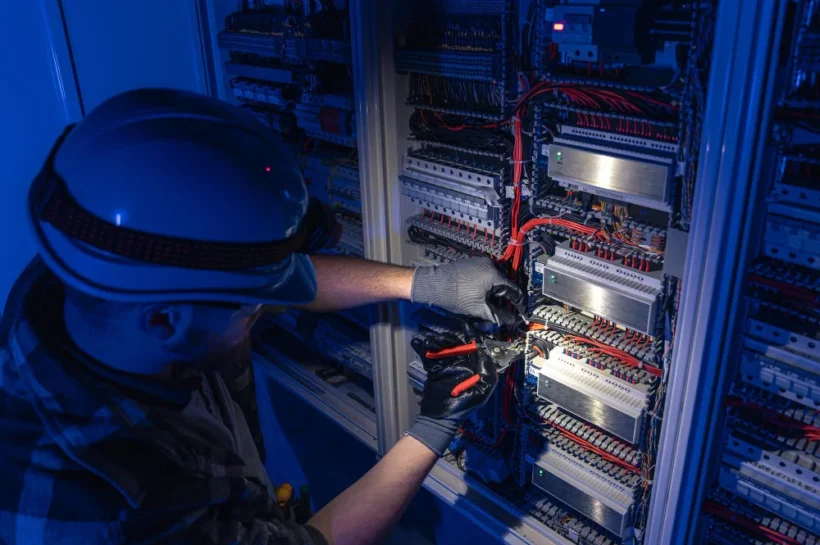
Your priority during an audit is to identify physical hazards and poor routing practices in your current setup. Start by inspecting the visible runs in your server rooms, telecom closets, and accessible ceiling spaces. You are specifically looking for exposed inner wires, sharp bends, and heavy physical tension.
Data cables are surprisingly fragile on the inside. Sharp bends or excessive pulling can break the thin copper pairs or glass fibers, degrading data signal quality over time. You should also check for cables resting directly on fluorescent lights or power conduits, as the electromagnetic interference will actively disrupt your network speeds.
This is where the idea and concept of “clean cabling” becomes so useful & important. Routing cables neatly behind walls, using proper J-hooks, and securing them with appropriate ties simplifies future troubleshooting. Clean cabling completely removes workplace tripping hazards and prevents accidental snags during routine building maintenance.
Take a hard look at the server racks you inherited. If you find an unorganized nest of patch cables obscuring your switches and servers, it requires immediate attention. Aesthetically organizing these racks improves airflow, stabilizes equipment temperatures, and makes your IT environment look like a professional, secure space.
2. Verify Cable Grades for Future-Proof Scalability
Physical condition is only half the battle. You must also determine if your existing cable types actually meet modern commercial bandwidth needs. Walk up to a bundle of cables and read the text printed directly on the outer wire jackets to identify the grade of your infrastructure.
If you see a majority of older Cat5e installations, you have found a major source of your network slowdowns. Legacy cables simply cannot support the gigabit data transmission speeds required by modern enterprise operations. When hundreds of employees try to access cloud servers simultaneously on Cat5e, the physical wire becomes a bottleneck that no software update can fix.
Instruct your IT team to map out areas that require immediate upgrades to Cat6, Cat6A, or high-quality fiber optic cables. Cat6A is currently the recommended standard for commercial buildings, as it supports 10-Gigabit speeds up to 100 meters. Fiber optics should be reserved for your network backbone, connecting different floors or buildings with near-limitless bandwidth.
Building standardized, high-performance networks today is a smart financial move. Implementing the right cable grades now prevents expensive, constant rewiring projects as the business grows and technology evolves.
3. Review Documentation and Labeling Standards
A perfectly installed network is still a liability if nobody knows where the cables go. Accurate mapping is critical for routine network maintenance and quick problem resolution. During your audit, pull a few random cables in your telecom room and try to trace their destination.
Undocumented cables lead to guesswork, accidental unplugging, and extended downtime during emergency break/fix scenarios. If a specific department loses internet access, an IT technician needs to know exactly which port on the switch corresponds to that specific room. Without labels, they are forced to test cables one by one while the department sits idle.
Check to see if both ends of every cable are clearly labeled with a standardized naming convention. These physical labels must map back to a central, digital network design document. This document should detail every pathway, termination point, and equipment connection in the building.
Meticulous, standardized documentation is a hallmark of a code-compliant, professional installation. If your current setup lacks this basic mapping, it is a strong indicator that the original installation was rushed and likely contains other hidden flaws.
Recognizing When It’s Time for a Professional Upgrade
Facility managers can handle basic maintenance, but there comes a point where a facility needs a full cabling upgrade rather than just ongoing patchwork. Recognizing this tipping point is essential for protecting your business operations.
There are several definitive signs that a professional overhaul is necessary. If your current network switches have maxed-out capacity with no room for new employee workstations, you need an upgrade. If you experience frequent, unexplained connection drops despite healthy hardware, your physical cables are likely failing. Finally, if your wiring violates local fire codes or safety compliance standards, immediate professional intervention is required.
These large-scale projects are not suited for a general contractor or a DIY approach. It is vital to trust BICSI-certified and RCDD-qualified professionals with your physical layer. These credentials guarantee that your infrastructure designs are code-compliant, physically safe, and built to the highest telecommunications industry benchmarks.
Dallas-based facility managers have a distinct advantage. Local structured cabling experts can handle the entire project lifecycle for you. From free initial consultations and engineering design to professional installation and nationwide field support, a specialized partner ensures your infrastructure supports your business goals seamlessly.
✨ Discover More Articles: The Role of Proxy Testing in Modern Network Management
Conclusion
Auditing your physical network layer is a mandatory step in protecting business continuity and operational efficiency. Facility managers can no longer afford to ignore the hidden chaos inside their telecom closets.
Moving away from spaghetti wiring to a clean, scalable, and fully documented setup stops expensive outages before they start. By evaluating cable conditions, verifying bandwidth capacities, and demanding precise documentation, you gain complete control over your facility’s digital heartbeat.
Take the findings from this checklist and use them to advocate for a reliable, future-proof telecommunications environment today. By securing the right budget and partnering with certified experts, you ensure your building remains a productive, high-performing asset for years to come.
✨ Good read? Better ones are coming, follow Tech Statar.