
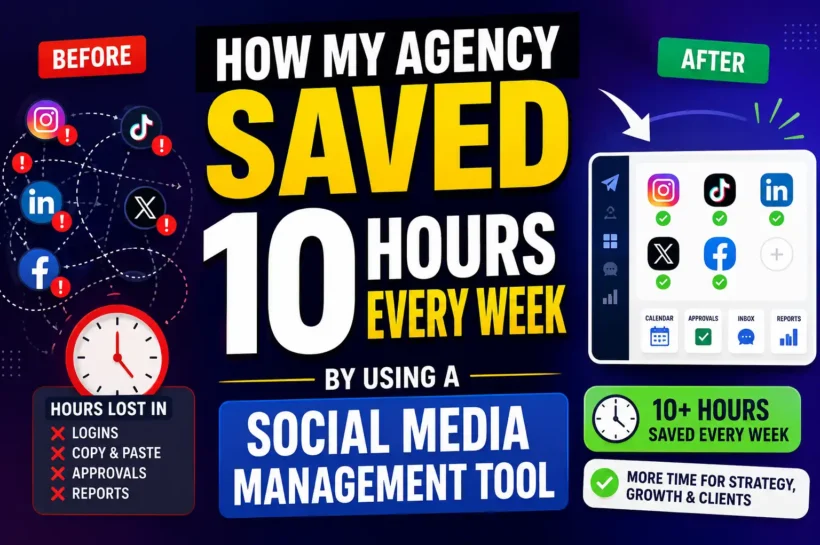

How My Agency Saved 10 Hours Every Week by Using a Social Media Management Tool
For the longest time, I wore the extra ten hours like a badge of honor. Late nights, weekend posting sessions, a browser with so many tabs open it looked like a ransom note. I run a small agency, and at the time, I was managing social media for 12 clients. Some of them had two accounts.
Some people have more than 2 accounts.
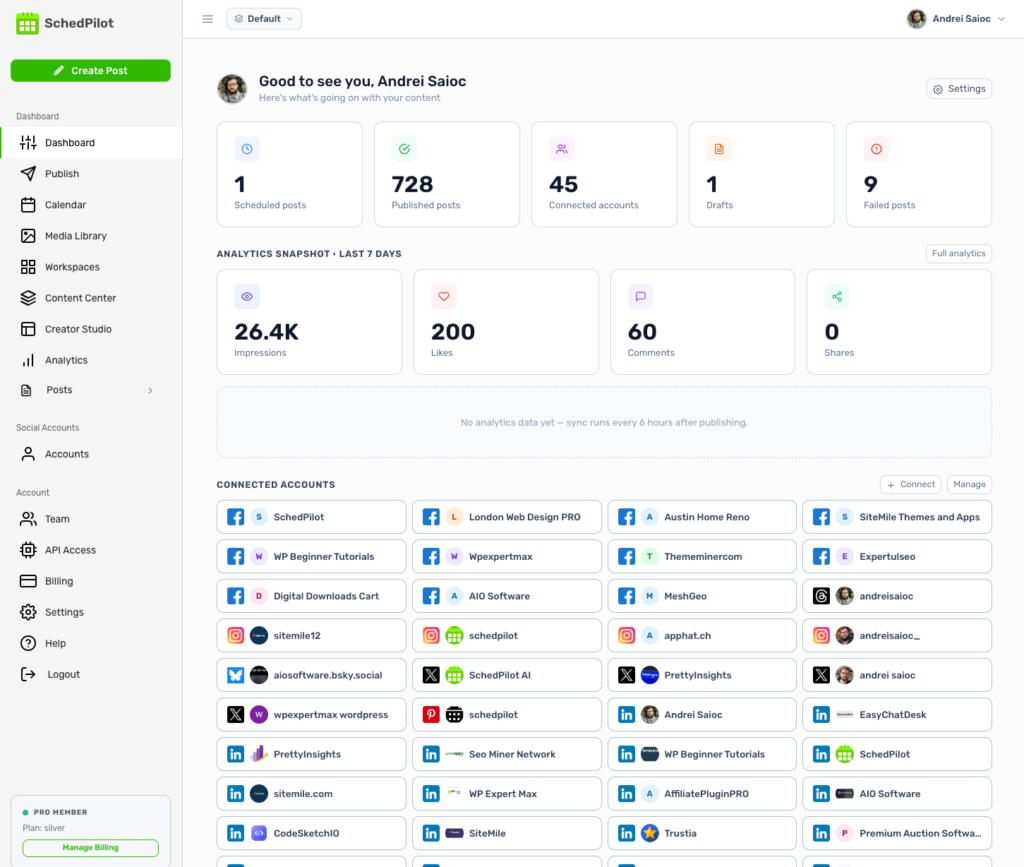
A few had as many as ten. If you do the math on that, it’s somewhere between 30 and 60 individual profiles across Instagram, TikTok, LinkedIn, X, and the occasional Facebook page nobody wanted to admit still mattered.
I told myself this was just what the work looked like. Then I actually tracked my hours for two weeks, and the number that came back was uncomfortable: roughly ten hours every single week were going to tasks that had nothing to do with strategy, creativity, or client relationships. They were going to log in, log out, copy captions, resize images, and try to remember which client had approved which post.
This is the story of how a single tool gave those ten hours back. If you run an agency or freelance for multiple clients, I suspect a lot of this will feel familiar.
The breaking point: where the hours actually went
Before the tool, my workflow wasn’t really a workflow. It was a series of small, repetitive acts of friction stacked on top of each other.
A single post for one client looked like this: open the platform, paste the caption, upload the image, check the preview, fix the line breaks that mysteriously vanished, schedule it, log out, log in to the next account. Multiply that by 30-plus profiles, several times a week, and you start losing entire afternoons to nothing but mechanical busywork.
The account-switching alone was brutal. Logging in and out of a dozen Instagram accounts is exactly the kind of thing the platforms actively discourage, so I’d get security checks, two-factor prompts, and the occasional temporary lockout right when I was in a rhythm. I genuinely lost time waiting for verification codes.
Then there was the approval chaos. The client lived in five different places. One client texted edits. Another left comments in a Google Doc.
A third replied to an email thread titled “FINAL posts” that was, inevitably, not final. I’d post something, then discover the client had wanted a different caption all along, buried in a message I’d missed. I was constantly in reaction mode, putting out fires I’d accidentally started myself.
And the reports. Every month, the same ritual: screenshotting analytics from each platform, pasting them into slides, manually typing in numbers, and trying to make it look professional enough to justify the retainer. A full day, gone, every month, just assembling data that already existed.
The work I was actually good at, strategy, ideas, and talking to clients, kept getting squeezed into the margins.
What changed: one dashboard instead of forty logins
The fix wasn’t working harder or hiring someone.
It was moving everything into a single social media scheduler. Once all those accounts lived in one place, the ten hours didn’t disappear all at once they came back in pieces, one workflow at a time. Here’s where they actually went.
Workspaces kept 12 clients from bleeding into each other
The first thing that saved my sanity was setting up a separate workspace for each client. Every client got their own contained space holding their accounts, their content, their approvals, and their reporting. No more mentally juggling which brand voice went with which login.
This solved a problem I was almost too embarrassed to admit I had: the near-misses. When you’re tab-switching between a dozen accounts, it is genuinely only a matter of time before you post one client’s content to another client’s profile. Workspaces made that structurally impossible.
For a client roster where some brands have two accounts and others have ten, that separation isn’t a nice-to-have. It’s the thing that lets you scale past a handful of clients without losing your mind.
Bulk scheduling turned a week of posting into one sitting
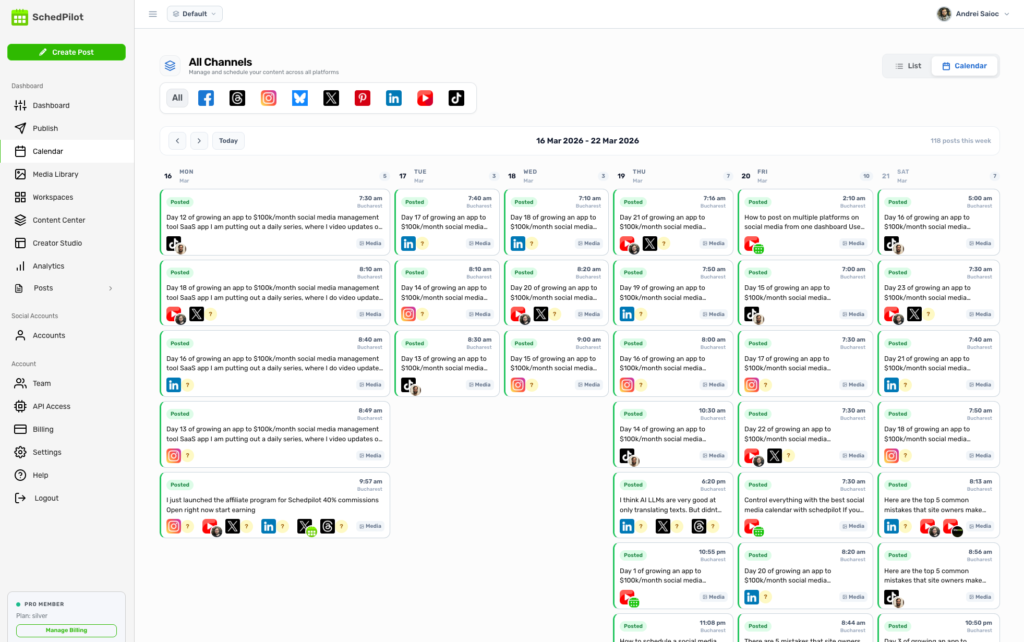
This is where the biggest single chunk of time came back. Instead of scheduling posts one at a time, I now batch an entire month of content across all platforms in one focused session. I’ll sit down once, line up a client’s Instagram, TikTok, LinkedIn, and X content for the next few weeks, and schedule it all in a single pass.
The platform handles the per-network formatting differences for me, so I’m not rewriting the same caption five times to fit each channel’s quirks. What used to be scattered across daily posting sessions now happens in one predictable block of time. The optimal-posting-time suggestions were a bonus I didn’t expect. I stopped guessing when to publish and let the data decide.
✨ Discover More Articles: How LinkedIn’s API Restrictions Quietly Created a New Data Intelligence Industry
Approval workflows ended the “which version did you approve?” nightmare
Every client can now review and approve their content directly in a single, dedicated workspace. They get a link, they leave comments directly on the posts, they approve or request changes, and nothing goes live until it’s signed off.
No more texts, no more “FINAL_v3” documents, no more posting something only to learn it was the wrong draft. All feedback stays directly linked to the specific post it refers to. This quietly killed an entire category of rework, and it made me look far more organized to clients than my old email-thread approach ever did.
A unified inbox stopped the DM whack-a-mole.
All the comments, DMs, and mentions across every client and every platform now flow into one inbox. I’m no longer logging into TikTok to check messages, then Instagram, then LinkedIn, hoping I didn’t miss something time-sensitive.
I can triage everything in one view, assign messages where they need to go, and reply without the platform-hopping. The number of “sorry for the late reply” messages I send has dropped to nearly zero.
Automated reports gave me back a full day a month.
The monthly reporting ritual that used to eat an entire day now takes minutes. Reports pull live data automatically, I can brand them with my agency’s logo, and I can even schedule them to send to clients on a recurring basis without touching them.
Instead of screenshotting and rebuilding slide decks, I review a clean, client-ready report and add a few lines of strategic commentary. That’s it. The data assembles itself.
✨ Discover More Articles: Top 4 AI Tools to Use for Marketing
The honest math on ten hours a week
People are rightly skeptical of round numbers, so here’s roughly where the ten hours actually came from in a typical week:
- Scheduling and posting: around 4-5 hours saved. Batch scheduling across 30-plus profiles replaced dozens of one-at-a-time posting sessions and all the login friction in between.
- Reporting: about 2 hours a week, averaged out from the full day I used to lose every month to manual report-building.
- Approvals and revisions: roughly 2 hours, mostly recovered by eliminating rework and chasing feedback across scattered channels.
- Engagement and inbox management: about 1-2 hours from no longer hopping between platforms to check messages.
It’s worth being clear that the savings weren’t instant. There was an upfront cost: connecting accounts, building out workspaces, and getting clients comfortable with the approval links took the better part of a week. But that investment paid itself back within the first month, and it has compounded every month since.
Industry estimates tend to land in a similar range. Agencies commonly report saving somewhere between six and nine hours a week from scheduling alone, before you even count reporting and approvals. So ten hours across the whole operation isn’t an outlier. If anything, it’s conservative once your client count climbs.
When does a tool like this actually make sense?
I’ll be honest: if you’re managing one or two clients, you can probably get by hopping between platforms. The overhead of setting up a system might not be worth it yet.
The math changes fast, though. In my experience, the tipping point is somewhere around five clients. Past that, the account-switching, the scattered approvals, and the manual reporting stop being minor annoyances and start being the actual bottleneck on how many clients you can take on. A few signs you’ve hit that point:
- You’re managing more than a handful of clients and constantly losing track of whose content is whose.
- Clients won’t (understandably) hand over their account passwords, and you need access without the security risk.
- You have a team, and feedback is scattered across Docs, Slack, and email.
- Clients are asking for regular reports and proof of ROI, and you’re building them by hand.
- You’re spending whole afternoons just posting.
If three or more of those describe your week, a tool will almost certainly pay for itself.
✨ Discover More Articles: The campaign you paused last month might have been your best one – here’s how you know
What I do with the ten hours now
This is the part that actually matters. The ten hours weren’t the point, what I could do with them was.
Some of it went back into the business: I took on two additional clients without hiring anyone, because the operational ceiling that used to cap me was gone. Some of it went into better work for the clients. I already had actual strategy sessions, content experiments, and the kind of proactive ideas I never had bandwidth for when I was buried in posting mechanics.
And honestly, some of it just went back into my life. I stopped scheduling posts on Sunday nights.
If you’re an agency owner reading this with 40 tabs open and a Sunday-night posting session ahead of you, I’d gently suggest tracking your hours for two weeks the way I did.
The number might surprise you. And the good news is that most of it is recoverable not by working harder, but by stopping the manual juggling and letting one system carry the weight. Apps for managing all your social media accounts, like SchedPilot, really help your workflow, giving you more time for the important stuff.
✨ Your daily tech edge starts here. Follow Tech Statar.










































2 thoughts on “How My Agency Saved 10 Hours Every Week by Using a Social Media Management Tool”