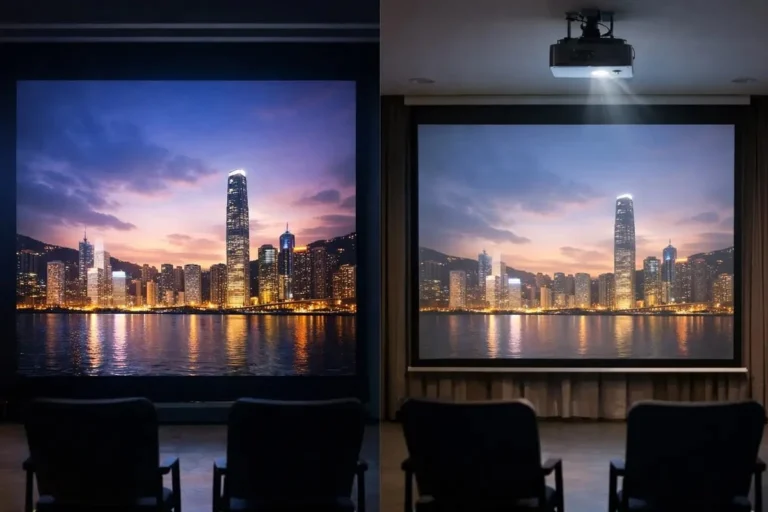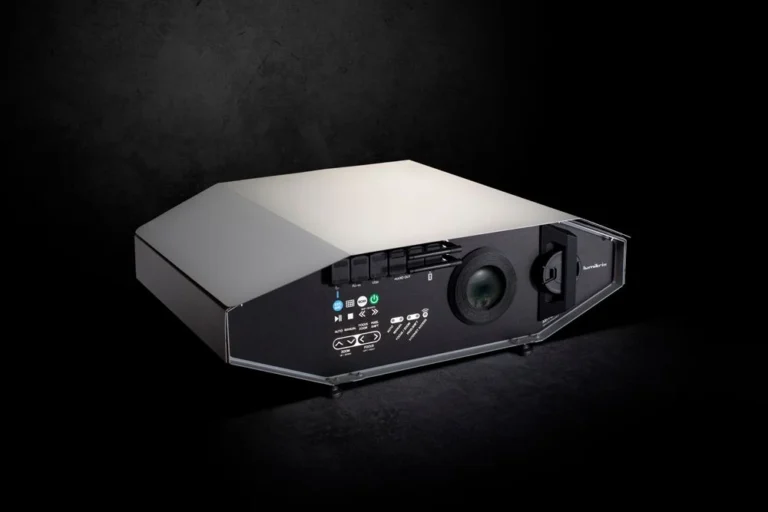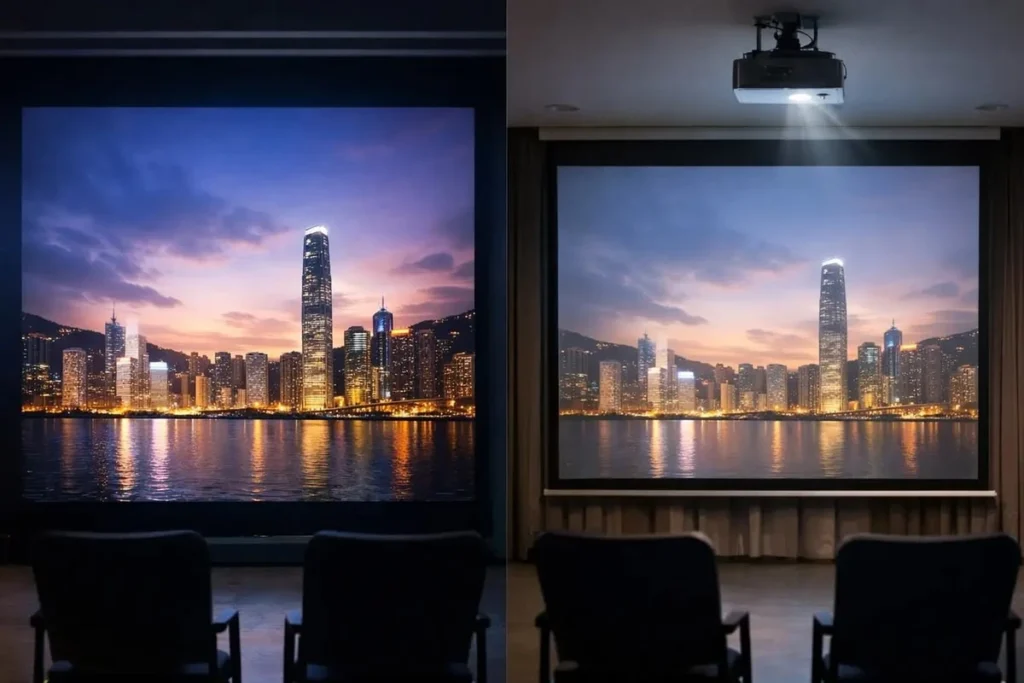

A projector does not need a dedicated screen to produce a watchable image. A suitable wall can work well, especially in a dark room. The difference is that a projector screen gives you a more controlled surface, which can improve consistency, contrast, viewing angles, and perceived detail depending on the screen material and room.
So, should you project onto a wall or buy a screen? The answer depends on four things: your wall, room lighting, projector type, and how much image quality matters to you.
Projector on Screen vs Wall: What Actually Changes?
The biggest difference is not simply that one surface is “better.” A projector screen is engineered for projection, while a normal wall is not. That affects how evenly it reflects light and how consistently it reproduces the image.
Image sharpness and surface texture
A projector reproduces fine details through light and pixels, so the projection surface becomes part of the optical system. A textured or uneven wall can distort small details, make the image look less uniform, or introduce visible texture into the picture.
This matters more as the image gets larger or the projector uses higher resolution. Fine surface texture can become easier to notice when the projected image contains detailed 4K content, although the projector’s own optics, focus, alignment, and viewing distance also affect perceived sharpness.
A properly manufactured screen provides a more consistent surface. Fixed-frame screens also stay tensioned and flat, which helps prevent the ripples or irregularities that can appear on some walls or loose projection surfaces.
Brightness and light reflection
The projection surface determines how projector light is reflected toward the viewer. Screens are available with different gain ratings, which describe their reflectivity. A 1.0-gain surface is designed to reflect light evenly, while higher-gain materials direct more light toward the center viewing area but can narrow the optimal viewing angle and increase the chance of hotspots.
That means a screen is not automatically brighter than a wall. The result depends on the screen material, its gain, the projector, and the viewing position.
A painted wall is less predictable because its reflectivity depends on the paint, color, finish, and surface condition. A dedicated screen gives you a known optical surface instead of relying on whatever properties your wall happens to have.
Color and image uniformity
Wall color can affect the image you see. A neutral projection surface is less likely to introduce a noticeable color shift, while strongly tinted or warm-colored walls can influence the projected image.
Surface uniformity matters too. A wall may look perfectly fine when it is empty, but small differences in texture or paint application can become more obvious once a large, bright image is projected across it.
A screen is designed to provide more predictable behavior across the image area. That is particularly useful when you want consistent results from one movie or scene to the next.
Contrast and black levels
Projectors do not create black in the same way a television does. Dark areas are produced by minimizing the projector’s light, so ambient light hitting the projection surface can raise those dark levels and make the picture look flatter or washed out.
This is why the same projector can look very different in a dark room and a bright living room.
The screen can help, but the type of screen matters. A standard matte-white screen is generally suited to controlled lighting, while some gray and ambient-light-rejecting materials are designed to improve perceived contrast when room light is present.
When Is a Wall Good Enough for a Projector?
A wall can be a sensible projection surface when its characteristics already match what the projector needs.
A smooth, matte wall in a dark room
A smooth, flat wall with a suitable neutral finish can work well for casual movie watching, gaming, presentations, or a budget-friendly home setup.
The less competing light you have in the room, the less demanding the setup becomes. In a dark environment, a good wall can provide a clean, enjoyable image without making a dedicated screen essential.
This is especially reasonable when you already have a suitable wall and do not need the most controlled image possible.
When wall imperfections become noticeable
The problems start when the wall surface becomes part of what you see in the image.
Heavy texture, bumps, roller marks, waviness, glossy patches, or an unsuitable wall color can become distracting. With a large projected image, even small irregularities may be easier to spot because the projector is covering a much larger area with bright and detailed content.
UST projectors are particularly sensitive to this because they project upward onto the surface at a steep angle. ProjectorCentral notes that a wall can work with UST projection, but surface imperfections can become more visible and can distort the image.
Why image size matters
A small projected image can hide minor surface problems that become obvious when the same wall is used for a much larger image.
The real question is not simply, “Is this wall smooth?” It is, “Does this wall remain smooth enough when I project the image at the size I actually want?”
That is why a wall that looks fine for occasional viewing may not satisfy someone building a large home-theater setup.
When Is a Projector Screen Worth It?
A screen becomes easier to justify when you want more predictable performance than your wall can provide.
You want a more consistent projection surface
The biggest advantage of a screen is control. You can choose a material with known optical characteristics instead of relying on ordinary paint.
Screen materials are designed for specific goals, such as wide viewing angles, higher perceived brightness, better contrast, or ambient-light rejection. Choosing the right material can therefore complement the projector rather than simply giving it somewhere to display the image.
You watch with ambient light
If you regularly watch with windows open or room lights on, a normal white wall or basic matte screen may struggle because ambient light lifts the image’s black level.
An ambient-light-rejecting, or ALR, screen is designed to reduce the amount of unwanted room light reaching the viewer while directing more of the projector’s light toward the viewing area. However, ALR is not a single universal screen type; different materials are designed to handle different light directions and projector setups.
You are building a permanent home-theater setup
A dedicated screen makes more sense when the projection area is part of a permanent room design and image consistency matters.
A fixed-frame screen provides a stable, flat surface, while retractable models can stay hidden when the projector is not being used. The choice depends more on your room and installation needs than on picture quality alone.
You use a large or high-resolution projection setup
Higher resolution gives you more fine detail to preserve. That does not mean a 4K projector automatically requires a screen, but it does make surface quality more relevant.
ProjectorCentral notes that screen texture can become more apparent with 4K and higher-resolution images, potentially affecting the perception of fine detail.
If you are spending heavily on a high-resolution projector and building a large image, a poor projection surface can become an avoidable limitation.
Discover More: What is a Projection Mapping Projector, and How to Choose the Right Projector?
How Room Lighting Affects Wall vs Screen Performance
Lighting can change the answer more than many buyers expect.
Fully dark rooms
A dark room is the easiest environment for projection because there is less unwanted light competing with the projector.
In this situation, a good matte-white wall may be entirely usable, especially for viewers who value simplicity and do not need a perfectly controlled home-theater image.
A standard matte-white screen can also perform very well because its broad reflection pattern works naturally in a light-controlled environment.
Rooms with some ambient light
Once room light reaches the projection surface, dark parts of the image become lighter. The result can be reduced contrast and a flatter-looking picture.
This is where the difference between an ordinary wall and a purpose-built screen can become more noticeable. Screen materials can be designed to control how light is reflected, and some gray or ALR materials are intended specifically for environments with moderate ambient light.
The key point is that buying any screen is not enough. The screen has to match the lighting conditions and projector.
Bright rooms and daytime viewing
Daylight is difficult for projection because a projector has to compete with a large amount of uncontrolled light.
A dedicated ALR screen can improve the situation by directing more projector light toward viewers while reducing the impact of certain ambient-light sources. But no screen can completely remove the effect of a bright room. Controlling the room light with curtains, blinds, or other measures still makes a major difference.
If daytime viewing is a major requirement, room-light control and projector brightness should be considered alongside the screen rather than treating the screen as a standalone fix.
Does Your Projector Type Change the Answer?
Yes. Throw distance and projection angle can change how sensitive the setup is to the projection surface.
Standard and long-throw projectors
With a conventional projector placed farther from the wall, a well-prepared wall can be perfectly practical when the room is controlled.
The main concerns remain the same: surface quality, wall color, ambient light, projector brightness, and the size of the image.
For a casual setup, there may be little reason to buy a screen simply because you own a standard projector.
Short-throw projectors
Short-throw models project a large image from a shorter distance, so setup accuracy becomes more important.
A wall that is slightly uneven may still work, but surface problems can become more apparent as projection geometry and image size change.
The closer the projector gets to the wall and the larger the image becomes, the more useful a flat, consistent projection surface can be.
Ultra-short-throw (UST) projectors
UST projectors deserve special attention because they sit very close to the projection surface and send light upward at a steep angle.
A UST projector can work on a wall. ProjectorCentral specifically notes that good results are possible, but wall imperfections can become more visible because of the acute projection angle.
This is also why UST-specific ALR or CLR screens are common. Their optical structures are designed to direct the projector’s light toward viewers while managing ambient light from other directions.
So the accurate rule is not “UST requires a screen.” It is that UST setups place greater demands on the projection surface, especially if you want a large, uniform image in a room with ambient light.
What Makes a Wall Good for Projector Use?
Before buying a screen, inspect the wall you already have.
Wall color
A neutral white or another appropriate light-colored surface is usually a safer choice than a strongly colored wall because it is less likely to alter the image’s color.
A dark or heavily tinted wall can still be used in some circumstances, but it will change how much projector light is reflected and can affect overall brightness.
Paint finish
A matte or flat finish is generally more suitable than a glossy finish for projection because strong reflections can interfere with the image.
The goal is not to make the wall shiny or highly reflective. The goal is to create a surface that reflects the projector’s image consistently without producing distracting glare or hotspots.
Surface smoothness
This is one of the most important factors to consider.
Run your eyes across the wall under normal room lighting and look for visible texture, dents, roller marks, joints, or waviness. A wall can appear smooth enough for everyday use while still being uneven enough to affect a large projected image.
Surface flatness becomes particularly important for UST projection because the steep projection angle makes irregularities easier to reveal.
Available projection area
The wall also needs to fit the image you want.
Furniture, shelving, light switches, frames, wall décor, and uneven boundaries can limit the usable projection area. Measure the intended image size rather than assuming the entire wall is available.
This is one reason a screen can be convenient: its visible area, aspect ratio, and physical boundaries are defined in advance.
Can Projector Screen Paint Replace a Screen?
Specially formulated projection paint can turn a prepared wall into a dedicated projection surface, but it is not a shortcut around a bad wall.
What projector screen paint can improve
Projection paint is designed specifically for front projection and can provide a more suitable optical surface than ordinary household paint.
It can make sense when you want a permanent projection area without hanging a separate screen. ProjectorCentral also lists wall paint as a legitimate projection-surface option when it is formulated for the purpose.
What paint cannot fix
Paint cannot remove a badly uneven wall underneath it.
If the wall has texture, cracks, dents, or waviness, preparing the surface is still necessary. The final result depends heavily on how smooth and uniform the underlying surface is.
This is why simply buying a special paint and applying it over a poor wall does not automatically turn the wall into a high-quality screen.
When a painted projection surface makes sense
Screen paint is most useful when you want a clean, permanent projection area and are comfortable preparing the wall properly.
It can be a practical middle ground between an ordinary wall and a dedicated screen, but a manufactured screen remains the more predictable option when you want known optical characteristics.
Discover More: Computer Screen Shadow Problem
How to Test Your Wall Before Buying a Projector Screen
You do not have to guess whether your wall is good enough. Your existing projector can give you a useful answer.
Test it in your normal viewing conditions
Project the image using the room conditions you normally expect to have.
If you usually watch movies at night with the lights off, test it that way. If you plan to watch sports during the day with the curtains open, test that scenario too.
A wall that looks excellent in a completely dark room may look very different with sunlight or ceiling lights present.
Test different types of content
Do not test the wall using only one colorful movie scene.
Use a mixture of dark scenes, bright scenes, subtitles or text, skin tones, and highly detailed content. These reveal different problems, including weak contrast, color shifts, uneven brightness, and surface texture.
Check the image from your normal seating position
Watch from the places where people will actually sit.
Look for visible texture, brighter or darker patches, hotspots, uneven focus, color changes, and areas where detail appears less clear.
If you cannot see a meaningful problem from your normal viewing position, a screen may offer less practical value to you than it would to someone building a more demanding home-theater setup.
Projector on Screen vs Wall: Which Should You Choose?
There is no universal rule that says every projector needs a screen.
A wall can be enough when it is smooth, reasonably neutral, and matte, and when you mostly watch in controlled lighting.
A projector screen is worth considering when you want a more predictable surface, use a large image, care strongly about image consistency, or regularly deal with ambient light.
For UST projectors, the surface deserves even more attention because the steep projection angle can make imperfections obvious. A dedicated UST/CLR or appropriate ALR screen can be particularly useful when the wall is imperfect, or the room has significant ambient light.
The best choice is therefore not simply “screen versus wall.” It is the surface that gives your specific projector the performance you actually need.
| Your setup | Practical choice |
| Smooth wall, dark room, casual viewing | Wall may be enough |
| Good wall, occasional movie use | Wall can be sufficient |
| Consistent image quality is important | Projector screen |
| Large, high-resolution home theater | Projector screen is worth considering |
| Significant ambient light | Appropriate ALR screen |
| UST projector with an imperfect wall | UST/CLR screen is worth considering |
| Temporary or rental setup | Wall or portable/retractable screen |
| Permanent DIY projection area | Properly prepared or painted wall |
Conclusion
A projector does not always need a screen. If you have a smooth, matte, neutral-colored wall and a room with controlled lighting, projecting directly onto the wall can deliver a good viewing experience without the extra cost of a screen.
A screen becomes more valuable when you want a more consistent image, use a large projection size, deal with ambient light, or have a setup where wall imperfections are noticeable. UST projectors can also benefit from a suitable screen because their steep projection angle makes surface problems easier to see.
The best choice depends on your wall, room, projector, and viewing expectations. Before buying a screen, test your existing wall under your normal viewing conditions. If it already gives you a uniform, detailed image that you enjoy, there may be little reason to change it. If it does not, a properly chosen projector screen can solve a specific image-quality problem rather than simply adding another expense.
FAQs
Can you use a projector on a wall without a screen?
Yes. A projector can display an image on a wall, and a smooth, suitable wall can produce good results. The main limitation is that an ordinary wall does not provide the same controlled optical surface as a projection screen.
Does a projector look better on a screen or a wall?
A dedicated screen can produce a more consistent image because its surface is designed for projection. However, the difference depends on the wall, screen material, projector, lighting, and image size. A very good wall can be perfectly satisfactory for some users.
What color wall is best for a projector?
A neutral white or another suitable light color is generally the safest starting point because it is less likely to shift the image’s colors. The ideal choice can change with the projector, room lighting, and projection material.
Can you use a projector on a textured wall?
You can, but visible texture can interfere with image quality. Fine detail and large bright areas may reveal the wall’s surface, and UST projectors can be especially sensitive to imperfections because of their steep projection angle.
Is a 4K projector better on a screen?
A good screen can help preserve the detail that a high-resolution projector produces, especially when the screen surface is smooth and suitable for the projector. But a 4K projector does not automatically require a screen. Projector optics, focus, alignment, viewing distance, and the projection surface all contribute to perceived detail.
Is projector screen paint worth it?
It can be, especially for a permanent DIY setup where you want a dedicated projection area without installing a separate screen. The wall still needs to be properly prepared, because paint cannot compensate for major texture or unevenness.
Do UST projectors need a special screen?
Not always. A UST projector can work on a suitable wall, but its steep projection angle makes surface imperfections more noticeable. A UST-specific ALR or CLR screen can provide a more controlled surface and better ambient-light performance when the room or wall makes that worthwhile.
🔔 Follow Tech Statar for more insights like this!