
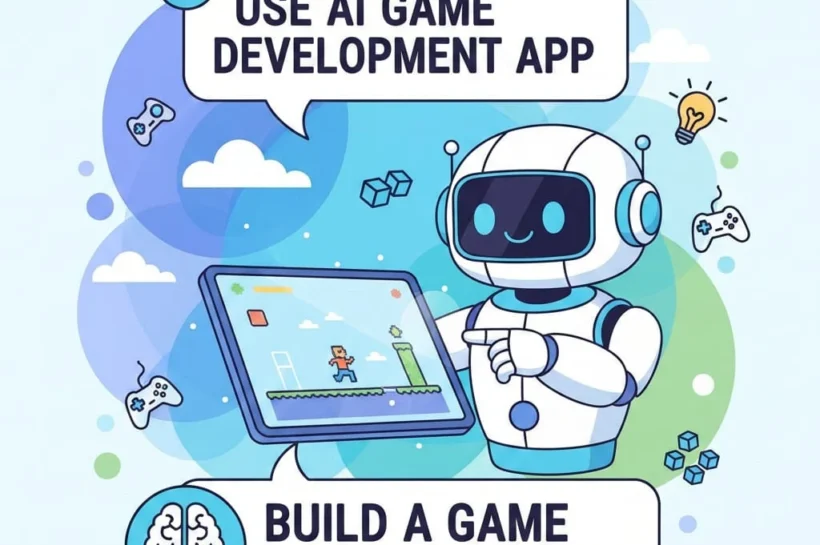

Use AI Game Development Apps to Build a Game Without Coding
For many years, making a video game was seen as a skill only programmers and software engineers could handle. Even creating a simple game meant learning advanced coding languages, figuring out complicated game engines, and writing thousands of lines of code. Today, things are very different. AI-powered game development apps allow anyone to create a full, playable game without needing to know programming. These tools take care of the technical work, making game creation faster, easier, and much easier to use.
Whether you’re a beginner, a student, or a solo creator with a creative idea, no-code AI platforms give you the freedom to turn your imagination into a real game in no time.
How AI Game Development Apps Make Game Creation Possible Without Programming
AI game development apps make creating games much easier by handling the hardest parts automatically. We have tested multiple new apps that do the same prompt-based game generation, but only Astrocade remains in our tests, refining different hurdles in the game to keep players attached to the game and make it more enjoyable. Instead of writing code, you can use easy text instructions. The AI takes these inputs and turns them into game logic, mechanics, and character behavior.
For example, if you explain how a character should move or how enemies should act, the AI creates all the rules behind the scenes. This means you don’t need to know programming languages, yet you can still build advanced and engaging gameplay. AI also takes care of animations, physics, collisions, and scoring, things that usually require a lot of coding experience.
Why No-Code AI Game Development Is Perfect for Beginners and Solo Creators

No-code AI game development is ideal for beginners because it removes the fear of technical difficulty. Many people give up on game development simply because learning to code can feel really confusing and stressful. AI tools solve this problem by offering user-friendly interfaces that focus on creativity instead of syntax. For solo creators and independent developers, AI game development apps save time and money. You no longer need a full development team or months of learning. With AI handling the behind-the-scenes work, creators can focus on storytelling, visuals, and player experience. This makes game development understandable even to students and content creators with limited resources.
Best AI Game Development App to Create Games Without Coding Skills
Many AI game development apps are made especially for people who don’t know how to code. These platforms come with ready-to-use templates, smart editors, and AI-powered tools that make creating games simple. With just a little effort, you can build 2D, 3D, mobile, or web games.
Most AI game makers also include libraries full of characters, environments, sound effects, and animations. The AI even helps improve performance and makes sure your game works well on different devices. This means you can create games that look professional without needing any technical skills.
Step-by-Step Guide to Building a Game Using an AI Game Development App
Creating a game with Astrocade is easier than you might think. Here’s how it works:
Plan Your Game: Decide on your game idea, genre, and which platform you want it on, whether it’s mobile, web, or PC.
Design Your Game: Use the app’s visual tools to create levels, characters, and interactions. You don’t need to write code because the AI automatically turns your designs into working game logic.
Test and Improve: Play your game, make adjustments, and improve gameplay based on what feels fun and works well.
Publish Your Game: Once you’re happy with your creation, the AI app helps you export it and publish it on mobile stores, web platforms, or PC.
With AI handling the technical side, you can focus on making your game fun and creative without worrying about coding.
How AI Manages Game Mechanics, Levels, and Player Interaction
One of the biggest advantages of AI game development apps is how they manage complex mechanics automatically. AI handles character movement, enemy behavior, scoring systems, and level progression without requiring manual coding. Player interactions such as jumping, attacking, collecting items, or completing missions are controlled by AI-generated rules. AI also adjusts difficulty levels and ensures smooth gameplay. This allows creators to focus on creativity while AI ensures everything works properly.
Can AI Game Development Apps Create Mobile, PC, and Web Games?
Yes, most modern AI game development apps support multiple platforms. You can create games for Android, iOS, PC, and web browsers from a single project. AI automatically adjusts settings to match different screen sizes and device requirements. This cross-platform support makes it easy to reach more players and publish your game on multiple platforms without any extra effort. Compared to traditional game engines, which need separate builds for each device, this saves you a lot of time and effort.
Benefits of Using AI Game Development Apps Instead of Traditional Coding
AI game development apps offer many benefits compared to traditional coding. They reduce development time, lower learning requirements, and minimize technical errors. You can build games faster and experiment with ideas more freely. We have created a game based on stick figures using archers to kill opponents who are throwing archers on him. The game is named Stickman Anchor. You can play it and create your own games too. These AI tools can save you a lot of money because you don’t need a team of developers or expensive software to build your game. They also make updates and improvements simple, so you can spend more time making your game fun and interesting instead of worrying about solving technical problems.
Common Mistakes Beginners Make When Using AI Game Development Apps
A common mistake beginners make is depending entirely on AI and forgetting the basics of game design. While AI can handle the technical stuff, a fun and engaging game still needs your creativity and thoughtful planning. Another mistake is trying to add too many features all at once. It’s better to start simple and gradually improve your game. Keep testing it often and pay attention to player feedback. This will help you avoid performance issues and make your game more enjoyable.
Limitations of AI Game Development Apps You Should Know Before Starting
Although they are beneficial, AI game development apps have limitations. There are some limits to how much you can change things compared to coding the traditional way. Advanced features and highly unique mechanics might not be possible without programming knowledge. AI tools also depend on templates, which can make games feel similar if not customized properly. Understanding these limitations helps creators set practical and achievable goals and plan accordingly.
Is It Possible to Publish and Earn Money From AI-Built Games?
Yes, games built with AI can be published and profitable. Many AI game development apps allow publishing to app stores and online platforms. You can earn money through ads, in-app purchases, or paid downloads. However, success depends on game quality, marketing, and user experience. AI makes development easier, but creativity and effort are still required to build a successful game.
AI Game Development Apps vs Traditional Game Engines
Traditional game engines offer full control but require technical skills and time. AI game development apps emphasize simplicity and speed. For beginners and non-programmers, AI tools are the best choice. Experienced developers may still choose traditional engines for advanced projects. However, AI apps are ideal for quick prototypes, indie games, and learning game design concepts.
👉 You might also like: Top Free AI Tools for College Students to Boost Learning
The Future of No-Code Game Development Using Artificial Intelligence
The future of game development is becoming easier to use. AI will continue to improve automation, creativity, and customization. No-code platforms will allow even more advanced games to be built without programming. As AI progresses, game development will become a creative skill rather than a technical one. This change will enable more people to enter the gaming industry.
FAQS
What is an AI game development app?
AI game development apps are tools that let you create games without coding, like an Astrocade, a prompt-based AI game maker. They use artificial intelligence to handle technical parts like game logic, character behavior, and level design.
Do I need any design skills to use AI game development apps?
Basic design sense helps, but AI tools offer templates, assets, and suggestions to make it easy for beginners to create visually appealing games.
Can I make a game app without coding?
You can create Android games without writing code by using no-code or low-code game engines, visual scripting tools, and builders that handle logic with drag‐and‐drop blocks, behaviors, or node graphs. Below is a practical roadmap, recommended tools, workflow, monetization/export tips, and typical limitations.
Do AI game development apps save time?
Yes, they save a lot of time compared to traditional coding. AI handles coding, testing, and cross-platform adjustments automatically, letting you focus on creativity.
Final Thoughts on Building Games Without Coding Using AI Apps
AI game development apps have transformed how games are created. They remove technical barriers and open new opportunities for beginners and creators. With the help of AI, anyone can build, test, and publish a game without learning programming.
If you have a game idea, now is the best time to turn it into reality using AI-powered tools.
✨ Keep up to date with Our Latest Blog @ Tech Statar.





































2 thoughts on “Use AI Game Development Apps to Build a Game Without Coding”