
Introduction
Businesses today lose countless hours on repetitive tasks like data entry, email responses, and reporting. This is where AI automation steps in and changes how work gets done. In simple terms, AI automation uses smart tools to handle tasks that normally require human effort. Companies rely on it to cut costs, save time, and scale faster without hiring aggressively. In this guide, you will discover how AI tools work, what features matter most, and how to choose the right solution for your business.
What Are AI Tools for Business Automation?
AI tools for business automation are software solutions that use artificial intelligence to handle repetitive and time-consuming tasks with minimal human input. Unlike basic automation, these tools can learn, adapt, and improve over time. Businesses use them for tasks like customer support, marketing workflows, data analysis, and internal operations. The goal is simple: reduce manual work while improving accuracy and efficiency. Whether you run a small business or a growing agency, AI automation helps streamline operations, reduce costs, and free up time to focus on strategy and growth.
Must have tools in AI Automation Tools
Choosing the right AI tool depends on understanding the features that actually impact your workflow. Not all tools are built the same, and picking the wrong one can slow you down instead of helping. The best AI automation tools are easy to use, integrate smoothly with your existing systems, and offer flexible automation capabilities. They should also scale as your business grows and provide clear value for the price you pay. By focusing on these core features, you can avoid unnecessary complexity and invest in a solution that delivers real results.
Ease of Use & Integration
A good AI tool should be simple to set up and easy to use, even for non-technical users. No-code or low-code platforms are ideal because they reduce dependency on developers. It should also integrate smoothly with tools you already use, like CRMs, email platforms, or project management systems.
Automation Capabilities
Strong automation features allow you to handle both simple tasks and complex workflows. Task automation covers single actions, while workflow automation connects multiple steps into a process. The best tools let you create custom workflows tailored to your business needs without requiring advanced technical knowledge.
Scalability & Flexibility
As your business grows, your AI tool should grow with it. Scalable tools can handle increasing workloads without performance issues. Flexibility is also important, allowing you to adapt workflows, add new integrations, and customize processes based on changing business requirements.
Pricing & ROI
Pricing should align with the value the tool provides. Some tools offer free plans, while others charge based on usage or features. The key is to evaluate return on investment by considering how much time, effort, and cost the tool saves compared to manual work.
5 Best AI Tools for Automating Business Tasks in 2026
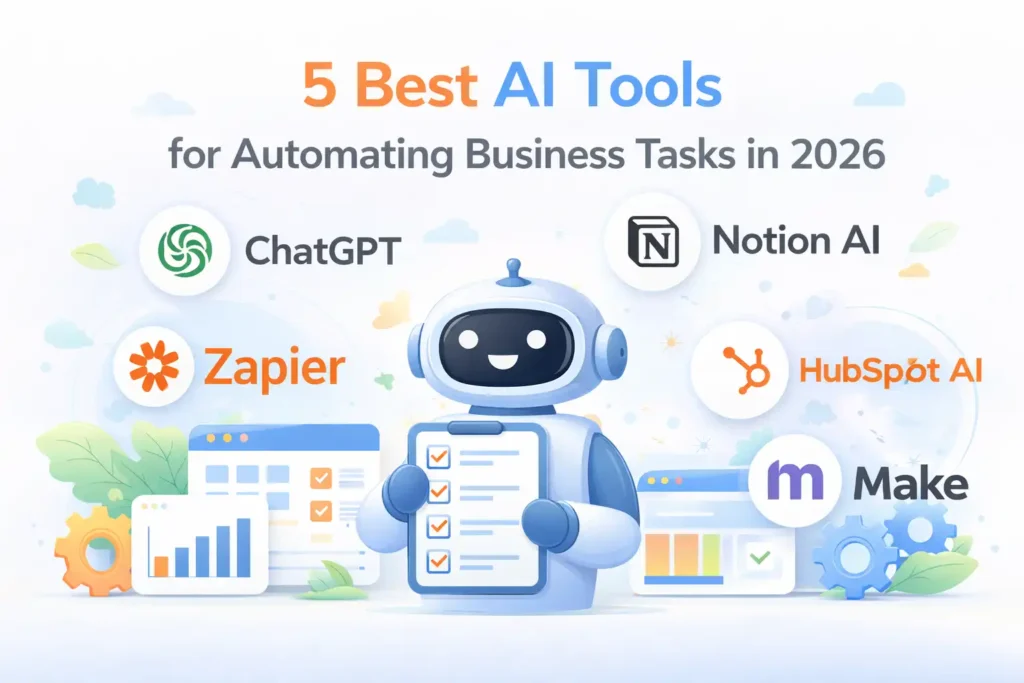
1. ChatGPT – AI Assistant for Content & Business Tasks
ChatGPT is one of the most powerful AI tools for automating everyday business tasks like content creation, customer communication, and research. It uses advanced natural language processing to generate human-like responses, making it ideal for businesses that rely heavily on written communication. From drafting emails to creating blog content and automating support replies, it reduces manual workload significantly. Its flexibility makes it useful for startups, agencies, and enterprises alike. If your business depends on communication or content, ChatGPT can easily become a core productivity tool.
Best Use Cases & Key Features
ChatGPT works best for content creation, customer support, and research tasks. It can write blog posts, generate marketing copy, respond to customer queries, and summarize information quickly. It is especially useful for teams that need to produce large amounts of content or handle repetitive communication efficiently.
Key features include natural language understanding, fast response generation, and adaptability across multiple tasks. It can create content, assist with decision-making, and automate responses. Its ability to learn context makes it more effective than traditional tools that rely only on fixed rules or templates.
👉 You might also like: 5 Best Platforms for Building SaaS Applications in 2026
2. Zapier – Workflow Automation Platform
Zapier is a leading automation platform that connects different apps and automates workflows without requiring coding skills. It allows businesses to create automated processes called “Zaps” that trigger actions between tools like email platforms, CRMs, and project management systems. This makes it ideal for reducing manual data entry and improving workflow efficiency. Whether you are managing leads, sending notifications, or syncing data across platforms, Zapier helps streamline operations. It is especially useful for businesses that rely on multiple software tools and want to connect them seamlessly.
Best Use Cases & Key Features
Zapier is best for workflow automation and app integrations. It can automatically send emails, update spreadsheets, create tasks, and manage leads. It is ideal for businesses that use multiple platforms and want to automate processes without building custom integrations.
Zapier offers features like multi-step workflows, app integrations, and trigger-based automation. It supports thousands of apps, making it highly versatile. Users can create complex workflows without coding, helping teams automate processes quickly and efficiently.
👉 You might also like: Why Stock Locations for WooCommerce Matter for Large Stores?
3. Notion AI – Productivity & Documentation Automation Tool
Notion AI combines productivity management with artificial intelligence to help businesses organize information and automate documentation tasks. It enhances the traditional Notion workspace by adding AI-powered writing, summarization, and task management features. Teams can create documents, manage projects, and automate repetitive writing tasks in one place. This makes it especially useful for startups and content-driven teams. By centralizing workflows and adding AI capabilities, Notion AI reduces the need for multiple tools and improves overall efficiency across teams.
Best Use Cases & Key Features
Notion AI is best for documentation, content creation, and task automation. It can generate notes, summarize long documents, and assist with project planning. It is ideal for teams that rely on organized information and need to automate repetitive writing and management tasks.
Key features include AI writing assistance, document summarization, and knowledge management. It allows users to manage tasks and content in one place while automating repetitive processes. Its integration within Notion makes it highly convenient for teams already using the platform.
👉 You might also like: 5 Best VPNs for Privacy & Security in 2026
4. HubSpot AI – CRM & Marketing Automation Solution
HubSpot AI enhances customer relationship management by adding automation and intelligence to sales and marketing processes. It helps businesses manage leads, automate email campaigns, and gain insights from customer data. With AI-powered tools, businesses can personalize communication and improve conversion rates. HubSpot is widely used by marketing and sales teams to streamline operations and improve customer engagement. Its all-in-one platform makes it easier to manage relationships, track performance, and automate repetitive tasks without switching between multiple tools.
Best Use Cases & Key Features
HubSpot AI is best for sales automation, email marketing, and customer relationship management. It can automate follow-ups, segment audiences, and track customer behavior. It is ideal for businesses focused on improving marketing performance and managing customer interactions efficiently.
Key features include AI-driven insights, automated email sequences, and CRM integration. It allows businesses to track leads, analyze performance, and automate communication. These features help improve efficiency and ensure consistent customer engagement across different channels.
👉 You might also like: 5 Best AI Chatbots for Customer Support in 2026
5. Make – Advanced Workflow Automation Tool
Make is a powerful automation platform designed for creating complex workflows with a visual interface. It allows businesses to automate processes by connecting apps, transforming data, and building multi-step workflows. Unlike simpler tools, Make offers more control and customization, making it ideal for advanced users. Businesses can automate everything from data syncing to complex operations without writing code. Its visual builder makes it easier to understand workflows, while its flexibility allows businesses to create highly customized automation solutions.
Best Use Cases & Key Features
Make is best for complex workflows, data syncing, and advanced automation. It can handle multi-step processes, integrate APIs, and automate large-scale operations. It is suitable for businesses that require detailed customization and advanced workflow management.
Key features include a visual automation builder, deep integrations, and flexible workflow design. It allows users to create detailed automation processes and manage data efficiently. Its advanced capabilities make it a strong choice for businesses with complex automation needs.
Comparison Table of the Best AI Automation Tools
Choosing the right AI tool becomes easier when you compare them side by side. Each tool serves a different purpose, so understanding what they are best at helps you make a smarter decision. Some tools focus on content and communication, while others specialize in workflows or CRM automation. Pricing also varies based on features and usage, so it is important to align your choice with your business needs. The table below gives a quick overview to help you identify which tool fits your workflow, budget, and level of technical expertise.
| Tool | Best For | Pricing | Key Feature | Ease of Use |
| ChatGPT | Content & communication | Free + Paid | AI text generation | Easy |
| Zapier | Workflow automation | Free + Paid | App integrations | Easy |
| Notion AI | Documentation & productivity | Paid add-on | AI writing + organization | Easy |
| HubSpot AI | CRM & marketing | Free + Paid | AI-driven CRM automation | Medium |
| Make | Advanced automation | Free + Paid | Visual workflow builder | Medium |
How to Choose the Right AI Tool for Your Business
Selecting the right AI tool depends on your business goals, team size, and the type of tasks you want to automate. Not every tool is built for every business, so choosing the wrong one can lead to wasted time and money. The best approach is to match the tool’s strengths with your specific needs. Whether you are a small business owner, an agency, or a large enterprise, your requirements will differ. By focusing on your use case and scale, you can invest in a tool that delivers real efficiency and long-term value.
Based on Business Size
Small businesses should focus on simple, affordable tools that are easy to set up and require minimal technical skills. Agencies often need flexible tools that can handle multiple clients and workflows. Enterprises require scalable solutions with advanced features, integrations, and automation capabilities to manage complex operations across different departments efficiently.
Based on Use Case
If your focus is marketing, tools like HubSpot AI work well for automation and customer engagement. For operations, platforms like Zapier or Make are better suited for workflow automation. Customer support tasks can be handled effectively using AI assistants like ChatGPT to automate responses and improve response time.
Real Examples of AI Automation in Business
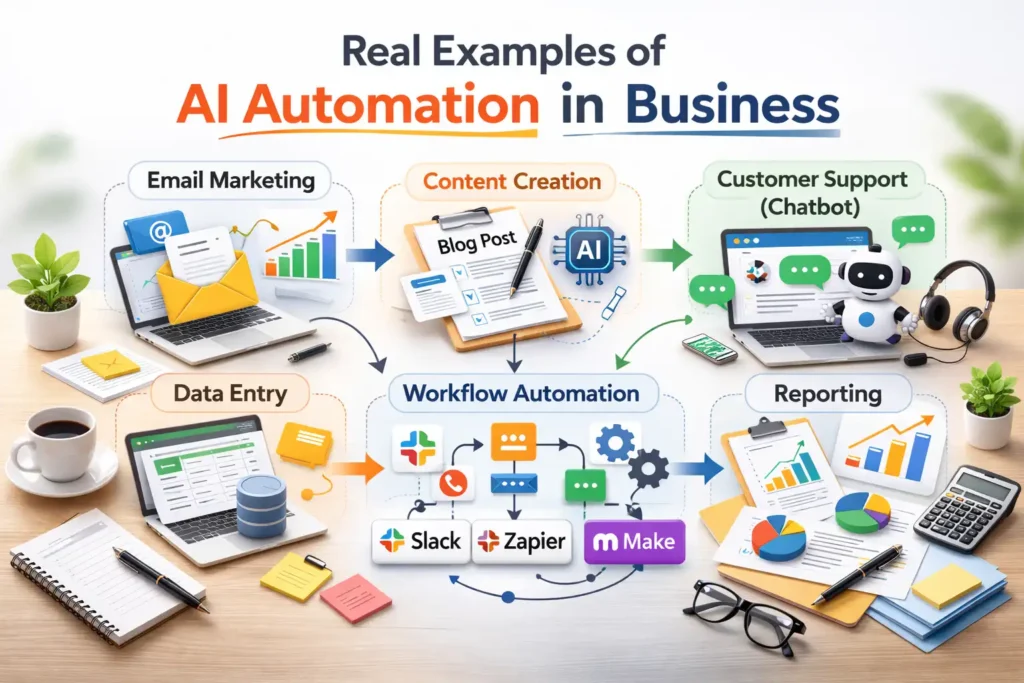
AI automation is not just a concept. It is already transforming how businesses operate on a daily basis. From marketing campaigns to customer service and internal workflows, AI tools are helping companies save time and improve efficiency. These real-world examples show how businesses are using AI to automate repetitive tasks and focus on growth. Understanding these use cases can help you identify opportunities within your own business where automation can make the biggest impact and deliver measurable results.
Marketing Automation
Businesses use AI to automate email campaigns, generate content, and analyze customer behavior. Tools can schedule posts, write copy, and optimize campaigns based on performance data. This reduces manual work while improving targeting and engagement, allowing marketing teams to focus on strategy instead of repetitive execution tasks.
Customer Support Automation
AI tools handle customer queries through chatbots and automated responses. They can answer common questions, resolve issues, and escalate complex cases to human agents. This improves response time and customer satisfaction while reducing the workload on support teams, especially for businesses handling large volumes of inquiries.
Internal Operations Automation
AI helps automate tasks like data entry, reporting, and workflow management. Businesses use automation tools to sync data across platforms, generate reports, and manage internal processes. This reduces errors, saves time, and ensures smoother operations, allowing teams to focus on more strategic and high-value work.
Benefits of Using AI Tools for Automation
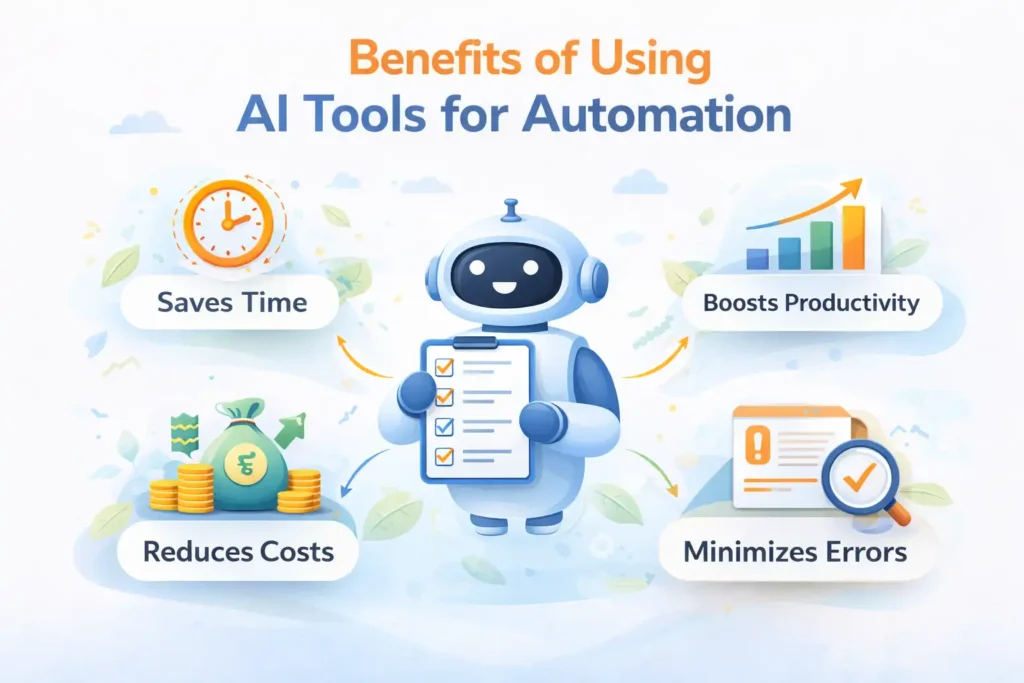
AI automation offers clear advantages for businesses looking to improve efficiency and scale operations. By reducing manual work, these tools help teams save time and focus on tasks that require human creativity and decision-making. They also reduce operational costs by minimizing the need for additional staff. With better accuracy and faster execution, businesses can improve productivity and deliver consistent results. Over time, AI automation becomes a key driver of growth, helping companies operate smarter and stay competitive in an increasingly fast-paced digital environment.
Future of AI in Business Automation
The future of AI in business automation is focused on making processes even smarter and more connected. Trends like hyper-automation are enabling businesses to automate entire workflows across multiple systems. AI is also becoming more predictive, helping companies make better decisions based on data. Instead of replacing humans, the focus is shifting toward collaboration, where AI handles repetitive tasks while humans focus on strategy and creativity. As technology continues to evolve, businesses that adopt AI early will have a strong competitive advantage in efficiency and scalability.
Conclusion
AI tools are no longer just a trend. They are becoming essential for businesses that want to save time, reduce costs, and scale efficiently. From ChatGPT for content to Zapier and Make for automation, each tool offers unique benefits depending on your needs. The key is to start small, choose the right tool, and gradually expand your automation strategy. By doing this, you can streamline your operations and focus more on growth, strategy, and delivering better results for your business.
👉 You might also like: 5 Best Website Security Tools for Developers in 2026
FAQs
What is the best AI tool for business automation?
The best AI tool depends on your needs. ChatGPT is ideal for content and communication, while Zapier and Make are better for workflow automation. HubSpot AI works well for marketing and CRM tasks. Choosing the right tool depends on your business goals and the type of tasks you want to automate.
Are AI tools expensive?
AI tools come in different pricing ranges. Many offer free plans with basic features, while advanced plans provide more capabilities. The cost depends on usage and features, but most tools provide strong value by saving time and reducing manual work, making them a worthwhile investment.
Can small businesses use AI automation?
Yes, AI automation is highly beneficial for small businesses. Many tools are designed to be affordable and easy to use without technical expertise. Small businesses can automate tasks like customer support, marketing, and content creation, helping them compete with larger companies more efficiently.
Is AI automation safe for businesses?
AI automation is generally safe when used correctly. Businesses should choose reliable tools, protect sensitive data, and maintain human oversight. Regular monitoring ensures that automated processes run smoothly and reduces the risk of errors or inaccurate outputs affecting business operations.
Which AI tool is best for beginners?
For beginners, tools like ChatGPT and Zapier are great starting points. They are easy to use, require little setup, and offer immediate value. These tools allow users to automate simple tasks and gradually explore more advanced features as their confidence and needs grow.
✨ Want daily breakthroughs? Follow Tech Statar.